Multifunction Loss Tester 55
9 Managing Test Results
Viewing and Deleting Results
You can save up to 1024 results (FASTEST, power/loss and ORL) in your unit,
along with references and date/time of tests. You will save and recall this
data according to cable and fiber names.
To view and process test results:
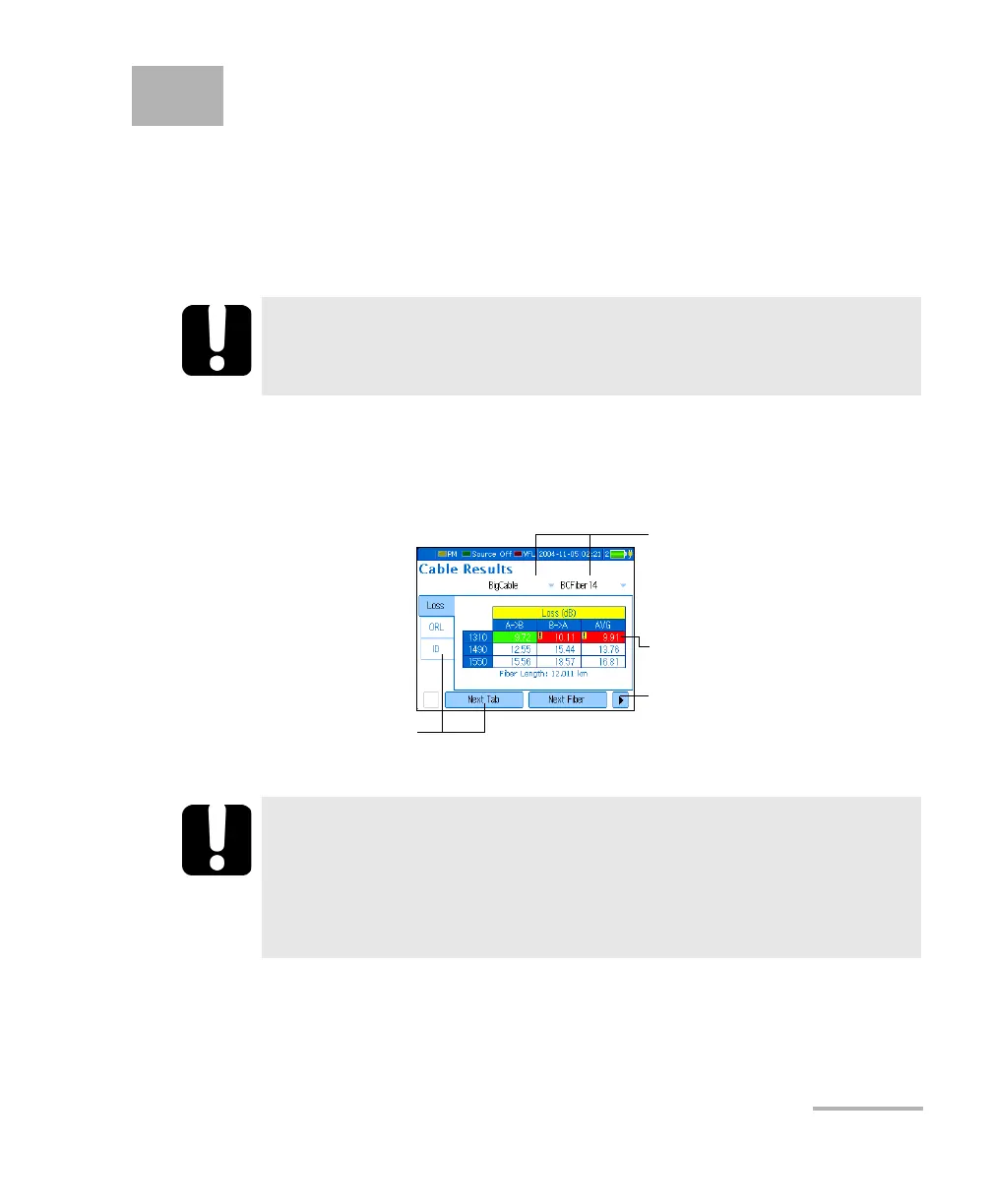
Press Menu, then select Results/Information > Cable Results. The
following functions are available when viewing results:
Note: For more accuracy, the average is always calculated from loss values in W
and then converted to dB.
IMPORTANT
The date and time of FASTEST references are not saved. They are
displayed with the results immediately after the test only.
IMPORTANT
You cannot recover deleted results. Ensure that you transfer
your data to a computer if you intend to use it later.
Deleting a single cable/fiber does not free memory. To free
memory, you must delete all cables at once.
Open lists to select cable/fiber name
of data to recall.
Press Next Fiber or Next Cable to
switch between available results.
Press Next Tab to switch
to next result type.
Red/exclamation mark indicates
result that exceeds threshold.
Press Delete Fiber or Delete Cable to
remove data from list.
Press Delete All Cables to free
memory.
(standard view)












 To Next Page