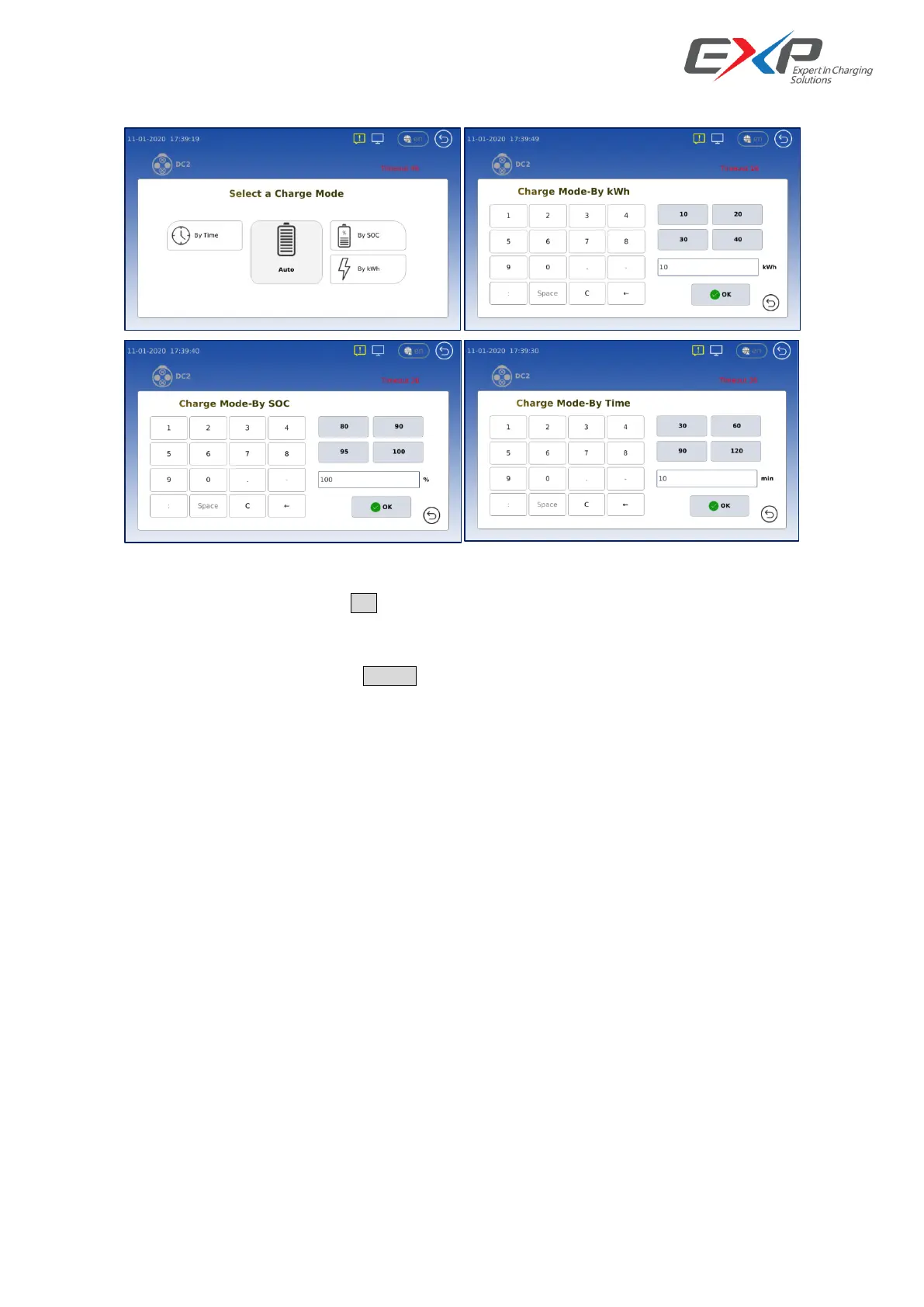
The user can choose BMS/TIME/ENERGY/SOC charging termination methods in the next display interface:
Then input or select the value int the next display interface, the middle icon is auto, that means it will according the
actual EV full charging requirement to finish the charging process.
After enter a relevant value, then push <OK> button go into charging preparing interface.
The LCD will show the current status between the DC Charger and EV Car. After <hand shake>, <PWM>,<Matching>,
<Configure>,<Self-check>,<Pre-charge>, if all steps are ok, and all mutual are ok, charging will start. User can
interrupt the charging process by click the Cancel button.
In the charging display interface, the LCD shows the charging energy, used time, remain time, and the current
charging voltage, charging current, also we can see the true voltage and current requirement from the EV BMS.



 To Next Page