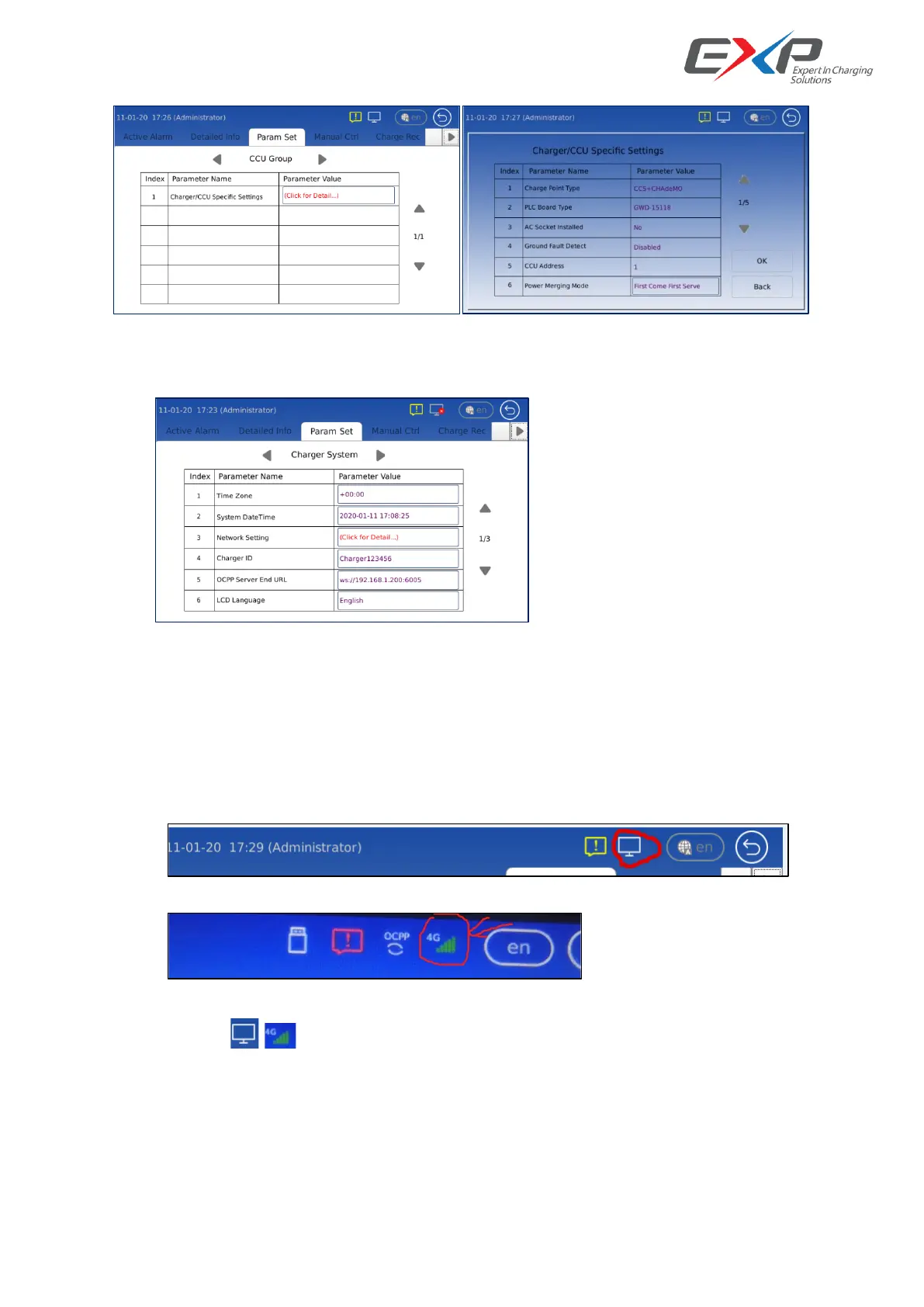
6.2.3 Ethernet and OCCP setting
Enter into the /Param Set/Charger System/Charger ID, Network Setting, OCPP Server End URL, we
can do the Ethernet access and OCPP setting.
6.2.3.1 Network configuration
The ‘Network Setting’ includes a network configuration parameter list that can do check/adjustment after
network is physically ready.
Network Connection Check:
If any of the 2 LAN port is connecting, the network icon will show as below:
If the wireless network is up, the network icon will show as below:
(Note: the‘ ’‘ ’icons just only indicate the network is available for using, not indicate that any
network communication is established.)
Wired Network Configuration
If you want to use wired network, just configure the wired network #1 or wired network #2 like below:



 To Next Page