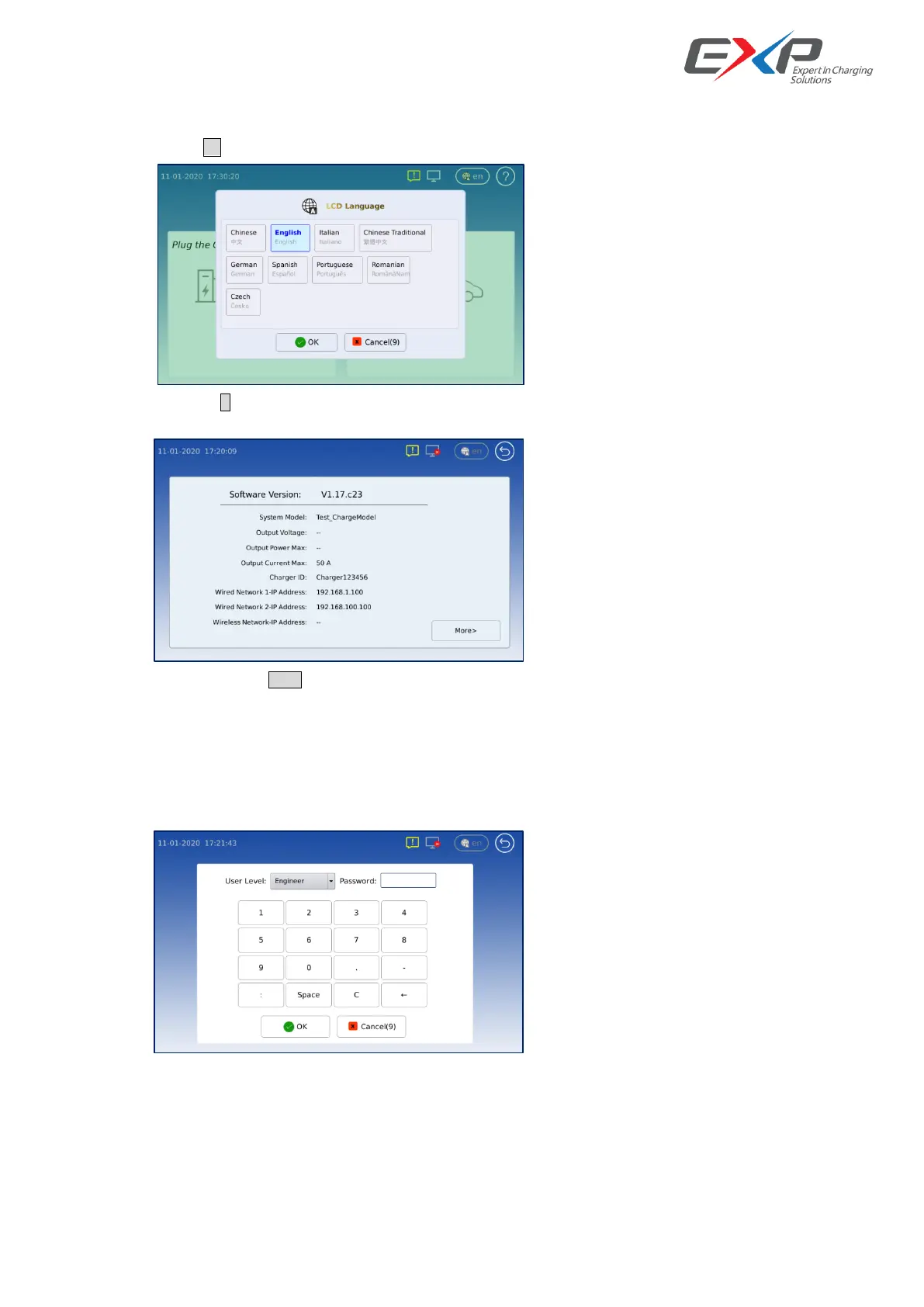
6.2.2 Information LCD interface
Touch the icon <en>on the menu of the main display interface, we can go to Language selection.
Also we can click <?> to go into the information display interface, we can get the system information, current system
alarm information and charging records.
And we can touch <More> to see more detail charger and charging information.
We need firstly input the password then can get the right to access these high level information.
This information is main for maintenance target, normally don’t open to the normal user.
User Level: Engineer, Password: 151719
User Level: Administrator, Password: 135792068



 To Next Page