EXTEL - CONNECT 2 - 720324
fr - 16
F - CONNECTING YOUR EXTEL CONNECT 2 VIDEOPHONE TO YOUR SMARTPHONE
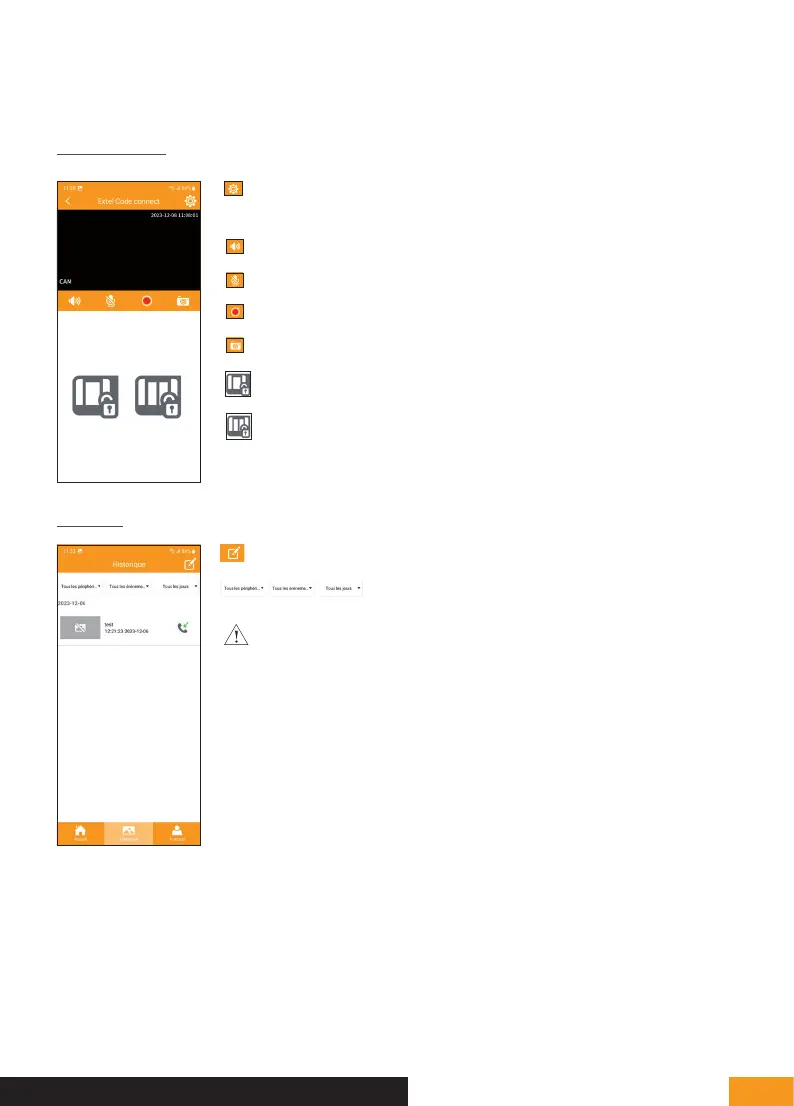
Monitoring mode
Enables you to manage the camera settings: name,
password, WiFi network, Channel number and alarm
Activate/deactivate the sound
Activate/deactivate the microphone
Take a video that can be viewed in the log
Take a photo that can be viewed in the log
Open the electric strike plate
Open the gate
Log mode
Allows you to edit photos/videos (delete and select all)
Allows you to sort photos/videos
Warning: only photos launched from the application are visible. Photos
of visitors’ visits are not available from the application, only from the monitor.



 To Next Page