The information contained within this document is confidential and cannot be reproduced
without the approval of Extollo Communications.
20
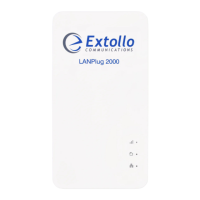
Adding Additional LANPlug 2000’s
A total of sixteen LANPlug 2000’s can coexsist in a single G.hn Powerline domain.
1. Press and hold the pairing button for 3 to 5 seconds on the LANPlug 2000 connected to
the Internet router first until the Powerline LED starts to blink – release the pairing button.
2. Press and hold the pairing button for 3 to 5 seconds on the new LANPlug 2000 that is
being added to the network until the Powerline LED starts to blink – release the pairing
button.
3. The blinking Powerline LED indicates that the pairing process has started. The pairing
process takes approximately 40 to 60 seconds to complete.
4. The pairing process is complete when the Powerline LED on the LANPlug 2000
connected to the Internet router stops blinking and is solid green and the new LANPlug
2000 Powerline LED is solid green.
Pairing Tip
The easiest way to pair the LANPlug 2000’s without having to run all-over the house is to plug
them into a power bar that has multiple electrical outlets.
1. Plug the LANPlug 2000’s into the power bar.
2. Connect one of the LANPlug 2000’s to the Internet router with the provided Ethernet cable.
3. Follow the pairing procedure.
4. Once the pairing process is complete, remove them from the power bar and plug them
directly into the electrical outlets close to the device that requires Internet access.
NOTE: The pairing configuration is stored in flash memory. Therefore, it is not lost when the unit
is unplugged.


 To Next Page