The information contained within this document is confidential and cannot be reproduced
or shared without the approval of Extollo Communications.
26
Logging into Una
Determining the IP Address
Step 1
Una has an integrated web Graphical User Interface (GUI) for management purposes. It also has
Dynamic Host Configuration Protocol (DHCP) enabled, which means that Una will automatically
obtain an IP address from the Internet router.
To access the web GUI on Una, the IP address that was assigned to Una is required. To
determined what IP address was assigned to a Una, log into the Internet router and see what
devices are connected and their associated IP address.
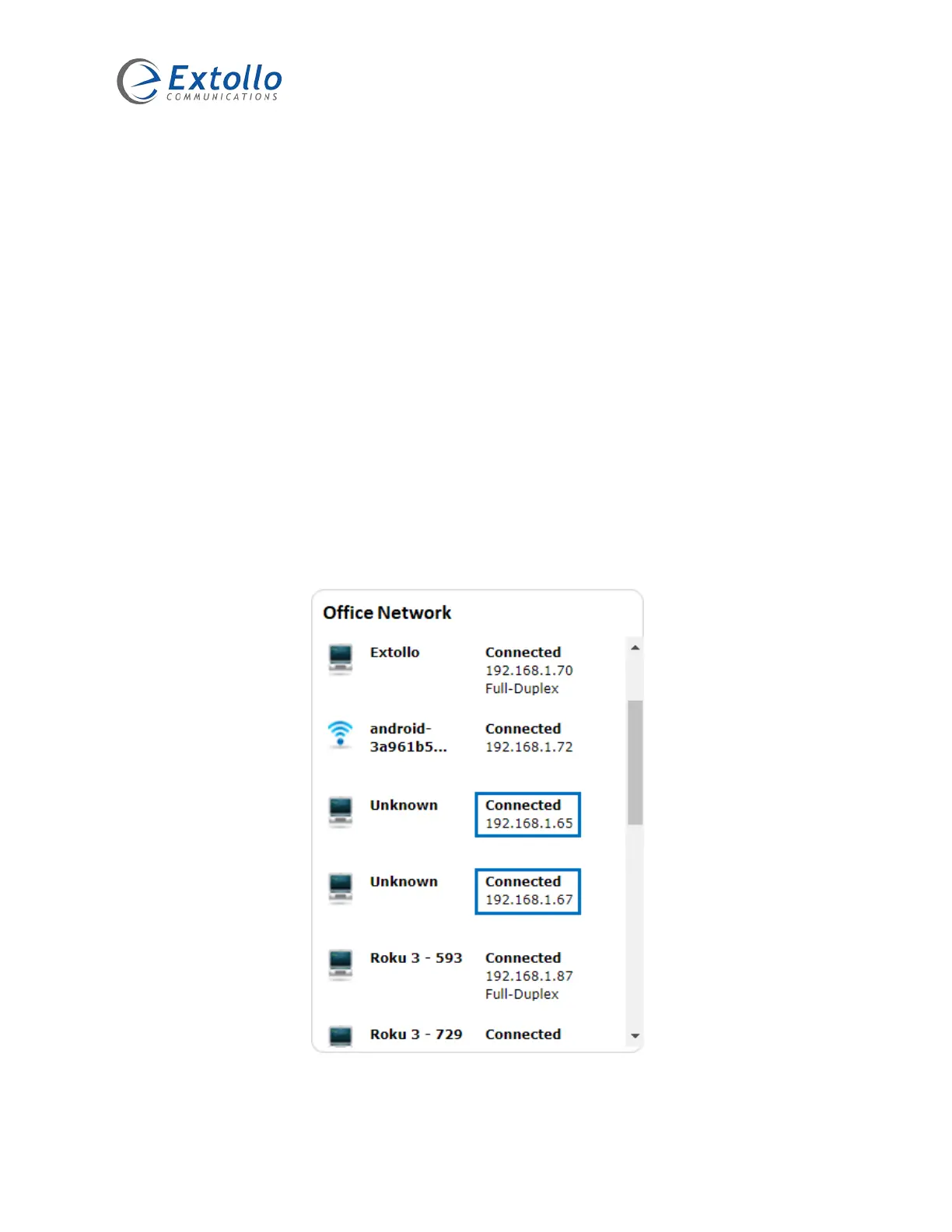
For example: Below is a captured window from an Internet router that shows the connected
devices and their assigned IP addresses. The “unknown” devices are Una’s which were assigned
the IP addresses of 192.168.1.65 and 192.168.1.67.
NOTE: The IP addresses assigned to your Una may differ from this example.



 To Next Page