The information contained within this document is confidential and cannot be reproduced
or shared without the approval of Extollo Communications.
35
Tools Tab
Software upgrades will periodically be provided for Una. The software will be made available for
down load from Extollo’s online cloud software server.
Note: upgrades from software version 2.32.Fxxx and onwards will only be available for download
from Extollo’s cloud software server and will not be posted on the website.
Software Upgrade from Cloud Server
To download the latest software version for Una, follow the procedure below.
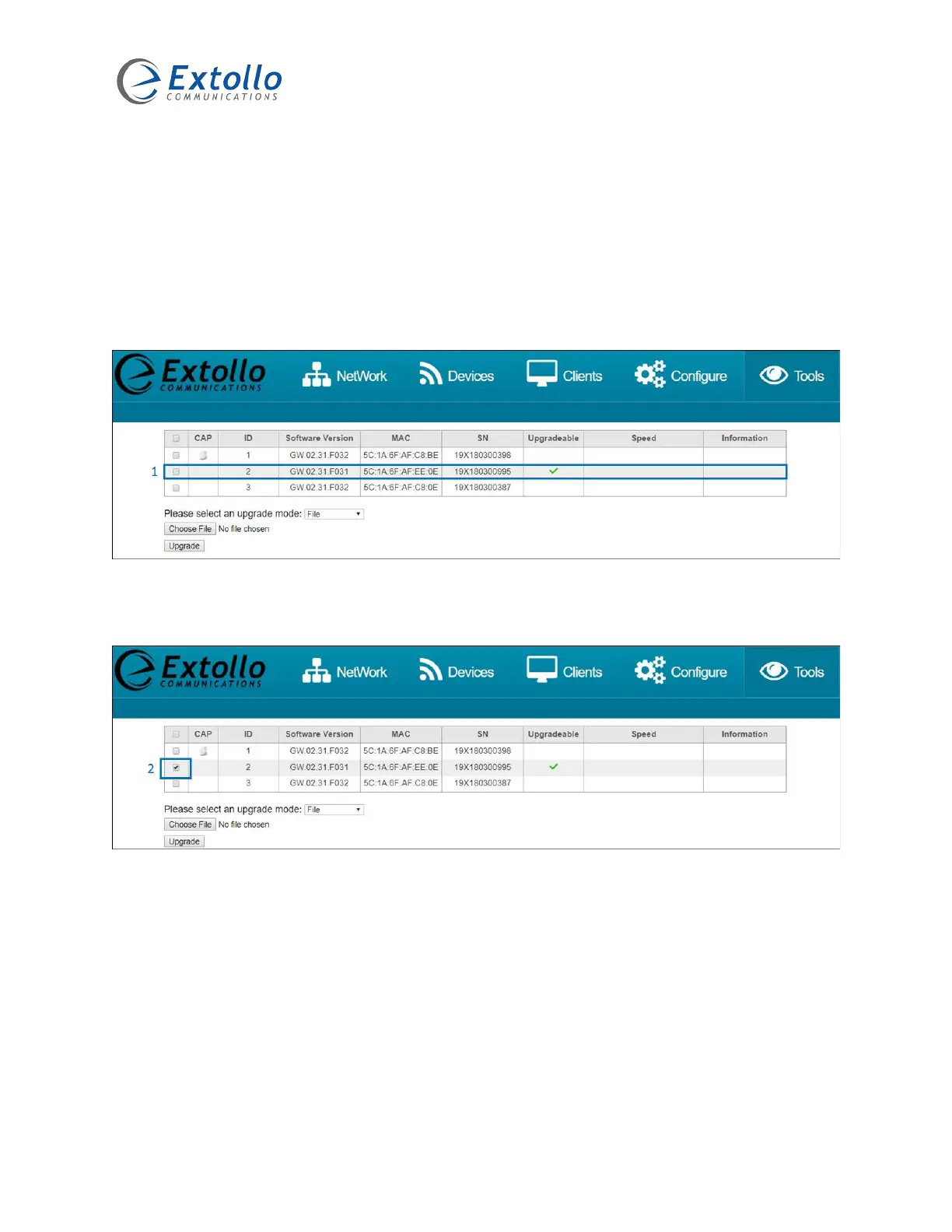
1. If a newer version of software is available for Una, a check mark will appear in the
“Upgradeable” column indicating that there is a newer version of software available.
2. Select the Una that is to be upgraded. To select all Una’s, select the top box in the header
which automatically selects all Una’s.



 To Next Page