The information contained within this document is confidential and cannot be reproduced
or shared without the approval of Extollo Communications.
36
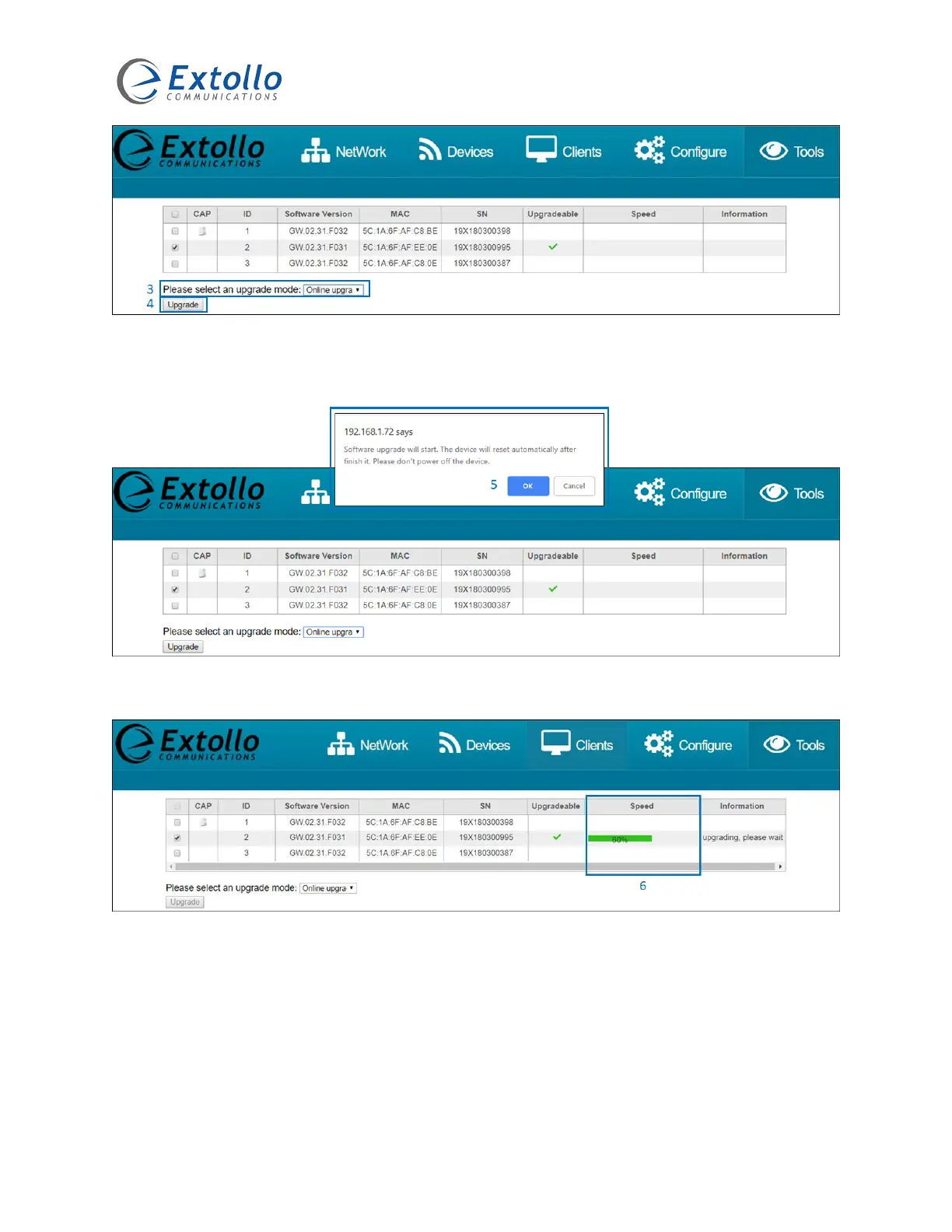
3. Select “Online Upgrade” from the dropdown window.
4. Select the “Upgrade” button to commence the upgrade procedure.
5. A pop-up window will be presented. Select “OK” to continue the upgrade procedure.
6. The “Speed” column will indicate the completion rate of the software download.



 To Next Page