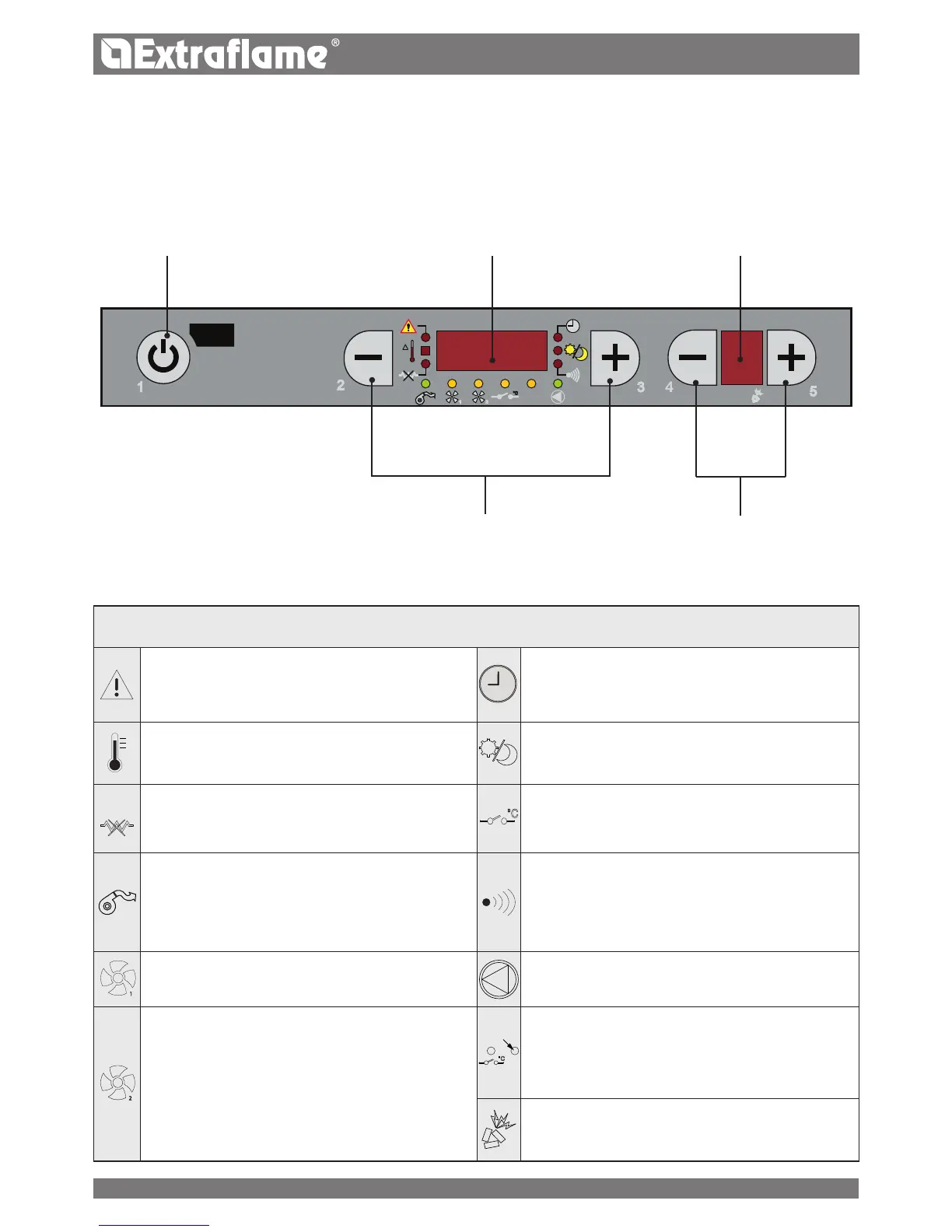
CONTROL PANEL
BUTTON
ON/OFF
DISPLAY OF VARIOUS
TEXT MESSAGES
DISPLAY
OF POWER
TEMPERATURE SETTING
OPERATION POWER
ADJUSTMENT
DISPLAY ICONS KEY
Indicates the presence of an alarm.
On: indicates the presence of an alarm
O: indicates the absence of alarms
Flashing: indicates the deactivation of the depression
sensor.
It indicates weekly programming functioning
Indicator on = weekly programming active
Indicator o = weekly programming disabled
Indicates the room temperature status
O = the T° read by the probe is above the set temperature
On = the T° read by the probe is below the set temperature
Indicates the stby function
O = Stby deactivated
On = Stby activated
Ignition plug
O = ignition plug active
On = ignition plug deactivated
Flashing = Ignition phase
Additional external thermostat input status
O = open contact
On = closed contact
It indicates fumes motor operation.
O = fumes motor not working
On = fumes motor working
Flashing = breakdown
It indicates the communication between remote control
and stove. Every time a key is pressed on the remote control
the indicator must switch on. If the indicator is always on it
indicates that the communication between remote control
and stove is blocked.*
1
It indicates functioning of the tangential fan
O = not working
On = working
Not used
2
Not used
Additional ducted thermostat input status:
On = closed contact (to be satised)
Flashing = the motor is running at minimum and in
modulation mode (input=open)
It indicates pellet feed motor operation
O = pellet feed motor disabled
On = pellet feed motor active
24





 To Next Page