MAX300-RTG: Installation Manual Hardware Installation
50
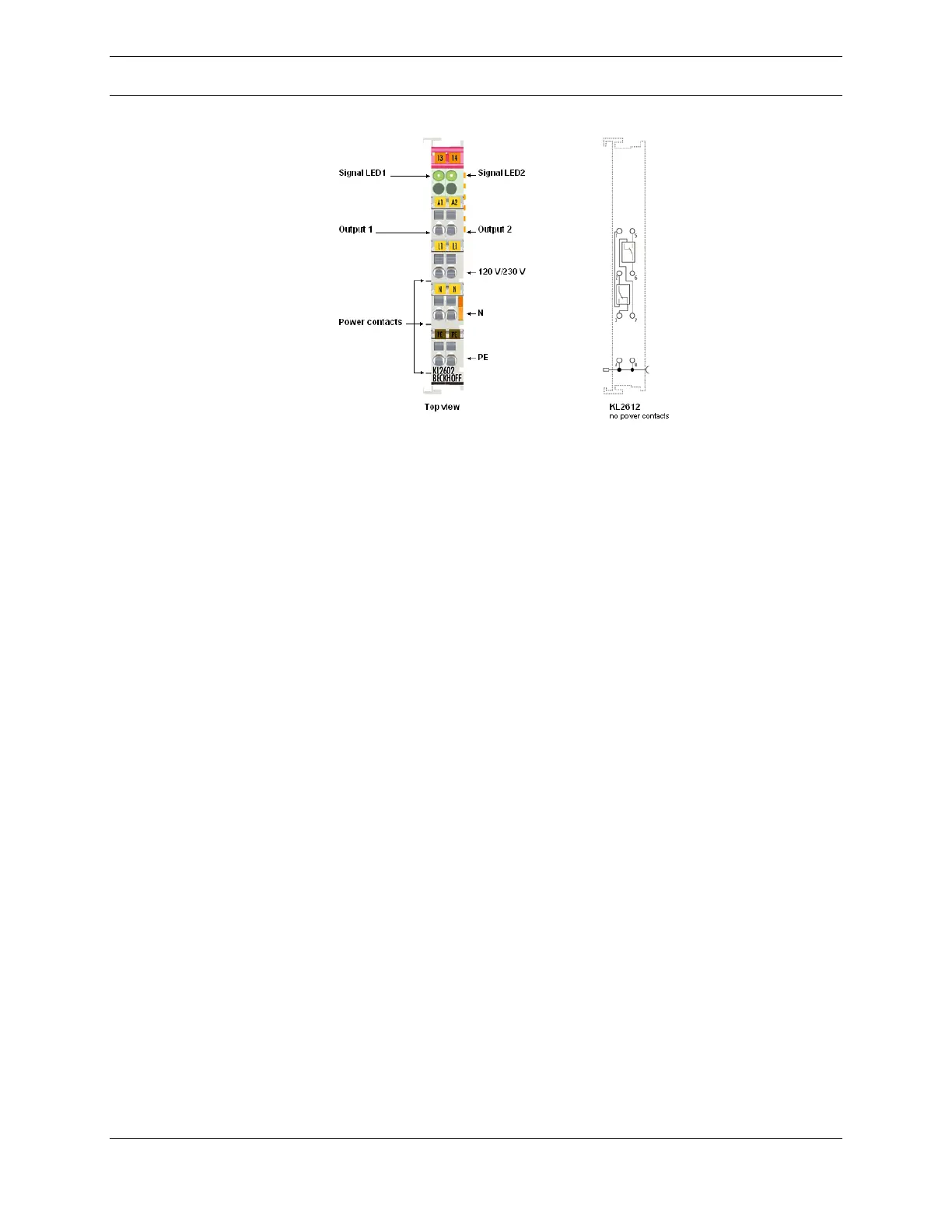
Figure 26: KL2612 Output Terminal
Distributed Control System (DCS)
The DCS, Distributed Control Systems, communications option enables the
MAX300-RTG to be controlled by way of digital input from a user’s industrial
process control system. DCS will assign a number as “script” of MAX300-RTG
actions to be implemented when received. The standard implementation for DCS
is via the Digital Input modules in the 4-20mA and Digital I/O options.
External control of the operation of the MAX300-RTG is accomplished through the
use of the DCS option. When this option is implemented, the Questor5 software
may be configured so that steps in a pre-programmed sequence are commanded
by the value of an input parameter, i.e. a trigger. The MAX300-RTG’s Questor5
software may be configured to use one, or several, of seven different types of
triggers.
Digital Inputs
Analog Inputs
OPC Inputs Tags
Modbus Slave Holding Registers
Modbus Slave Coil Status
Modbus Master Holding Registers
Modbus Master Coil Status
The DCS option is implemented at the factory by modifying internal configuration
files to reflect the purchase of the DCS control option and by installing the
appropriate optional control hardware. Additional hardware is required for all DCS
control sources noted above except for OPC. In the case of digital and analog
inputs, the Beckhoff Bus Terminal and appropriate input and output terminals
needed to be installed in the MAX300-RTG in addition to a serial port in the server



 To Next Page