MAX300-RTG : Hardware Manual Hardware Maintenance
58
plug of the roughing pump. The capacity of this pan should be considerably larger
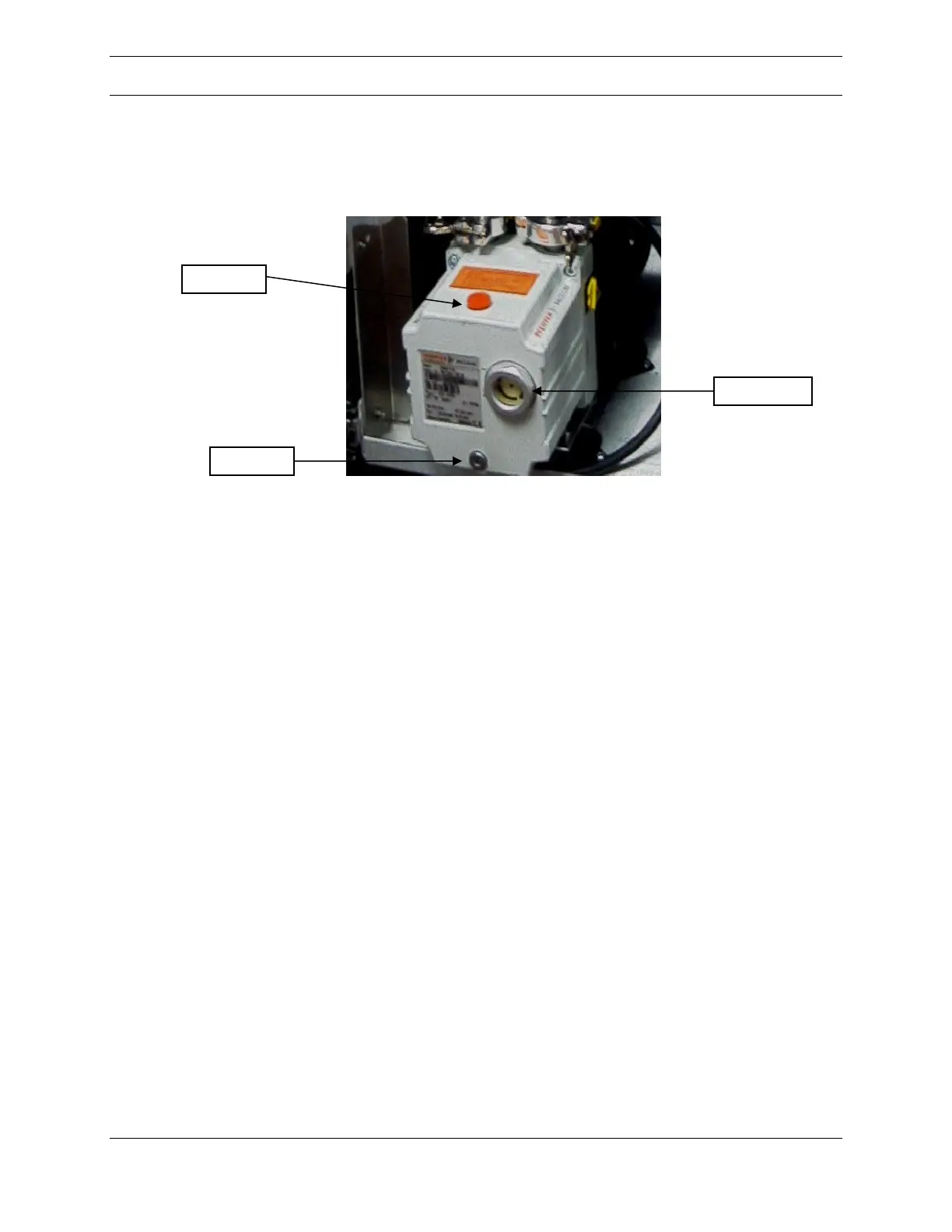
than the 450 ml (2 cup) capacity of the pump, shown in Figure 31, below.
Figure 31: Roughing Pump
Using a 5mm hex key, remove the drain plug on the front of the pump to allow the
oil to drain into the catch pan. Loosening the fill plug will speed oil drainage. Once
the oil has drained out of the pump, re-install the drain plug and tighten it. Note the
color of the oil. If any of the following colors are present, be sure to flush out all of
the old oil during the oil change:
1. Yellow: Pump needs new oil (approximately six months of use)
2. Dark Yellow: The oil should have been changed a few months ago.
If this is the color of the oil in a six month period, there may be a slight
leak in the vacuum system. Check periodically to make sure that the oil does
not change in color again.
3. Amber: A pump failure may be imminent. Check the pump oil every
month.
Remove the oil fill plug located on top of the pump. Carefully pour new vacuum
pump oil (appropriate for the pump and application) through the fill plug opening
until the oil level in the site glass window is between the fill lines on the pump
housing. Lastly, re-install the fill plug, remove the catch pan and properly dispose
of the used pump oil.
Inlet Valves
Caution: Sample gas is routed from the sample selector valves to the mass
spectrometer inlet flange through transfer tubing. This tubing forms part of the



 To Next Page