Power supplies
POWER SUPPLIES
Regenerative power supplies
2.
55
DDS
HARDWARE
Ref.1310
Lights indicating the status of the main power supply
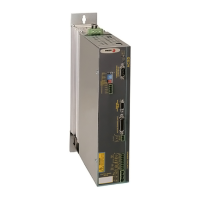
The regenerative power supply XPS-25 has the following lights on the
front panel to indicate the status of the main power supply:
FAULT blinking. The blinking red led indicates that there are no er-
rors and that one or several mains phases are missing.
FAULT turned ON. The steady red led on indicates that there is an er-
ror. The error is indicated on the display of the drive modules.
FAULT turned OFF. The led off indicates that there is no error and
that all mains phases are OK.
REGEN. The led is lit when the module is working in energy regener-
ating mode.
DC BUS ON. The green led indicates that the module is supplying all
its power at the bus.
Lights indicating the status of the auxiliary power supply
The regenerative power supply XPS-25 has the following lights on the
front panel to indicate the status of the integrated auxiliary power supply:
RESET. Initializes the auxiliary 24 V DC power supply.
OVER VOLTAGE. The red led indicates that there is an over-voltage
error at the 24 V DC output or due to over-temperature.
OVER CURRENT. The red led indicates that there is an over-current
error at the 24 V DC output.
ON. The green led it indicates that there are 24 V DC at the output.
INFORMATION. For further detail on these indicator lights, see the combi-
nation table for interpretation in the description of the E305 on the error list-
ing shown in chapter 14. ERROR CODES AND MESSAGES of the
“man_dds_soft.pdf” manual.



 To Next Page
 Loading...