18
MANUAL IGNITION
ENDURANCE 50F MANUAL IGNITION
Furnace Shutdown:
1. Press the On/Off button for 1 second while running
initiates shutdown; the fire will go out in a few minutes.
Shutdown is disabled while self cleaning in progress.
2. Combustion fan will run for at least 5 hours before shutting
down completely to insure no smoke enters the home.
3. Supply blower will continue to run until the unit temperature
falls below setting on the fan limit switch.
WARNING
Never unplug the furnace to shut it off.
Doing so may cause a significant amount of
smoke to enter the room.
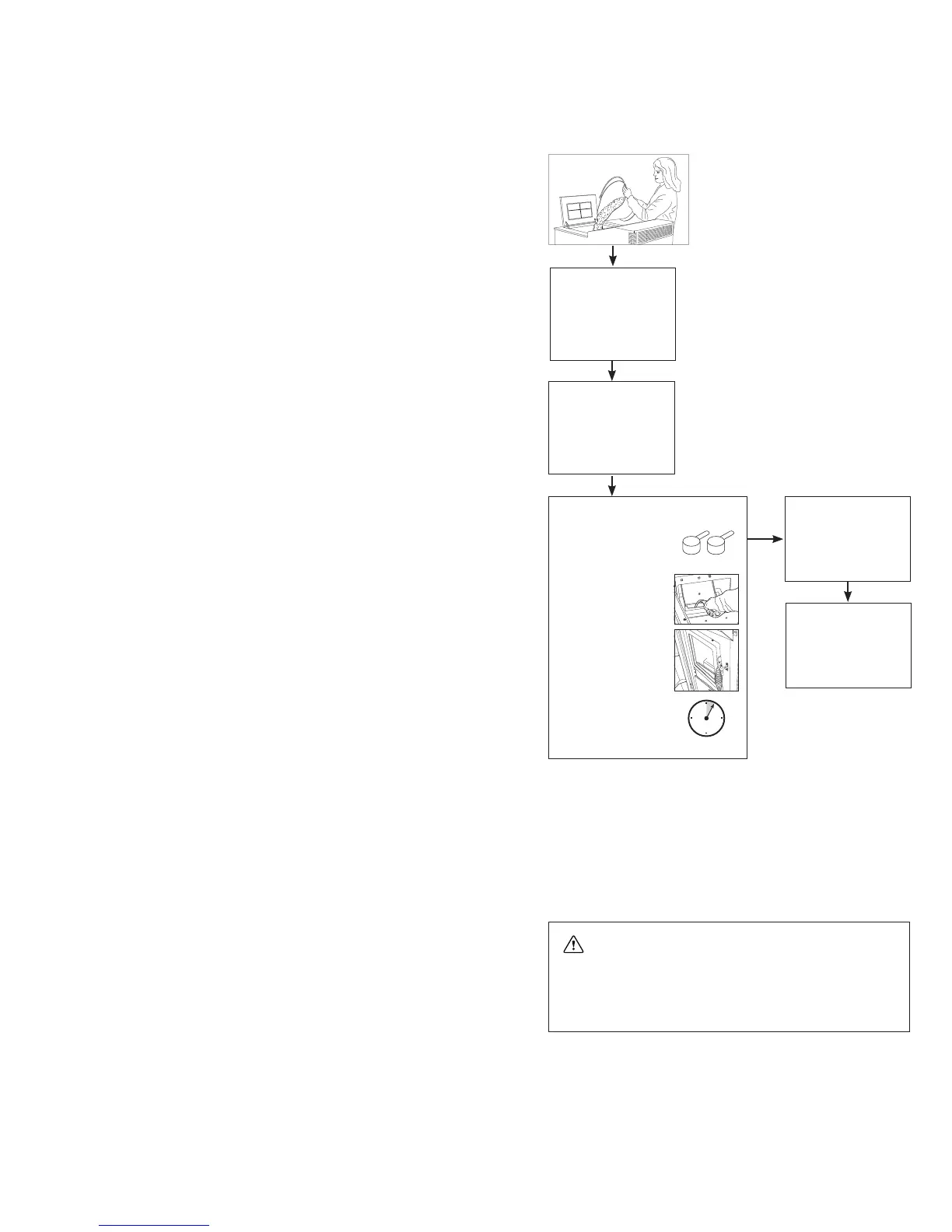
1. Make sure the Endurance has been properly in-
stalled and plugged into a standard 115V outlet.
2. Fill the Fuel Hopper
a. Make sure the Endurance hopper has adequate fuel,
filled to near the top, and the lid is closed. The lid must be
closed for the feed auger to operate.
b. Confirm the ash pan is secured and the fire chamber door
is closed.
3. Prime the Unit
Press and hold the Prime button until the auger is fully
‘primed’ and your fuel (corn, pellets, etc.) begins to feed into
the burn pot. This may take 2-3 minutes. (This step is not nec-
essary if the auger is filled with fuel from previous operation).
4. Verify the Settings
The LCD Control Panel will display the default settings. To
changeasetting,usetheUPandDOWNarrowstoselectthe
menu item, then ENTER to select the options, etc.
5. Press the ON/OFF Button to Start
Once the settings are correct for your fuel type etc., push the
ON/OFF Button for approx. 1 second. The LCD screen will
display what process is running.
Current Setting
Fuel:10-PPellet
Control:Manual
Ignition:Manual
Blower:800CFM
AugerTrim:3
DraftTrim:3
SELF CLEANING IN
PROGRESS
Stabilizing
LEVEL 3
FuelType:
10-P Pellet
Vacuum Flame Auger
Running
LEVEL 3
FuelType:
10-P Pellet
Vacuum Flame Auger
Clean Complete
1. Mix approximately 2 cups
of WOOD PELLETS with a
starter enhancer gel.
2. Open the fire chamber
door and pour this
mixture into the burn
pot.
3. Using a long nosed
lighter or match, light
the fuel mixture.
4. After lighting starter
mixture,
LEAVE THE FIRE
CHAMBER DOOR
OPEN SLIGHTLY FOR
4-5 MINUTES.
ENTER = DONE
2 cups
4-5 minutes
The Start Up Program Works as Follows:
A. Approximately 15 minutes after start up is initiated the con-
trol board checks to make sure the Vacuum switch and the
P.O.F. switch are made.
B.WhentheboardsensestheVacuumswitchandtheP.O.F.
switch have been made, the unit will switch to normal
operation in heat level 5 and start up has been successful.
Fuelwillthenbegintofeedintothepot.Note:UnitwillrunatLevel5for15minutestobuildahotbaseeventhoughcontrol-
ler may read your desired level. The unit will go to set level once base build up is complete.
C. If the board fails to sense vacuum or the P.O.F., it will go into a safety shutdown and flash the appropriate Diagnostic code.
If this happens, repeat steps 1 through 5 from the section below.


 To Next Page