17
7.0 SERVICING
BEFORE ATTEMPTING ANY MAINTENANCE, ISOLATE THE
APPLIANCE AT THE MAINS SWITCH AND TAKE STEPS TO
ENSURE THAT IT IS NOT INADVERTENTLY SWITCHED ON.
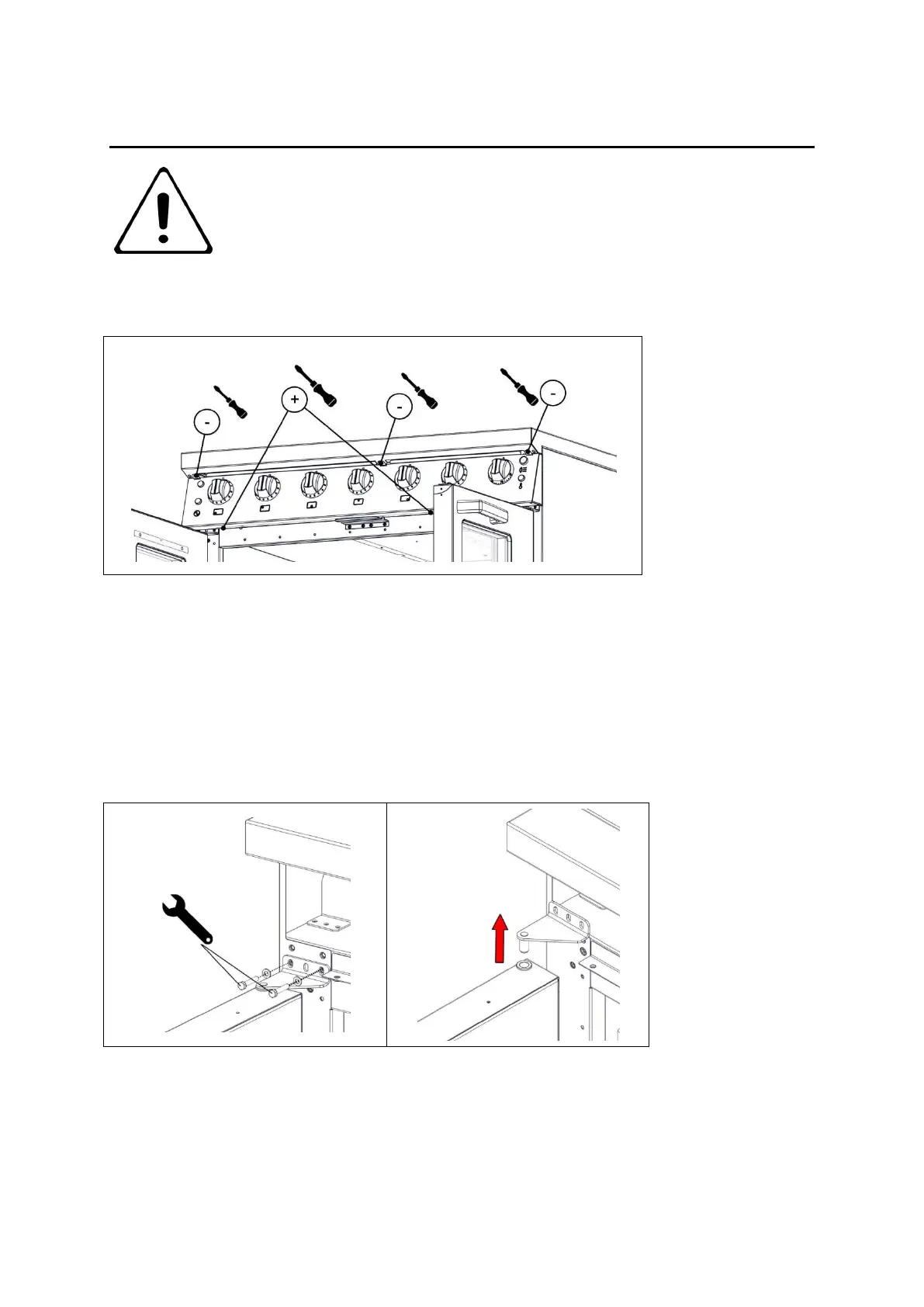
7.1 CONTROL PANEL REMOVAL
7.1.1 Remove fixings at top and bottom of control panel
7.1.2 Open oven door and pull control panel forward whilst slightly easing the bottom edge
up. Support control panel upon door
7.1.3 When replacing panel, take care not to trap any connecting wires. Replace shake
proof washers below fixings
7.2 DOOR REMOVAL
7.2.1 Remove control panel as per section 7.1.
7.2.2 Remove bolts from hinge bracket and then hold door remove bracket and lift up door
from the appliance.






 To Next Page