www.faleemi.com support@faleemi.com
3. Indicator Lights
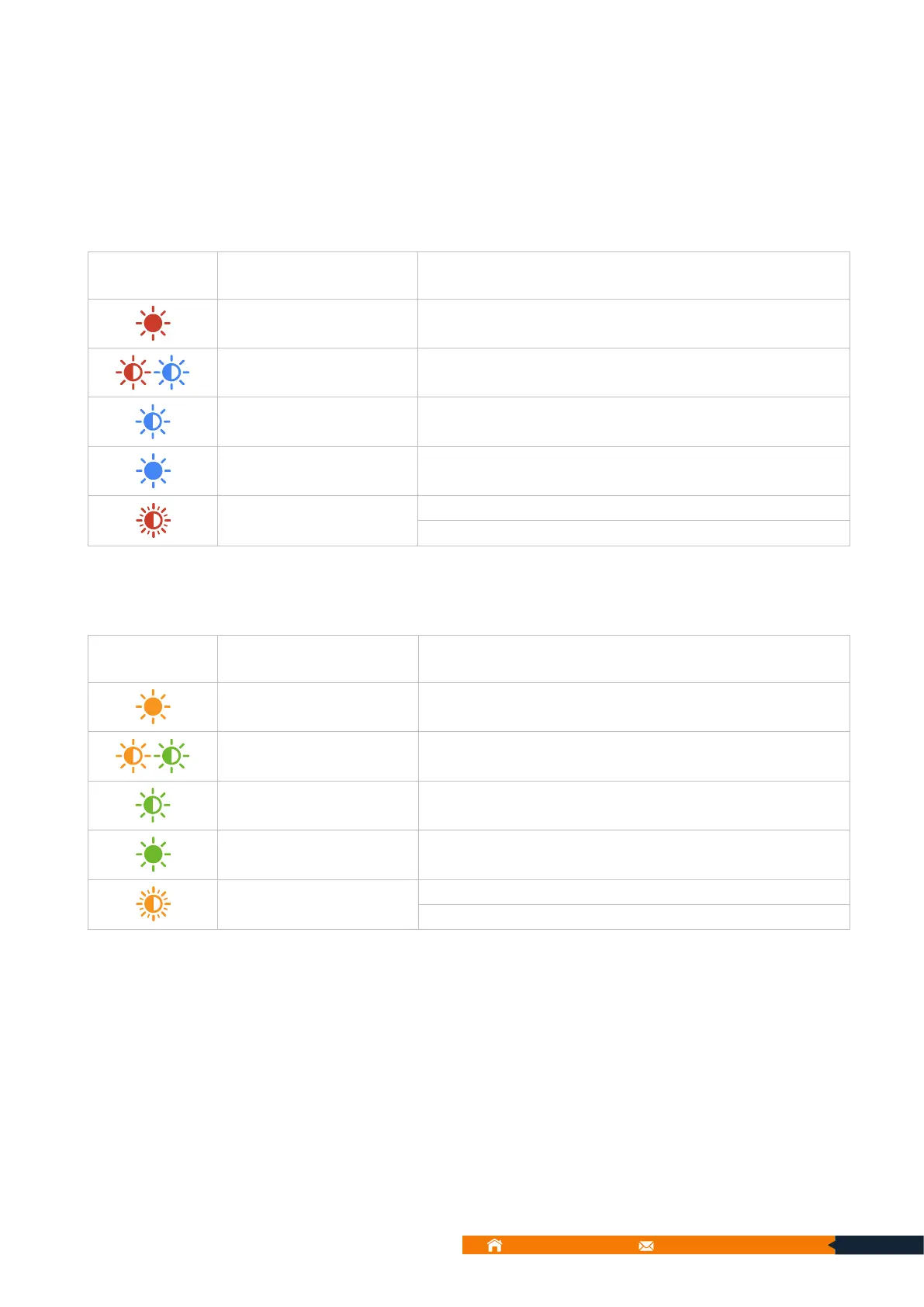
【Indoor Dome Camera】
Red and blue light
alternately flashing
The device is ready to connect
The device is connecting to the Wi-Fi
The device is connected to the Wi-Fi
Red light quickly flashing
A. The device is reset to restore to factory default
B. The device is updating software
Yellow and Green light
alternately flashing
The device is ready to connect
The device is connecting to the Wi-Fi
The device is connected to the Wi-Fi
Yellow light quickly
flashing
A. The device is reset to restore to factory default
B. The device is updating software



 To Next Page