This is the ON/OFF option for the
camera functions, not the power
switch. If you want to disable the
camera temporarily, you can select
off. At this time, the camera will not
be able to view live, record, alert,
etc. But you can view the previous
recorded videos/photos.
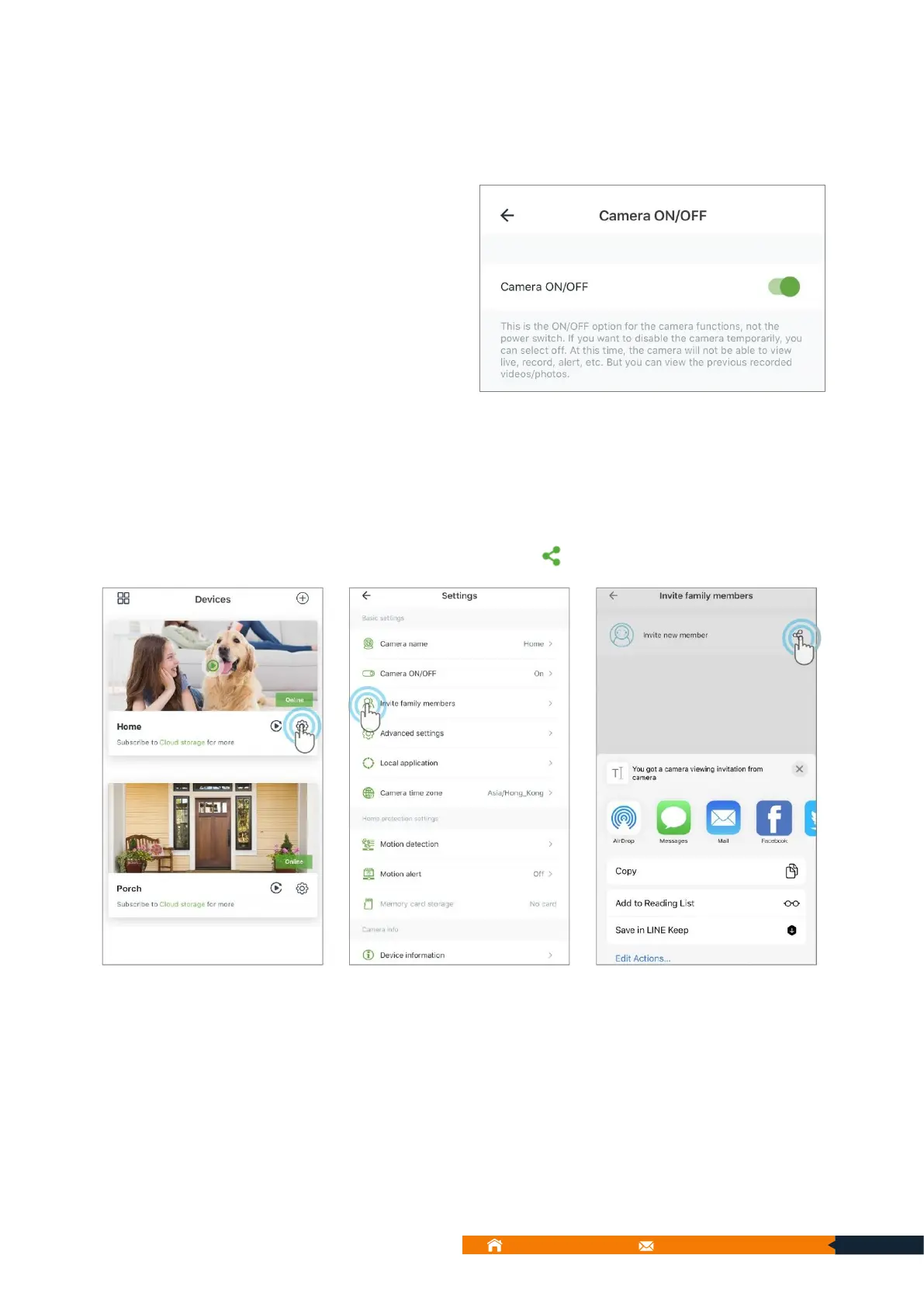
9.5.3. Invite family members:
You can invite your family or friends to view the feed of your camera.
a. Tap Settings → Invite family members → tap to share your camera.
b. Please share below instructions to your family members and they will know how to
accept this invitation.



 To Next Page