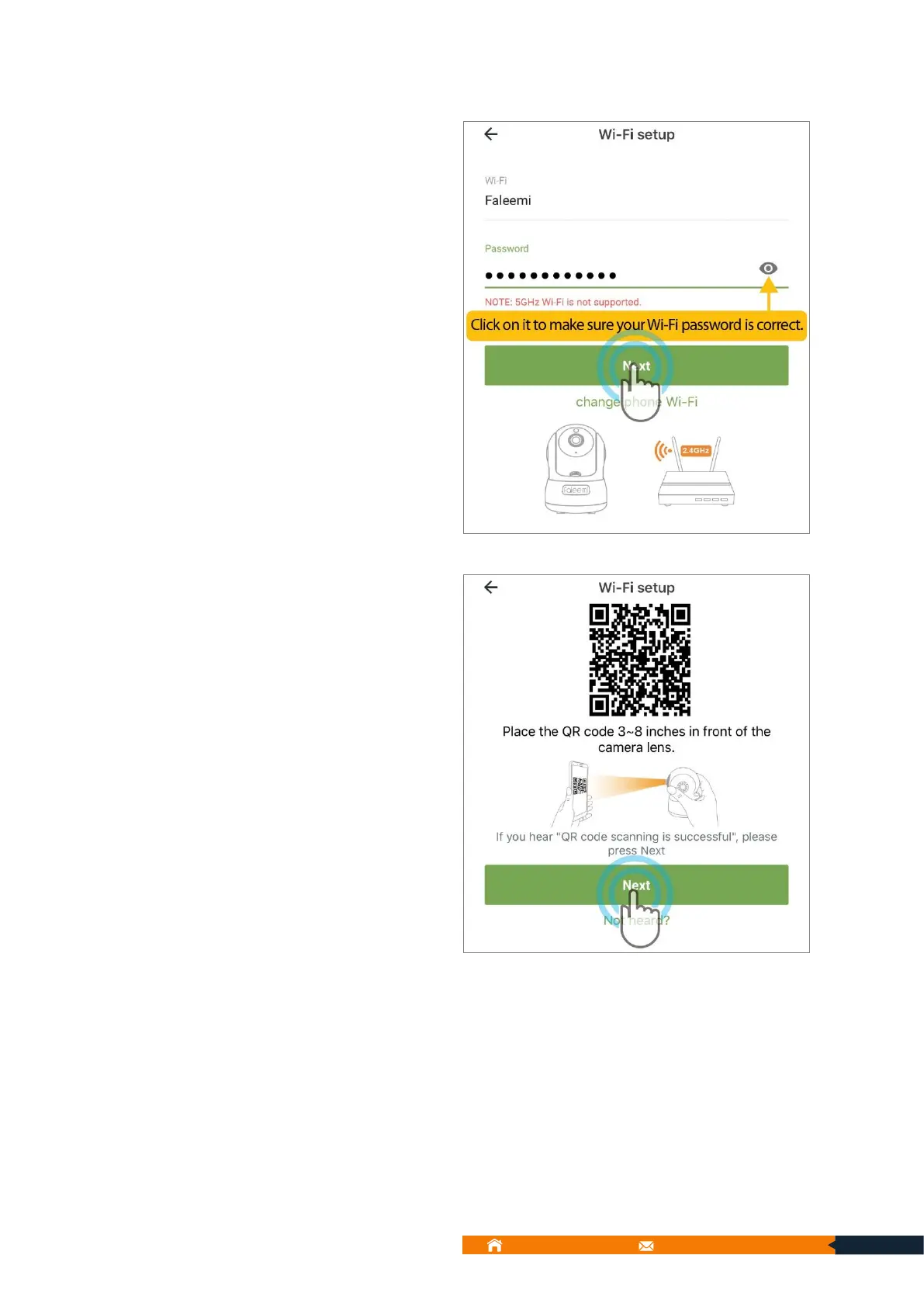
4. The name of your home wireless
will appear to the screen as shown
in below screen. Enter your correct
Wi-Fi password and tap [Next].
5. The Faleemi Cloud app will pop
up a QR code. Hold the camera in
front of code approximately about
3-8 inches to scan the QR code
below. Please tap [Next] if you hear
“QR code scanning is successful”.



 To Next Page