EasyManua.ls Logo

FANATEC DD PRO - User Manual

FANATEC DD PRO
38 pages
Print Icon
To Next Page IconTo Next Page
Loading...
For/Pour/Für/Para PS5
TM
, PS4
TM
Manual
EN

Questions and Answers

  • K
    Kristen FitzgeraldAug 16, 2025
    Why RevLEDs, FlagLEDs and/or display not working in specific games with FANATEC Video Game Controller?
    • D
      dfigueroaAug 16, 2025
      Older game titles might lack support for newer wheel bases. Try switching to the “PC Compatibility Mode”. Also, the “FanaLab” PC suite might add support for some titles and features.
  • K
    Kevin OrtizAug 19, 2025
    What to do if FANATEC GT DD PRO Video Game Controller steering wheel is not properly centered after firmware update?
    • D
      Damon SnyderAug 19, 2025
      After a firmware update, manually calibrate the wheel centre position.
  • E
    elliottjustinAug 22, 2025
    What to do if FANATEC GT DD PRO Video Game Controller H-pattern shifter is not working properly after firmware update?
    • S
      Scott BrownAug 22, 2025
      After a firmware update, the H-pattern shifter must be manually calibrated.
  • H
    hdeckerAug 25, 2025
    What to do if FANATEC GT DD PRO Video Game Controller Tuning display is not working properly?
    • J
      Jenny FigueroaAug 26, 2025
      Try using another steering wheel. If it is also not working properly, the GT DD PRO may be damaged. Also, check the pins inside the Quick Release of the steering wheel to make sure they are not bent or damaged.
  • D
    Danielle NguyenAug 28, 2025
    What to do if FANATEC GT DD PRO Video Game Controller start-up calibration is not working properly?
    • S
      Sandra HansenAug 28, 2025
      Make sure that you have updated your GT DD PRO to the latest firmware version which can be downloaded from Fanatec.com/driver.
  • D
    Daniel OlsonAug 31, 2025
    What to do if the FANATEC PC driver doesn't show the attached steering wheel?
    • R
      Reginald CuevasAug 31, 2025
      First, ensure your GT DD PRO has the latest firmware from Fanatec.com/driver. Then, check the pins inside the steering wheel's Quick Release for bends or damage. If the issue persists, try another steering wheel to rule out damage to the GT DD PRO itself.
  • J
    Julie OdomSep 3, 2025
    What to do if FANATEC GT DD PRO Video Game Controller steering wheel does not return to the correct center position after start-up calibration?
    • W
      William HeathSep 3, 2025
      The wheel base might require a manual centre calibration.
  • M
    mitchelljonathanSep 6, 2025
    What to do if FANATEC PC driver is unable to switch the wheel base into update mode?
    • A
      Amber OneillSep 6, 2025
      Hold the power button for 8 seconds to boot into bootloader mode. Then, attempt to update the firmware via the Firmware Update Assistant.
  • L
    lloweSep 9, 2025
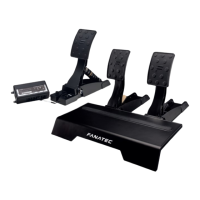
    Why PC driver or wheel base doesn't recognize FANATEC CSL Pedals?
    • R
      Robert BrewerSep 9, 2025
      Make sure that you have updated your wheel base and ClubSport USB Adapter firmware to the latest firmware version contained within the latest PC driver which can be downloaded from fanatec.com/driver. Also, make sure that the RJ12 cable used is the one included in the CSL Pedals package. Finally, ensure that the RJ12 cables are plugged in the correct ports of the CSL Pedals (located on the gas pedal module) and the correct ports of the wheel base and ClubSport USB Adapter.
  • D
    David SteinSep 12, 2025
    What to do if FANATEC CSL Pedals signals are not correctly indicated after start-up?
    • W
      Wanda HarperSep 12, 2025
      When starting-up the CSL Pedals in ‘Auto calibration mode’, every pedal lever must initially be pushed to the maximum position and then fully released back to the minimum position.

Summary

1. General

2. Compatibility

3. Package Contents

4. Assembly

4.1 Plan Your Setup

Decide on hard-mounting or table clamp, connect steering wheel and console.

4.2 Table Clamp

Step-by-step instructions for attaching the wheel base to a table using the clamp.

4.3 Hard-Mounting

Instructions and specifications for physically mounting the wheel base to a surface.

4.4 Attaching the Steering Wheel

Guide on how to connect the steering wheel to the wheel base via the quick release.

4.5 Pedal Setup

Instructions for setting up the pedals, including mounting dimensions for hard-mounting.

4.6 Connections

Diagram illustrating how to connect peripherals like pedals, power, and USB to the wheel base.

4.7 Recommended Accessories

Lists compatible peripherals and accessories that can be used with the GT DD PRO.

5. Functions & Features

5.1 Firmware & Driver Update

Guide on updating the wheel base firmware and PC driver for optimal performance.

5.2 Start-Up Procedure

Instructions on how to turn the wheel base on and off, including calibration.

5.3 Modes

Explanation of different operating modes (PlayStation, PC) and how to switch between them.

5.4 Centre Calibration

Steps to manually calibrate the steering wheel's center position for accurate centering.

5.5 Shifter Calibration

Procedure for calibrating H-pattern shifters, including gear recognition.

5.6 Tuning Menu Access

How to access and navigate the tuning menu for adjusting force feedback and other parameters.

5.7 Tuning Parameter Details

Detailed explanation of various tuning parameters like Sensitivity, Force Feedback, and Dampers.

6. Cleaning

7. Troubleshooting

8. Video Manual

9. Serial Number

10. Trademarks

11. Product Recycling

12. Compliance

13. Warranty

FANATEC DD PRO Specifications

General IconGeneral
Force FeedbackYes
Rotation AngleAdjustable
TypeDirect Drive
CompatibilityPC, PlayStation 4, PlayStation 5
Torque5 Nm
Power SupplyExternal
ConnectivityUSB
Steering WheelNot included (compatible with Fanatec steering wheels)

Videos

How To Update Fanatec DD PRO

Related product manuals