EasyManua.ls Logo

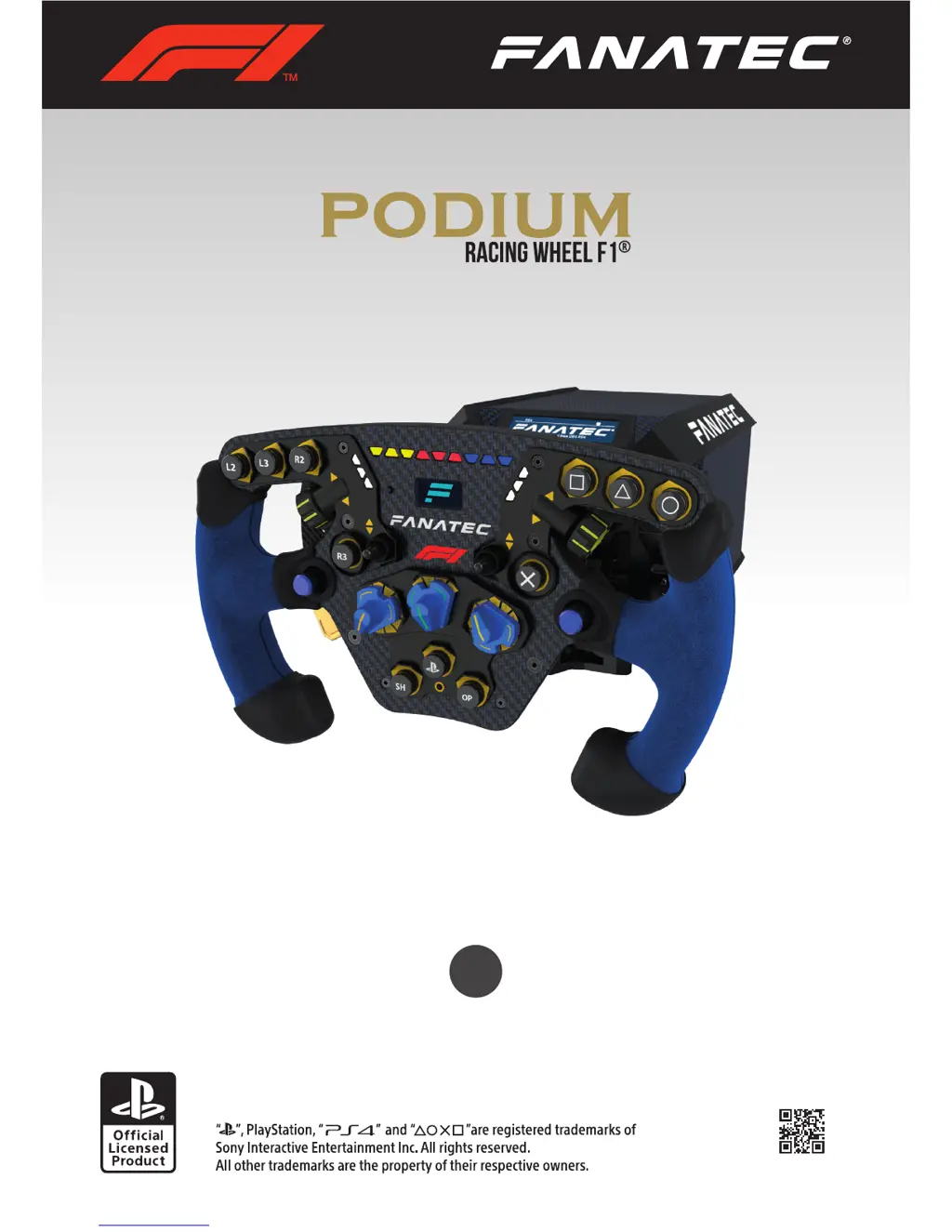
FANATEC PODIUM F1 - User Manual

FANATEC PODIUM F1
53 pages
Print Icon
To Next Page IconTo Next Page
Loading...
www.fanatec.com
Manual
EN

Questions and Answers

  • R
    Robert GrantAug 7, 2025
    What to do if my FANATEC PODIUM F1 motor switches off after playing?
    • C
      charles81Aug 7, 2025
      If the FANATEC Podium Racing Wheel F1® motor switches off after playing for a while, it is likely due to the temperature exceeding the upper limit. Allow your Podium Wheel Base DD2 to cool down before continuing. If this occurs repeatedly, contact customer support.
  • S
    Stacy Casey DDSAug 12, 2025
    How to fix FANATEC Video Game Controller not centering?
    • T
      Tracy Thomas MDAug 12, 2025
      If, after the calibration run at startup, the attached steering wheel of your FANATEC Podium Racing Wheel F1® doesn’t go to the correct center position, check your Tuning Menu settings. Ensure that the value for SPR (spring) is higher than ‘000’, as this effect is necessary for correct centering. The default value is ‘100’.
  • F
    Faith WilkinsAug 17, 2025
    What to do if FANATEC PODIUM F1 Video Game Controller auto calibration is not working?
    • S
      Susan NunezAug 17, 2025
      If the auto calibration of your FANATEC Podium Racing Wheel F1® is not working properly after switching it on, make sure that you have updated your Podium Racing Wheel F1® to the latest firmware version, which can be downloaded from www.fanatec.com/support.
  • J
    Jason FullerAug 22, 2025
    Why does my FANATEC PODIUM F1 F1 racing wheel feel weak after playing?
    • K
      Karen WebsterAug 22, 2025
      If, after playing for a while, your FANATEC Podium Racing Wheel F1® seems to weaken or fade, it might be due to the motor temperature approaching its upper limit. To resolve this, allow your Podium Racing Wheel F1® to cool down completely before resuming use.
  • J
    Jaclyn BakerAug 27, 2025
    How to fix FANATEC Video Game Controller tuning display?
    • J
      Joyce SanchezAug 27, 2025
      If the tuning display on your FANATEC Video Game Controller does not show anything or isn't working correctly, try using another steering wheel to identify the issue. Also, inspect the pins inside the Quick Release of the steering wheel to ensure they are not bent or damaged. If the problem persists with another steering wheel, the Podium Racing Wheel F1® might be damaged.
  • J
    jenniferhuynhSep 1, 2025
    Why is FANATEC Video Game Controller fan always on?
    • S
      Sarah HendersonSep 1, 2025
      In the event that the FANATEC Podium Racing Wheel F1® fan is always running at full speed, even immediately after being powered on and before any driving, contact our customer support, as this may indicate a malfunctioning temperature sensor. The operating room temperature should be between 15°C and 35°C.

Summary

General Safety and Operation

Device Safety Precautions

Warnings on environmental exposure, temperature limits, and user age.

Electrical Safety and Power Connection

Guidelines for connecting the power supply and avoiding electrical hazards.

Preparation and Assembly

Functions and Features

Firmware and Driver Updates

Procedures for updating firmware and PC drivers for optimal performance.

Tuning Menu Settings

Adjusting sensitivity, force feedback, shock, ABS, and other effects.

Troubleshooting and Maintenance

Resolving Common Issues

Solutions for problems like calibration, driver detection, FFB fading, and overheating.

FANATEC PODIUM F1 Specifications

General IconGeneral
BrandFANATEC
ModelPODIUM F1
CategoryVideo Game Controller
LanguageEnglish

Related product manuals