LE-03MQ CT - User manual
6
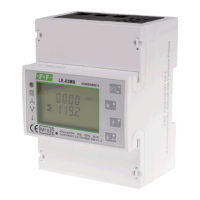
4. OPERATOR PANEL
Buttons features:
Select the voltage and current display screens.
In set up mode, this is the "Left" or "Back" button.
Select the frequency and power factor display screens.
In set up mode, this is the "Up" button.
Select the power display screens.
In set up mode, this is the "Down" button.
Select the energy display screens.
In set up mode, this is the "Enter" or "Right" button.
4.1. Voltage and current, harmonic
Each successive pressing of the button selects a new range:
Phase to neutral voltages (3p4w).
Current on each phase.
Phase to neutral voltage THD% (3p4w).



 To Next Page