4.
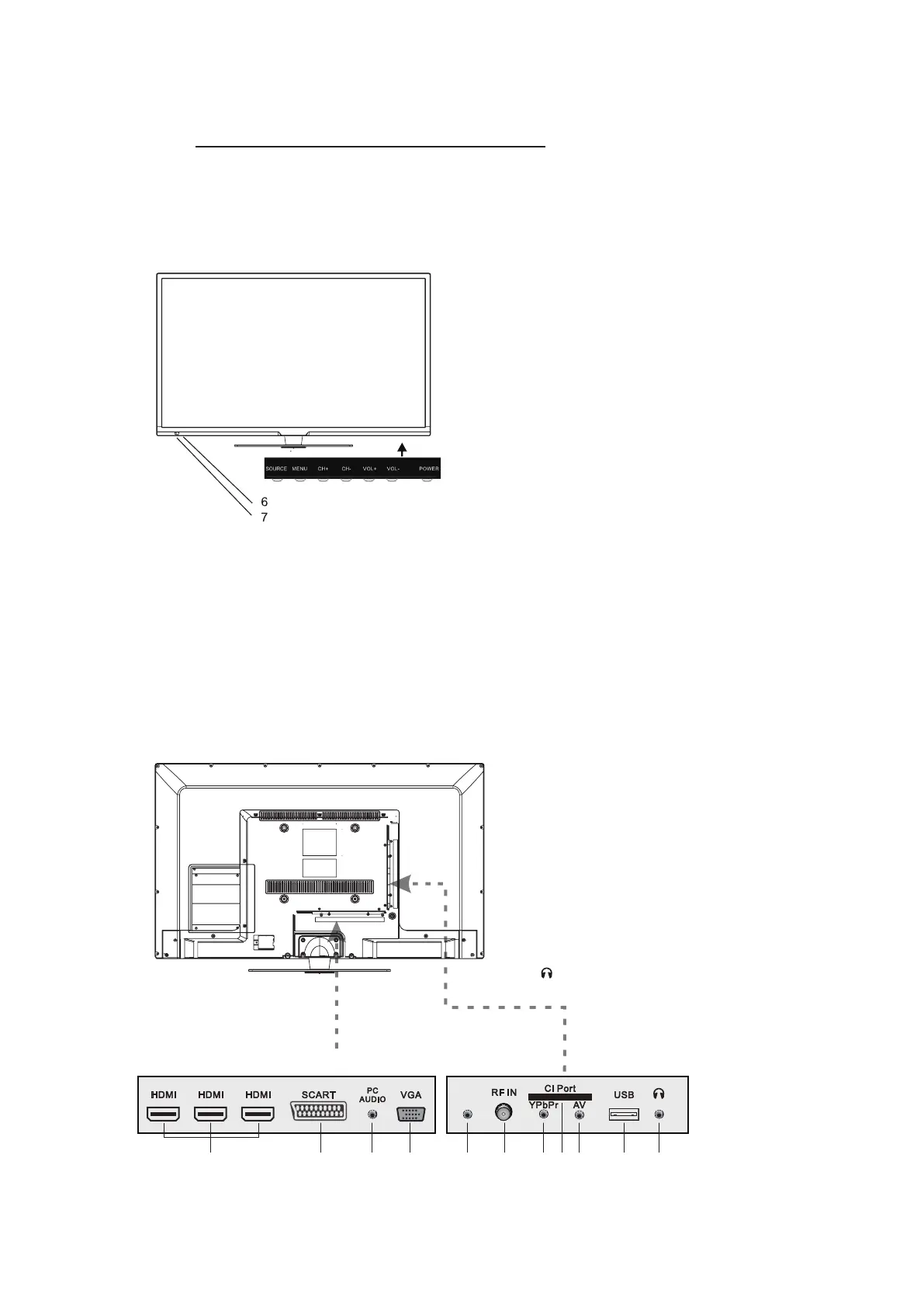
Front View
FRONT,BACK,CONNECTIONS OF THE TV
1. Press ”SOURCE” to select the input
source.
2. Press ”MENU” to bring up the main
menu on the screen.
3. Press ”CH+” or ”CH-” to scan through
channels.
4. Press ”VOL+” or ”VOL-” to increase or
decrease the sound level.
5. Press ”POWER” buon to turn the TV
on or off.
6. POWER INDICATOR: When the TV will
display in standby or turn Green or Blue
7. REMOTE SENSOR: infrared sensor for
the remote control.
Back V
iew and Control Connecons
- 6 -
COAX
1 2 3 4 5 6 7 8 9 10
11
1. HDMI :Connecting for HDMI signal.
2. SCART:Connected to the SCART output jack
of VCR or DVD.
3. PC Audio :Connected to the audio output jack
on a Personal computer.
4. VGA:Connected to the VGA output jack on
apersonal computer.
5. COAXIAL:Connecting for headphone.
6. RF In:Connected to external antenna to receive.
7. CI Port:Connect to the CI card.
8. YPbPr:Connecting for the Y/Pb/Pr Input in
Component mode.
9. AV :Connecting for AV signal input inComposite
mode.
10. USB:Connecting for USB device.
11. :Connecting for headphone.



 To Next Page