COAX
COAX
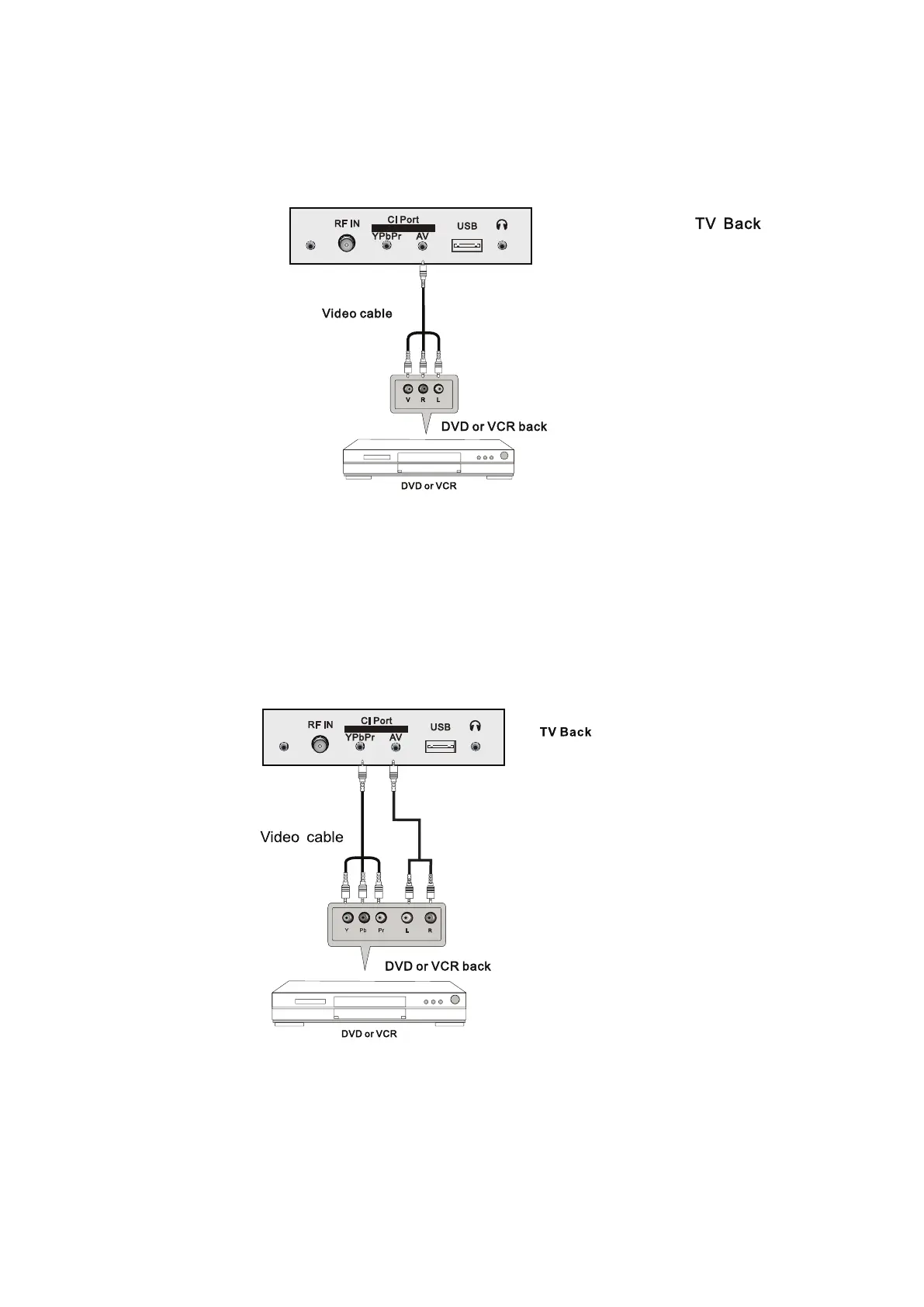
AV Connecon
Connect the VIDEO and AUDIO output jack of the DVD or VCR to the VIDEO jacks on the TV set
using the RCA cable. Match the jack colors: Video is yellow, Audio le is white, and Audio right is
red. Select the AV input source via the SOURCE buon on the remote control.
YPbPr Connecon
Connect the YPbPr output of the DVD or VCR to the YPbPr input on the TV set. Connect the Audio
output of the DV
D or VCR to the Audio input jacks on the TV set using the RCA cable.
Match the jacks colors: Y is green, Pb is blue, Pr is red, Audio le is white and Audio right in red.
Select YPbPr input source via the SOURCE buon on the remote control.
- 9 -



 To Next Page