DTV
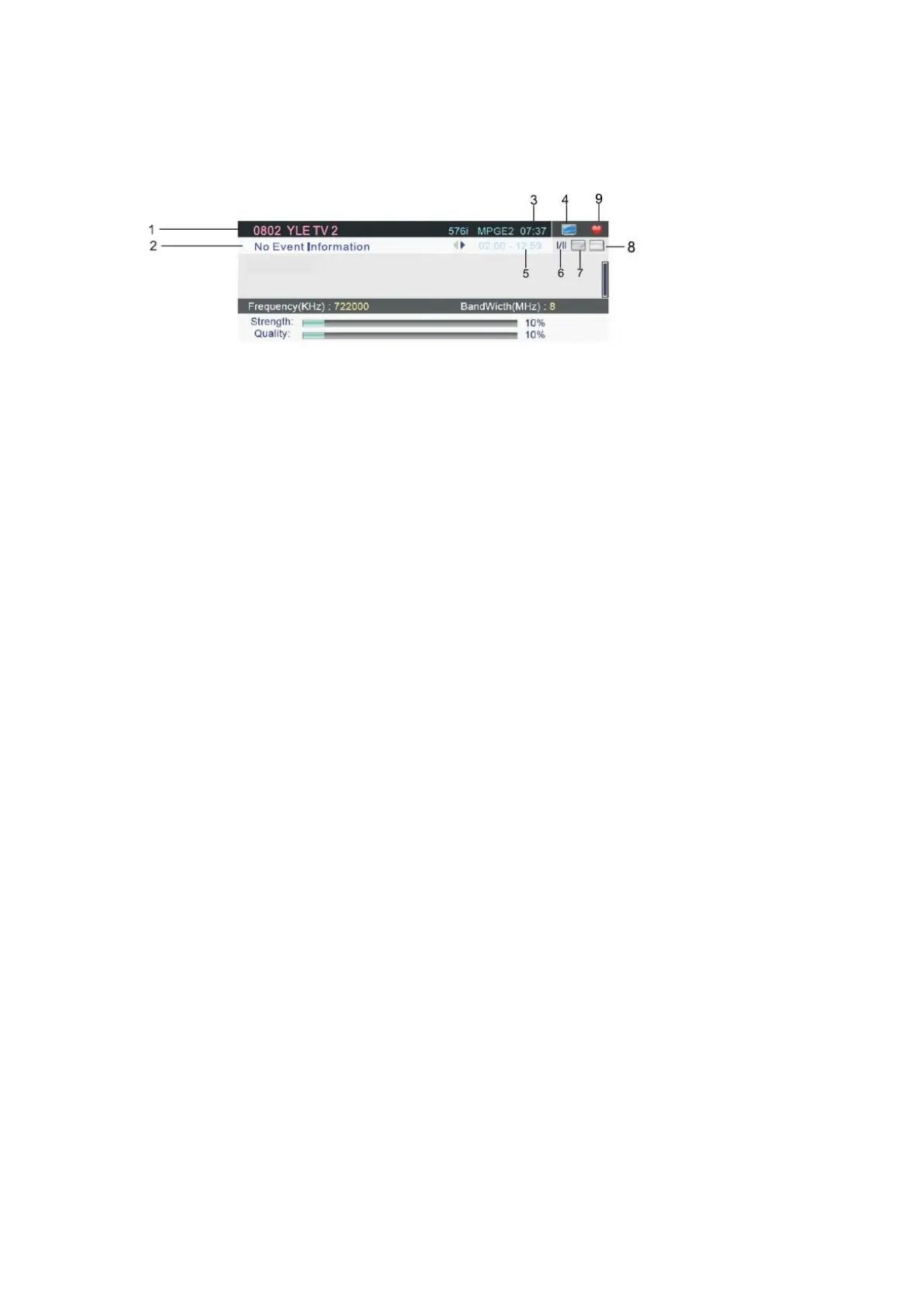
Press INFO button on the remote control to display program information.
1. The current channel No. and channel name.
2. The current program event info.
3. The current time.
4. TV channel icon, if the current channel is RADIO channel, it will be a RADIO icon.
5. The current program’s start-stop time.
6. Language icon.
7. Text icon.
8. Subtitle icon.
9. Favorite program icon.
Notes: 1. Picture menu and description are the same as that for TV source.
2. Sound menu and description are the same as that for TV source.
3. Setup menu and description are the same as that for TV source.
- 29 -



 To Next Page