return back to the previous menu.
Note: press RED button to save the result of the adjustment.
Color System
Press ▲/▼ button to select Color System, then press ENTER or ► to enter the sub
menu.
Press ▲/▼ button to select Auto/PAL/SECAM, then press ENTER or ► button to
confirm.
Sound System
Press ▲/▼ button to select Sound System, and press ENTER or ► to enter the sub
menu. Press ▲/▼ button to select BG, DK, I, L, L’. Then press ENTER or ► to
confirm.
Feature Menu
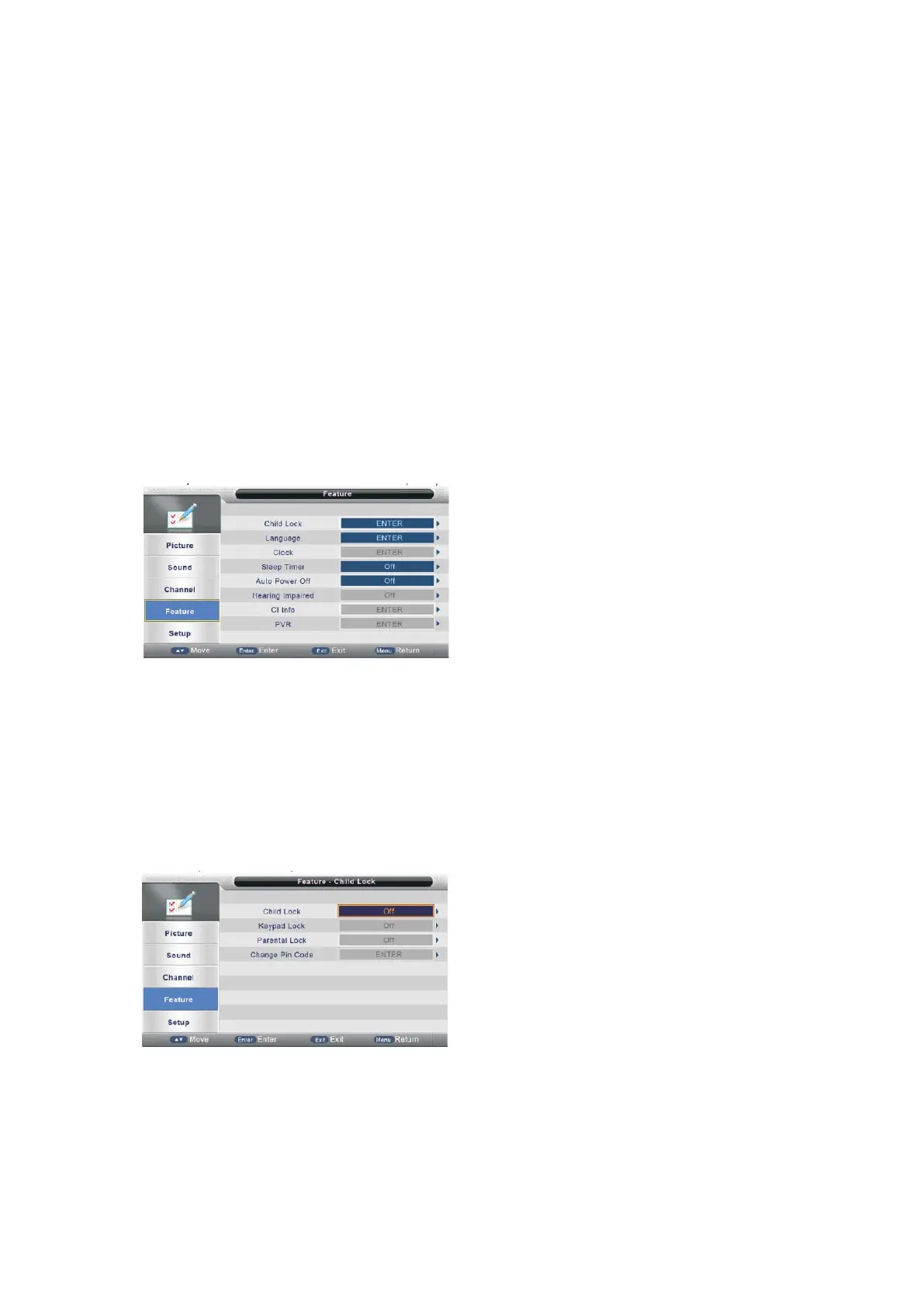
Press MENU button to display the main menu.
Press ▲/▼ button to select Feature in the main menu, then press ENTER or ► to
enter.
1. Press ▲/▼ button to select the option that you want to adjust in the Feature
menu, then press ENTER or ► button to enter.
2. Press ◄/►button to adjust or press ▲/▼button to select.
3. After finishing your adjustment, press MENU button to save and return back to the
previous menu and press EXIT button to exit the entire menu.
Child Lock
Press ▲/▼ button to select Child Lock, then press ENTER or ► button to enter.
(Please input the default password “0000”)
Keypad Lock
Press ▲/▼ button to select Keypad Lock, then press ENTER or ► to enter the
sub-menu. Then press ▲/▼ button to select On or Off (Please input the default
password “0000”).Then press ENTER or ► to confirm.
Parental Lock
- 23 -



 To Next Page