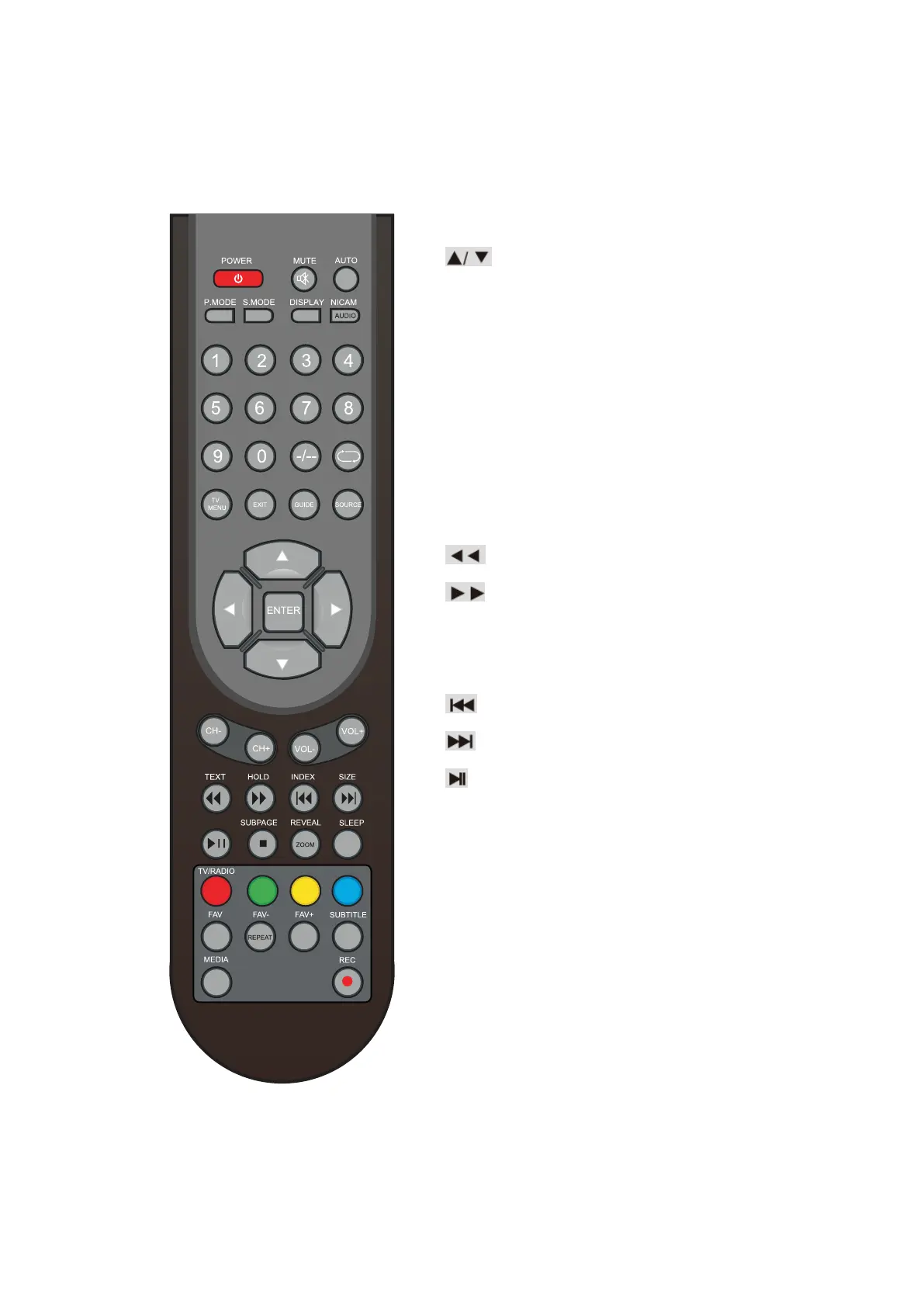
Remote Control Instructions In Teletext/Media mode
NUMBER BUTTONS
Press 0-9 to select a teletext page.
Page up and page down.
CH+/CH-
Page up and page down.
SUBTITLE
In Teletext mode,
press to display P.100.
TEXT
Switch on or
off the teletext mode.
Select Time Shifting Mode
”off”
in the menu,
then the “teletext”
can be available.
HOLD
Hold on or off for current page display.
SUBPAGE
Sub coded page access.
REVEAL
Reveal or hide
the hidden words.
Playing backward fast.
Playing forward fast.
INDEX
Request the index page.
SIZE
Change display size in teletext mode.
Skip backward button.
Skip forward button.
Press to pause the playback.
■
Press to stop playing.
ZOOM
Zoom can change display size.
MEDIA
Press to display the MEDIA menu.
Color button
Color buttons
(respectively red,
green,
yellow and blue)
used in a few sub-menus.
REPEAT
Repeatedly play the title or chapter.
- 13 -



 To Next Page