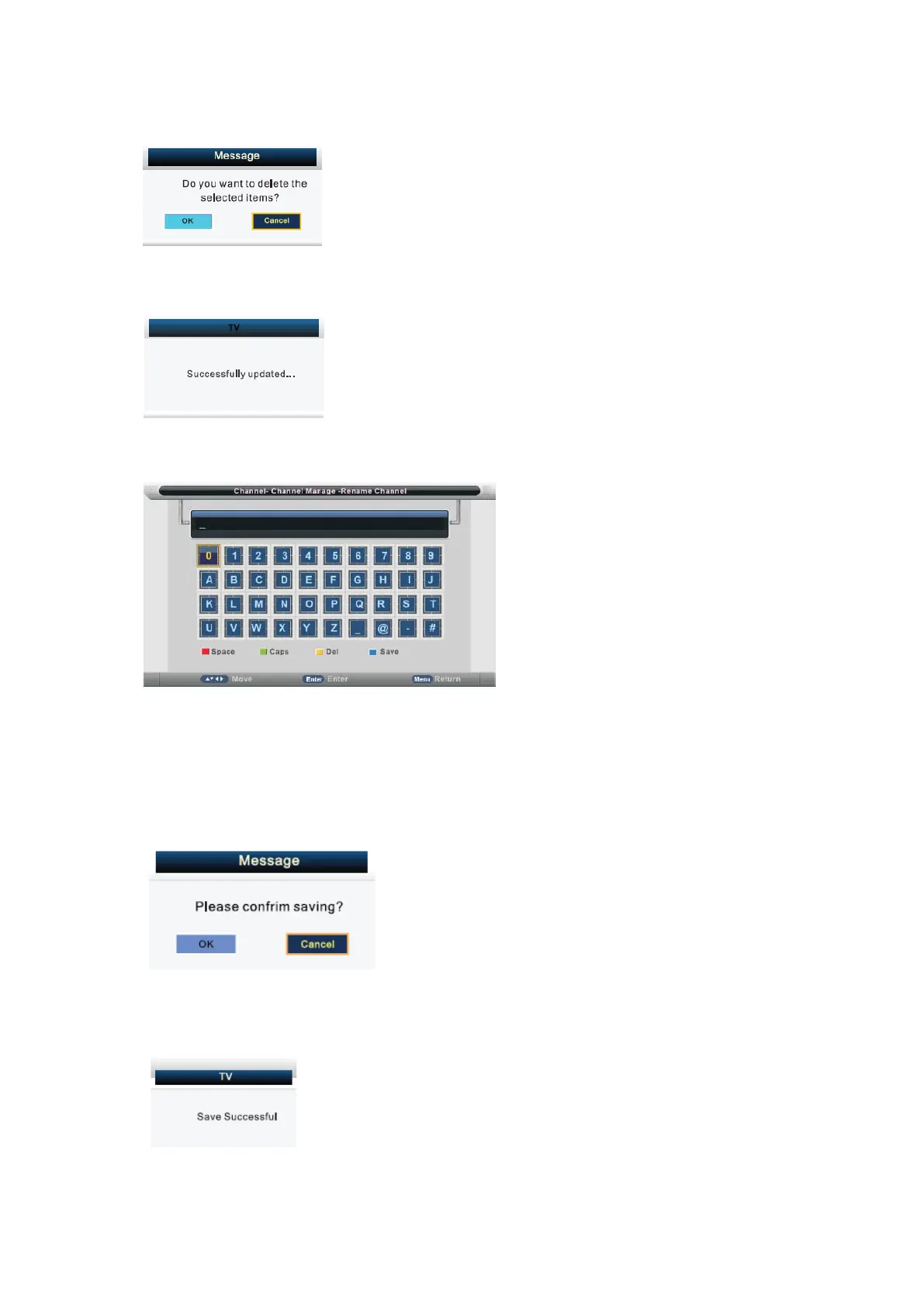
menu will appear as follows:
Press ◄ button to choose OK, press ► button choose cancel, press ENTER to
confirm.
Press ▲/▼ button to select channel, then press ENTER to enter the rename channel
menu.
Press RED button to enter a space.
Press GREEN button to change case,
Press ▲/▼ or ▲/▼button to select the character, and press ENTER to confirm.
Press YELLOW button to delete the previous character.
Press BLUE button to save the change and return to the previous page.
Press EXIT button the menu will appear as follows:
Exit the entire menu if select “Cancel” and there will be no change. You can Save
successfully by selecting “OK”, the menu will appear as follows: and it means the
changes hav been saved.
Favorite Manager
- 20 -


 To Next Page