then press ► to select. (Available: Auto, PC, Video). Then press ENTER or ► to confirm.
Blue Screen
Press ▲/▼ button to select Blue, then press ENTER or ► to enter the sub menu, then
Press ▲/▼ to select On or Off. then press ENTER or ► to confirm.
Reset TV Setting
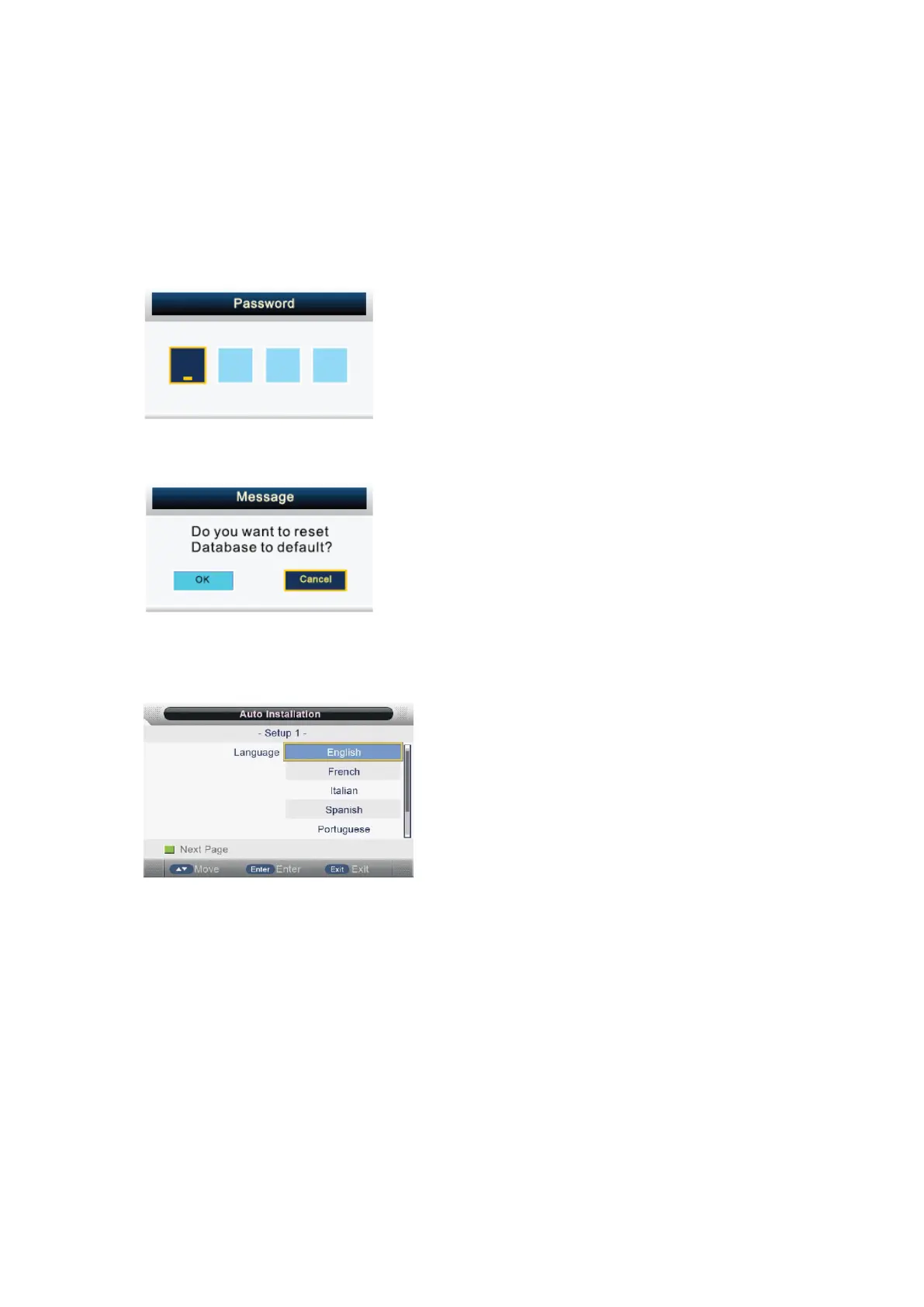
Press ▲/▼ button to select Reset TV Setting, and then press ENTER or ► to enter. The password
menu will appear( in case the Child Lock is on).
At the cursor input password to enter (default password is “0000”)
The menu will appear as follows:
Return back to the previous menu by selecting “CANCEL” and pressing ENTER button.
If you select “OK” and then press ENTER button, the resetting menu will appear.
Then the first time installation menu will appear as follows:
Press EXIT button to exit entire menu and ignore following setting.
Setup 1
Press ▲/▼ button to select language.
Press ENTER button or GREEN button to enter setup 2 menu.
- 26 -



 To Next Page