GL-35DSR NAS Configuration
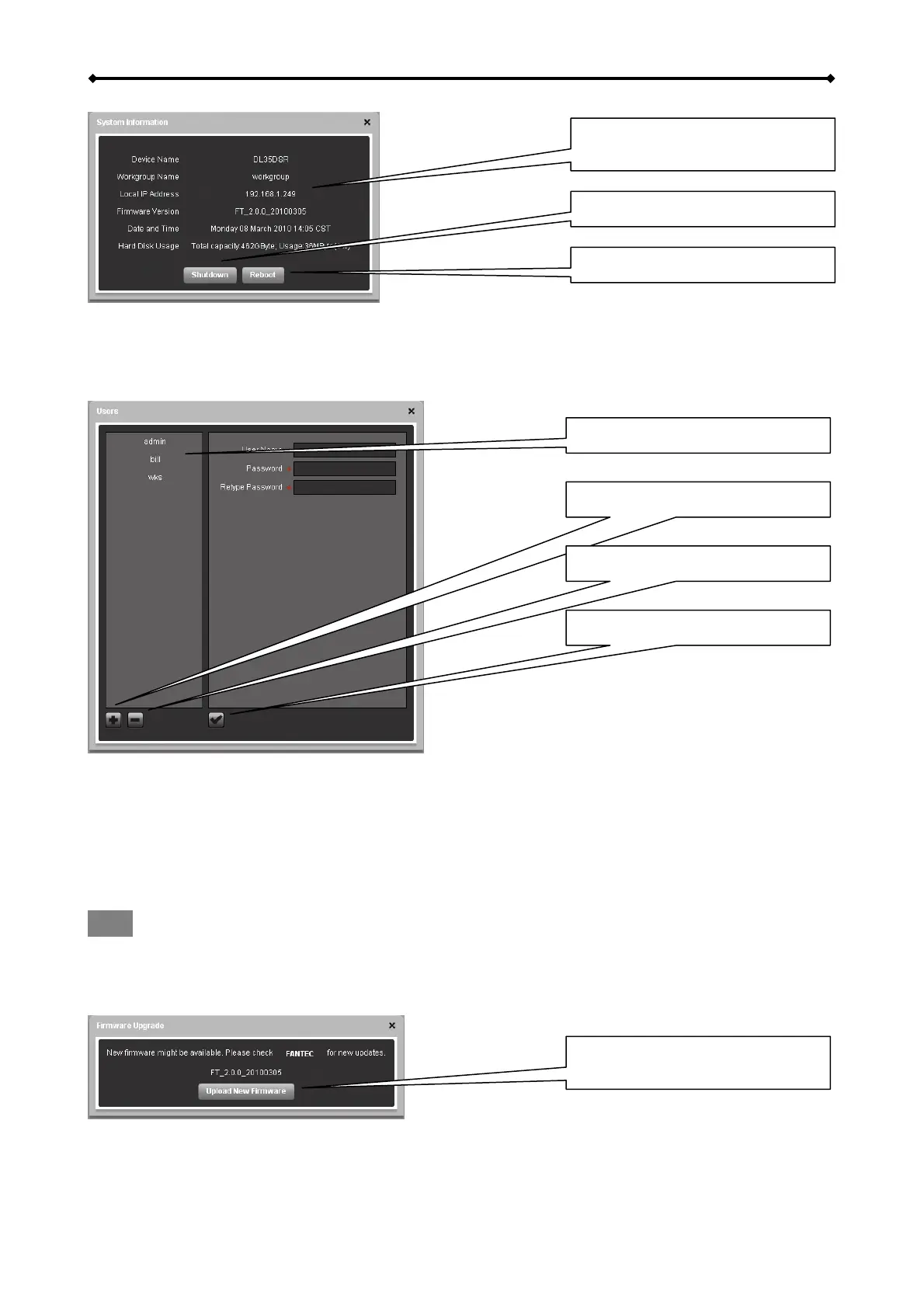
Displays important information
about the NAS system
Click to shutdown the system
Click to reboot the system
This menu displays important information about the NAS, such as IP address, firmware version,
date & time as well as the disk usage.
To shut down the system click Shutdown, to restart the system click Reboot.
Users
List of current users
Add new user with +
Remove selected user with -
Confirm
To add a new user, click +, fill out the user name (no special characters), enter the password twice
and then click 9. To remove an existing user, select the name from the list, click – and then
confirm the removal.
The admin account for the system administrator is created by default and cannot be deleted.
However, for security reasons, we recommend changing the default password as soon as possible.
Note
Only the system administrator (admin) is able to modify the NAS settings.
Firmware Upgrade
Click to update the firmware for
your NAS system
1. Click Upload New Firmware.
2. Select the firmware from your computer and upload it to the GL-35DSR.
EN 14/37



 To Next Page