GL-35DSR NAS Configuration
Important
Never turn off your unit during the firmware update procedure. This may damage your device! If the
upgrade fails (e.g. power supply failure during firmware update), you may not be able to operate
your device anymore
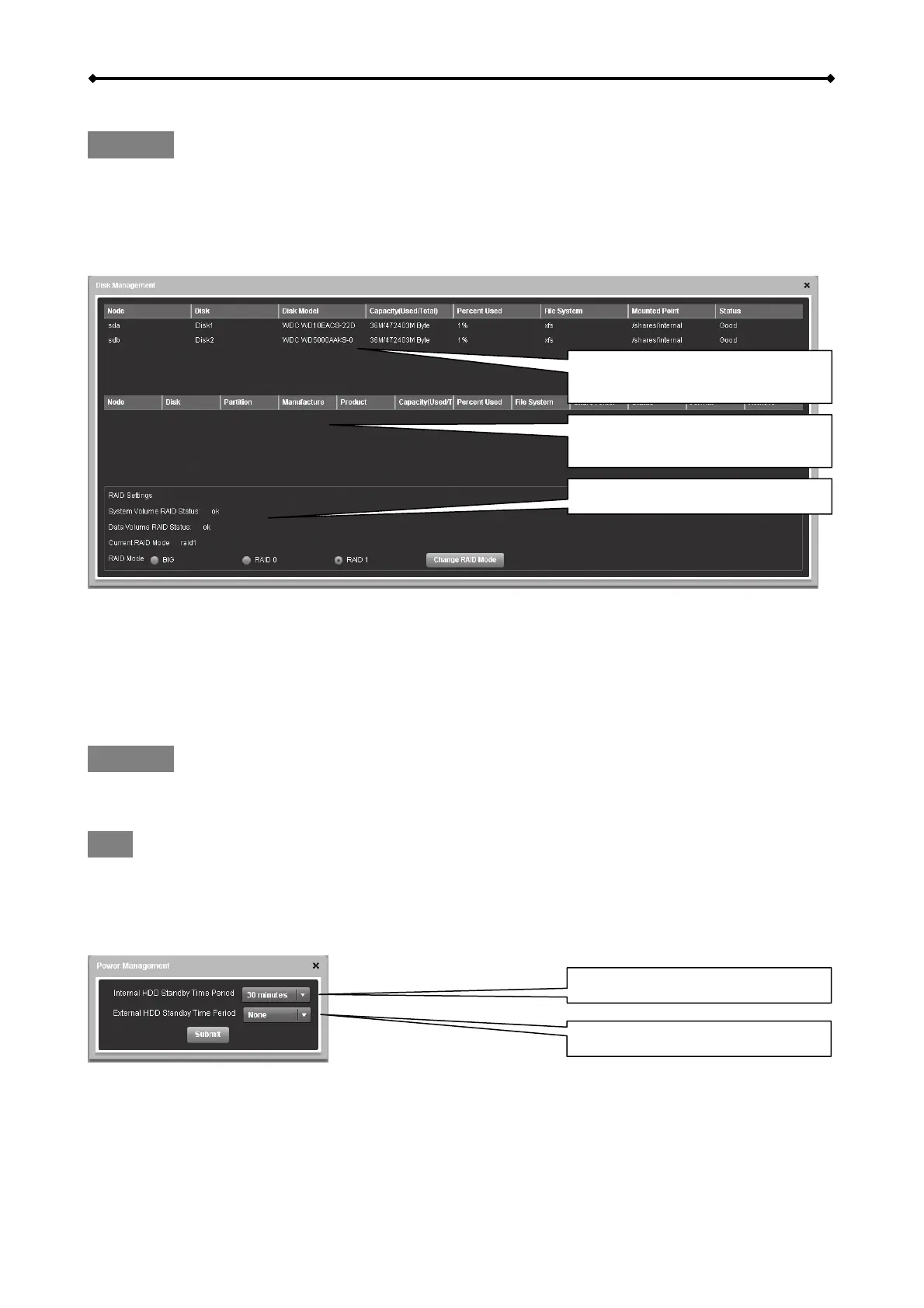
Disk Management
Displays details about the
internal hard drives
Displays details about the
external USB drives
RAID Manager
RAID Settings
For data security select RAID 1 (mirror copy) mode, for performance select RAID 0 mode and to
combine different HDDs select BIG mode.
If one HDD is faulty (RAID 1 mode only), please turn off the NAS, replace the defective hard drive
and restart the system. It will automatically rebuild the RAID1 array. Rebuilding the RAID1 array
will take a while. The time of rebuilding depends on the capacity of your hard drives.
Important
Changing the RAID mode will erase all existing data!!! Make sure you have a backup of your data
before you change the RAID mode.
Note
Before disconnecting and shutting down an attached USB drive, it is recommended to use the Disk
Management tool and click Remove Disk for the corresponding device in order to safely eject it.
Power Management
Standby for internal HDDs
Standby for external USB drive
HDD Standby
Select a time from the drop down list or select None to disable the HDD standby function. If a time
has been set and the drive has been idle long enough, the system will power down the drive to
save energy and reduce heat.
EN 15/37



 To Next Page