GL-35DSR NAS Configuration
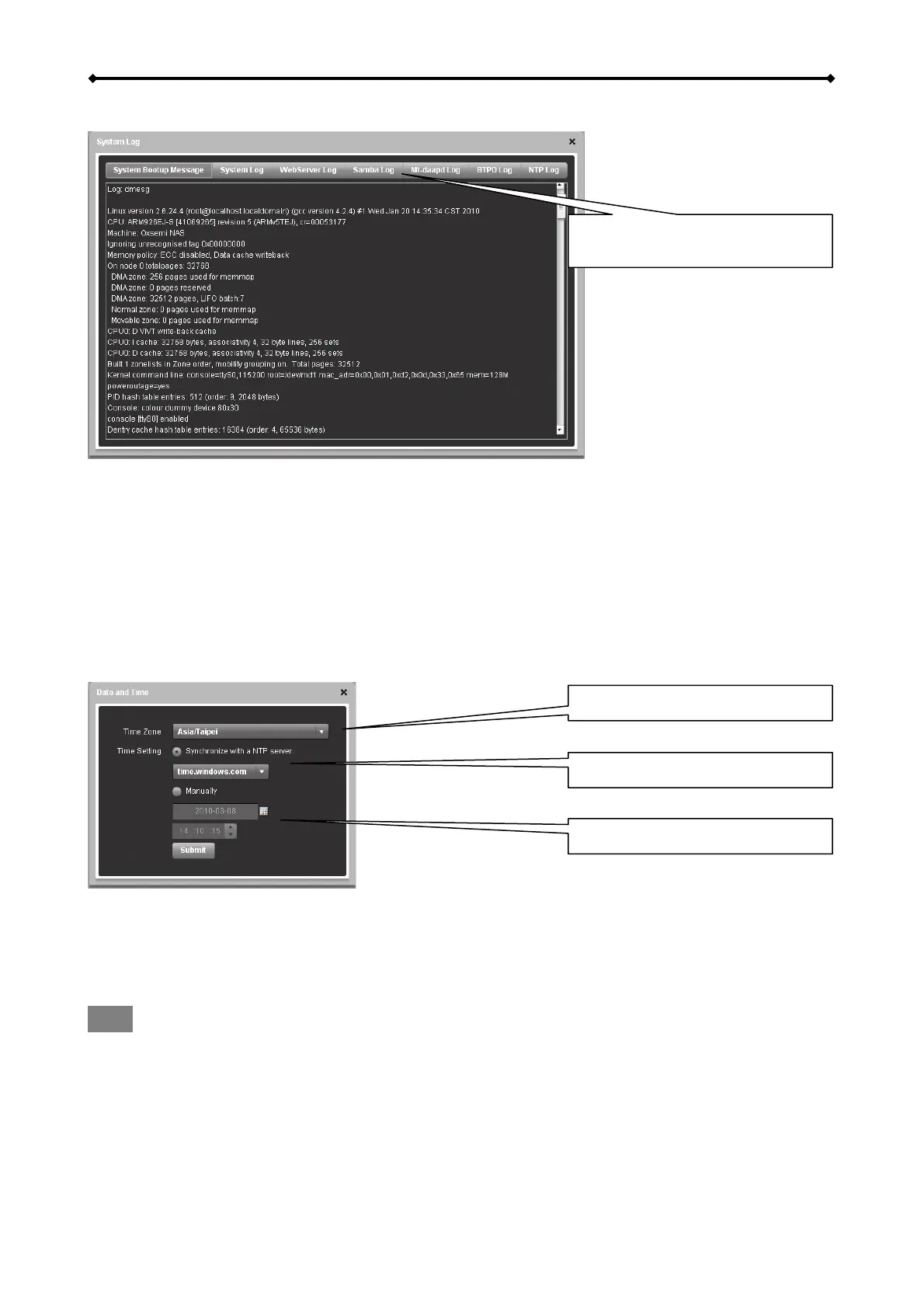
System Log
Click on any of the tabs to see
the complete log file
• System Bootup Message – Displays the system start up log from boot to system ready.
• System Log – Displays the main log of the system.
• WebServer Log – Displays the log of the web server.
• Samba Log – Displays the SMB log of the Samba server.
• Mt-daapd Log – Displays the iTunes log of the music server.
• BTPD Log – Displays logs that are related to the BitTorrent application.
• NTP Log – Displays the NTP log of the network time server.
Date and Time
Time zone
Internet time server
Date and time
Date and Time
If internet access is available, we recommend selecting the correct time zone from the list, enabling
the function “Synchronize with a NTP server” and clicking Submit to update and synchronize the
time. The time will also be synchronized again after every restart of the system.
Note
To use the time server, you need to enter a valid NTP server. If none of the pre-selected time
servers are working, turn off the NTP server and set the time manually. The GL-35DSR comes
equipped with a battery and a real-time clock, so even if the device is powered off, it will retain the
correct time.
EN 16/37



 To Next Page