GL-35DSR NAS Configuration
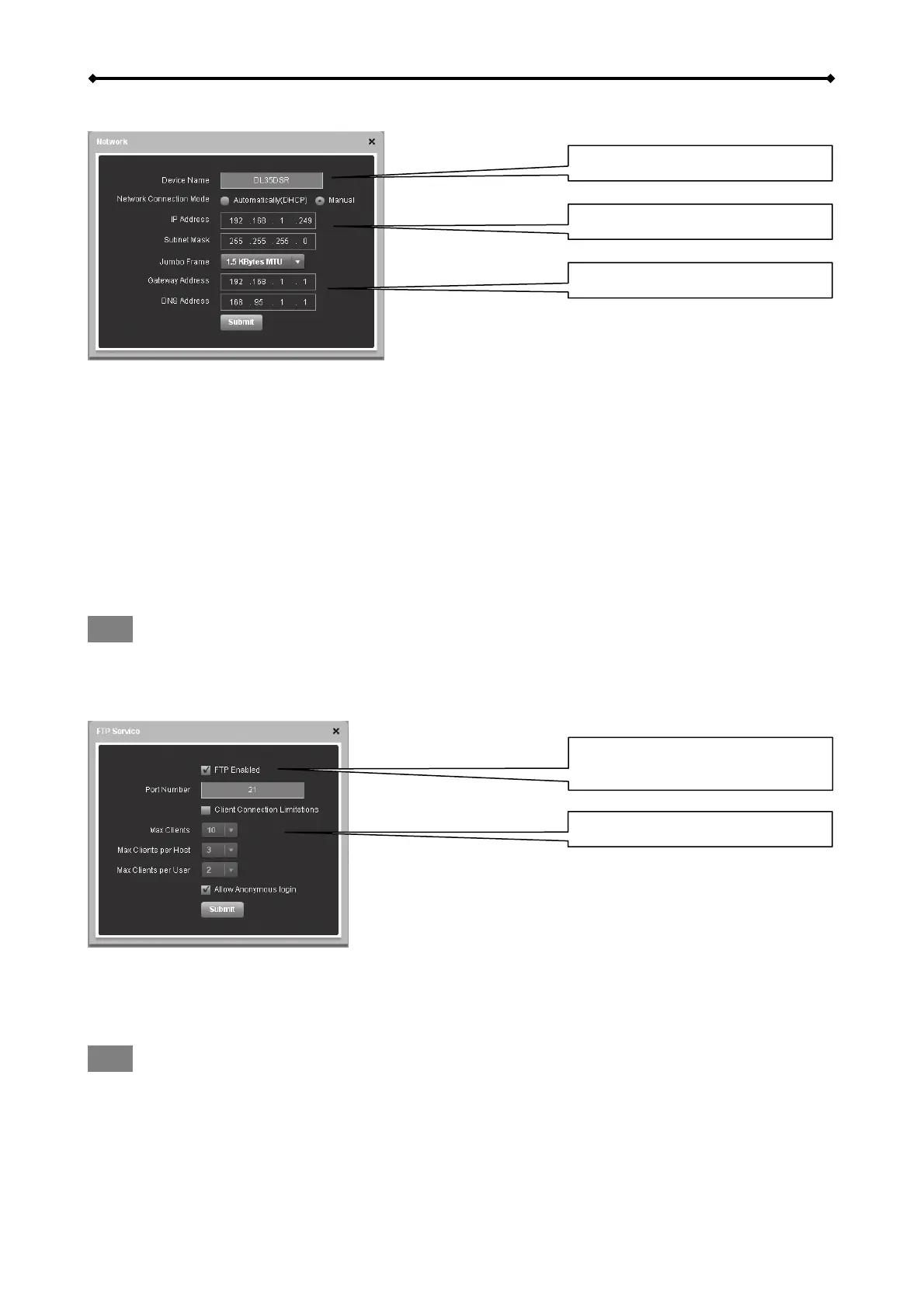
Network
Device Name
LAN setting
DNS and Gateway
Device Name
This name is used to identify your device on the network. If you prefer a different name that is
easier to remember, change it and click Submit to save the new name. When selecting a new
hostname, make sure to use a unique name and not one that has already been used on the local
network. By default, the device name is set to GL-35DSR.
LAN Setting
We recommend using “Automatically DHCP”, in order for the network drive to automatically obtain
its IP address from the DHCP server. If required, you can also set it to a static IP address and fill
out all information manually. If you need assistance with these settings, please contact your
network administrator for help.
Note
After changing any of the settings, click Submit to save the new configuration.
FTP Service
Advanced Settings
Option to enable or disable the
FTP server
By default, the FTP server will run on port 21 but if this port is not available or blocked, it can be
changed to a different port number. To reduce the loading on the system and the bandwidth, FTP
clients can be limited according to your own preferences.
Note
For security reasons, it’s recommended to disable the Anonymous login.
EN 17/37



 To Next Page