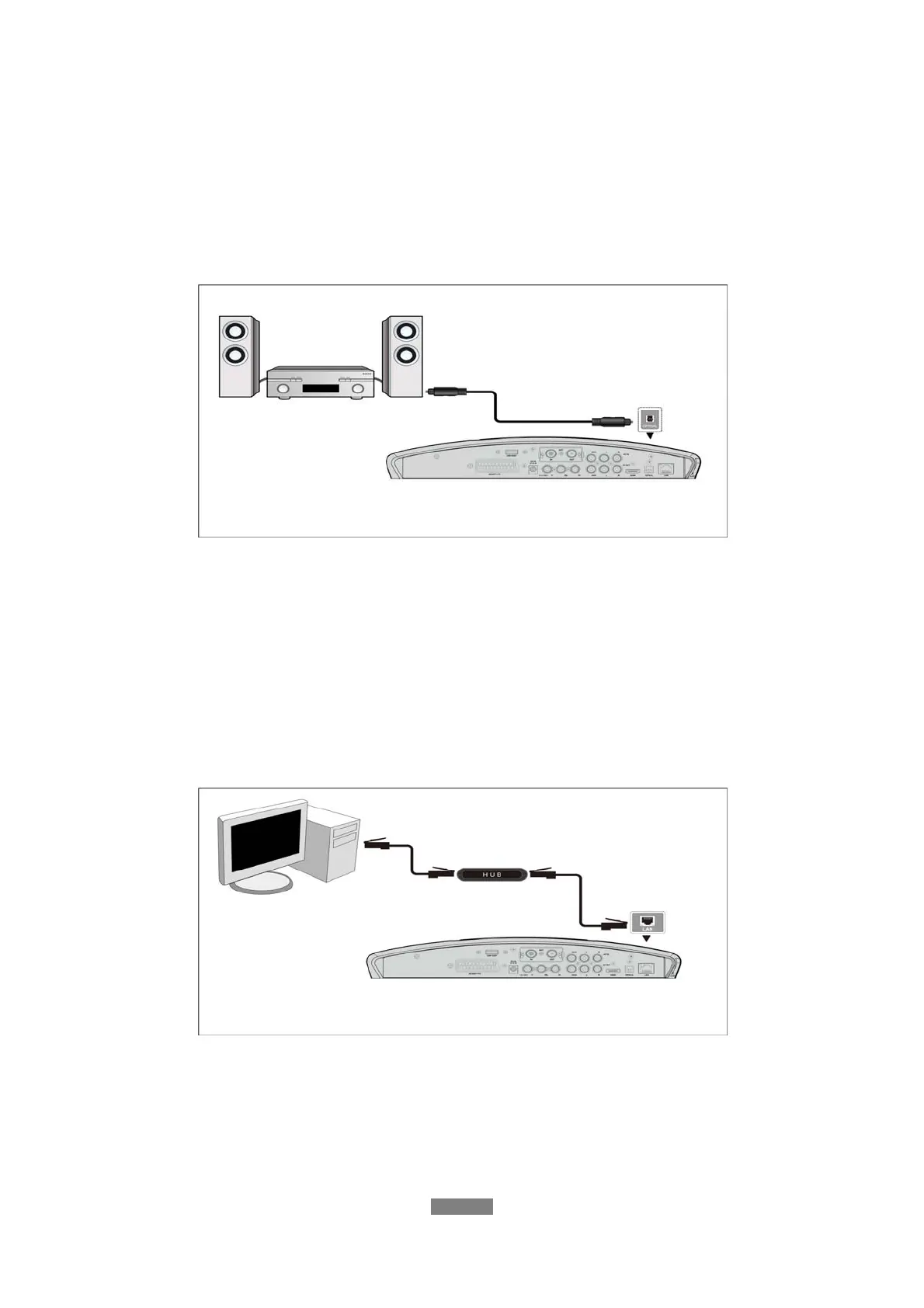
1.4.6 Connecting to an Digital Amplifier
(1) Follow the picture and plug in the Toslink connector on your optical fiber cable to the
player’s S/PDIF Optical jack.
(2) Follow the picture and plug in the other connector on your optical fiber to the digital audio
device (digital amplifier or decoder).
Note: Optical fiber cable is not supp
In this way, you can enjoy powerful Dolby Digital, DTS, or MPEG sound. (Please refer to ‘3.2
Changing Audio Settings’ for configuration)
1.4.7 Connecting to a LAN
To connect to a LAN (Local Area Network) you require a cat5, cat5e or cat6 network cable (not
supplied).
(1) Connect one of the crystal plugs on the cable to the player’s RJ45 LAN socket;
(2) Connect the other crystal plug on the cable to a RJ45 LAN port on your router, switch, or
hub devices.
ENGLISH
12 / 79



 To Next Page