FANTEC TV-LHD
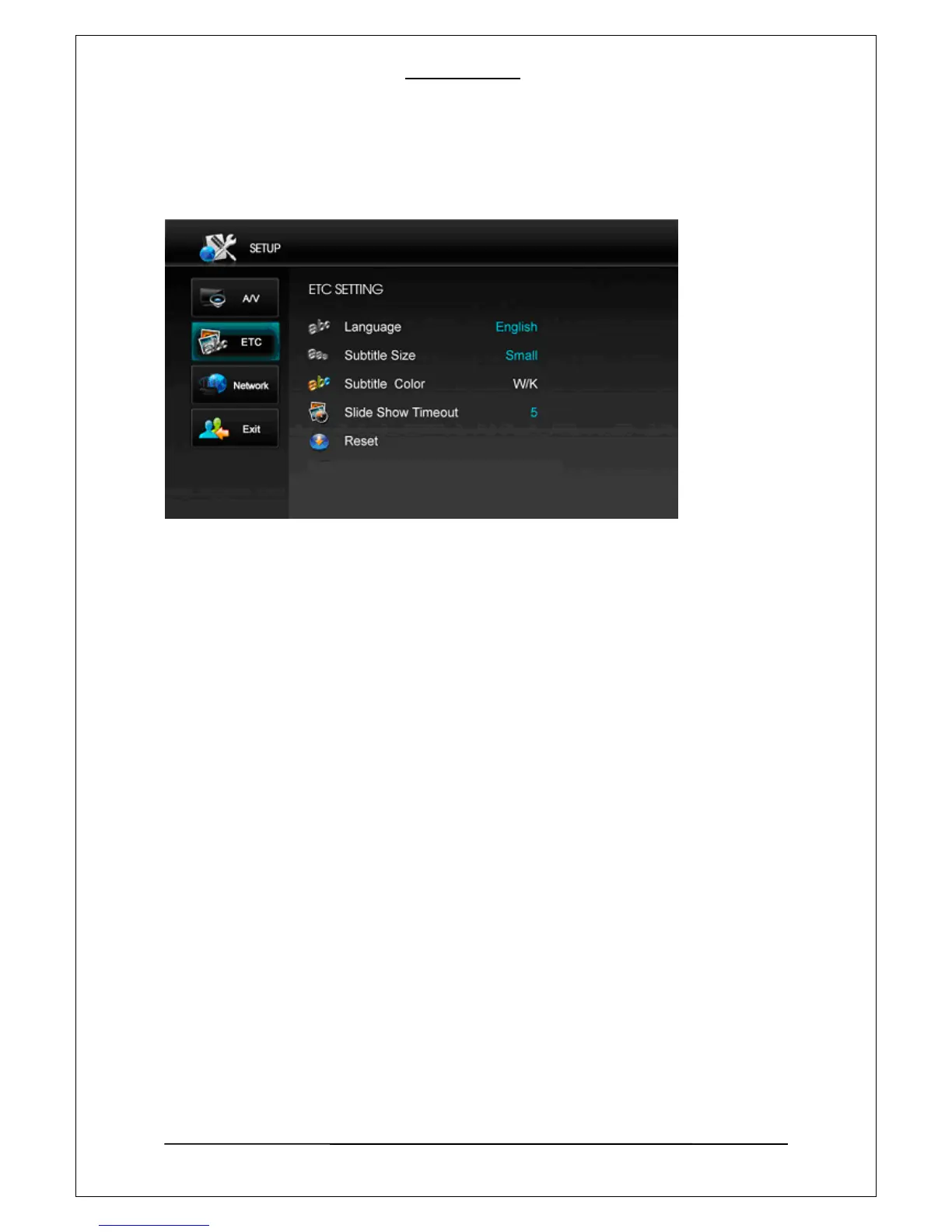
8-2 ETC Enhanced Technical Calibration
1. Language
You can choose proper language with this option. There are English, Italiano, Espanol, Russky, Francais,
Deutsch, Czech, Portugues, Korean, and Simple Chinese available at this moment.
2. Subtitle Size
Select a subtitle size among small-subtitle, Big-subtitle, and No-subtitle.
NOTE: DVD subtitles are not adjustable.
3. Subtitle Color
You can set different subtitle color when use this function by choosing from W/K (White/Black), Y/K
(Yellow/Black), C/K (Cyan /Black), W/B (White/Blue), Y/B (Yellow/Blue), C/B (Cyan/Blue) picture as
following.
NOTE: DVD subtitles are not adjustable.
4. Slide Show Timeout
You can set picture slide show interval time by using this function. When you choose ‘slide show’, a time
window comes out and you have o enter the time you want. Finally press ‘down arrow’ to confirm or cancel
the settings. You can set interval time between “03” and “99” seconds. To STOP the slideshow, please
press “OK” button during picture playback.
5. Reset
With this function, you can reset your player’s system setting to factory setting or your latest setting.
When you choose “Factory” or “User” , there would be a confirmation window comes out for confirmation
and the player has to be powered off when reset is confirmed.
29



 To Next Page