FANTEC TV-LHD
35
1
13
3.
.
F
F
i
i
r
r
m
m
w
w
a
a
r
r
e
e
U
U
p
p
g
g
r
r
a
a
d
d
e
e
1
1. The latest firmware can be downloaded from www.fantec.eu1. The latest firmware can be downloaded from
1
3
3
.
.
F
F
i
i
r
r
m
m
w
w
a
a
r
r
e
e
U
U
p
p
g
g
r
r
a
a
d
d
e
e
www.fantec.eu
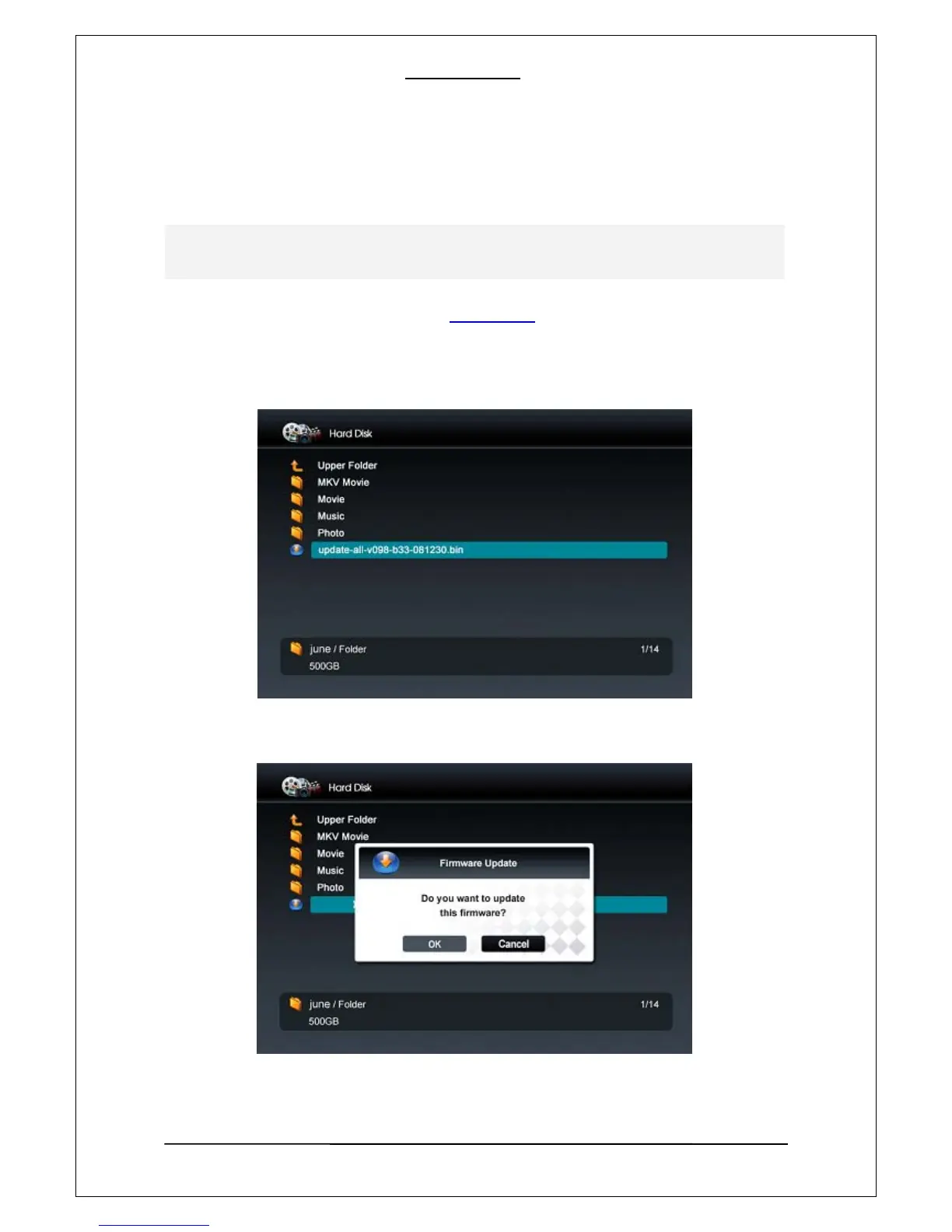
2. Copy the latest firmware to an external storage device.
3. Connect the external storage device to your FANTEC TV-LHD, select the firmware file using the
remote control and press “OK” button to start the upgrade.
4. If a firmware warning screen appears, initiate the firmware upgrade by selecting “OK”
The firmware of the Player will is upgradedable in order to bug fix and to satisfy customers need.
The current version of a firmware is shown on the right upper corner of the SETUP screen.



 To Next Page