FANTEC TV-LHD
9
5
5.
.
N
N
e
e
t
t
w
w
o
o
r
r
k
k
b
b
a
a
s
s
e
e
d
d
d
d
a
a
t
t
a
a
s
s
h
h
a
a
r
r
i
i
n
n
g
g
w
w
i
i
t
t
h
h
a
a
P
P
C
C
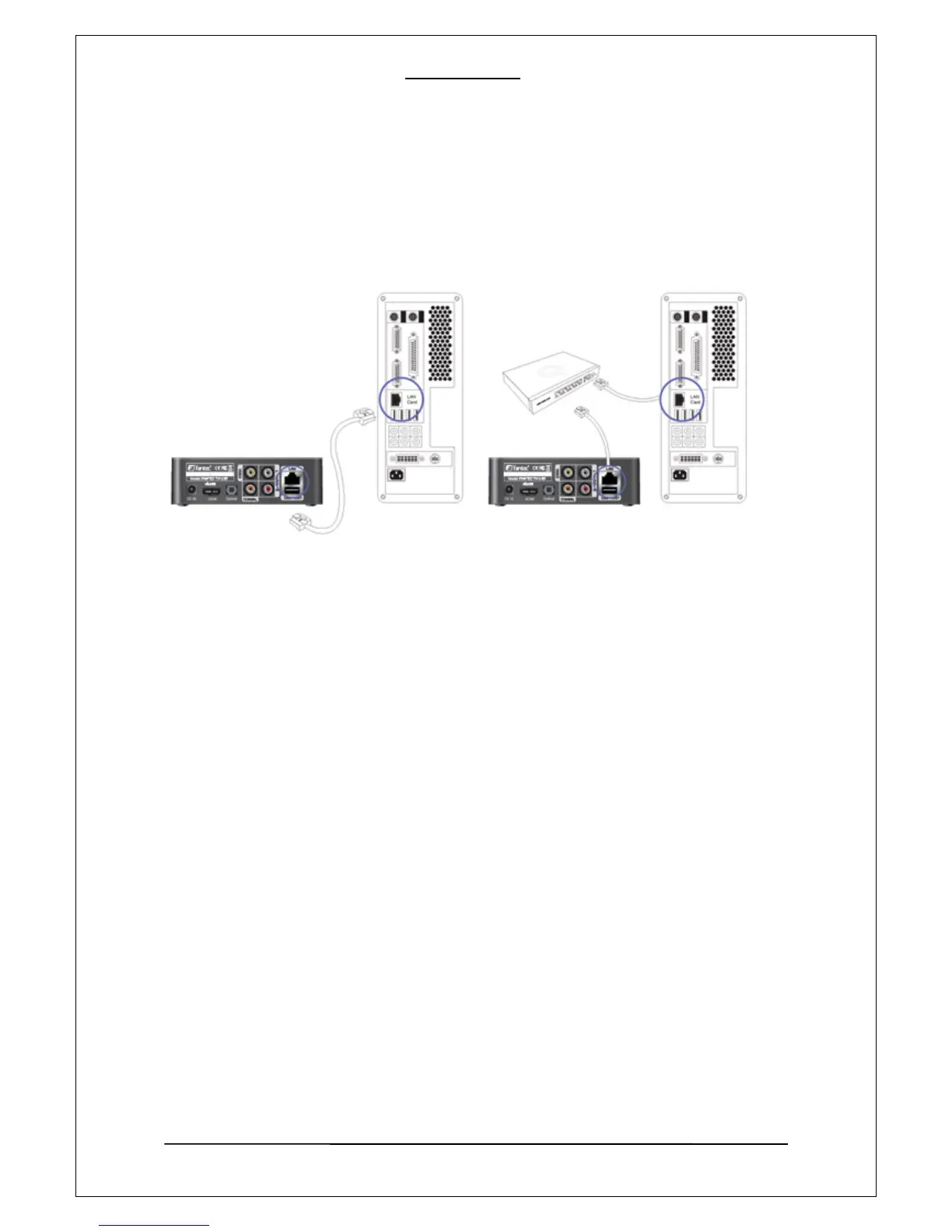
5-1 LAN Cable connection between PLAYER and a PC
1. Connection to a PC
You can use any RJ45 ethernet cable for the connection (either a direct or cross over cable can
be used).
2. Connection using a Hub / Switch or Internet Router
For the connection to a hub / switch or internet router, use a direct cable. Connect the LAN port of
the PLAYER to a LAN port of the hub by the use of a LAN cable.



 To Next Page