FANTEC TV-LHD
24
7
7.
.
C
C
o
o
n
n
n
n
e
e
c
c
t
t
i
i
n
n
g
g
F
F
A
A
N
N
T
T
E
E
C
C
T
T
V
V
-
-
L
L
H
H
D
D
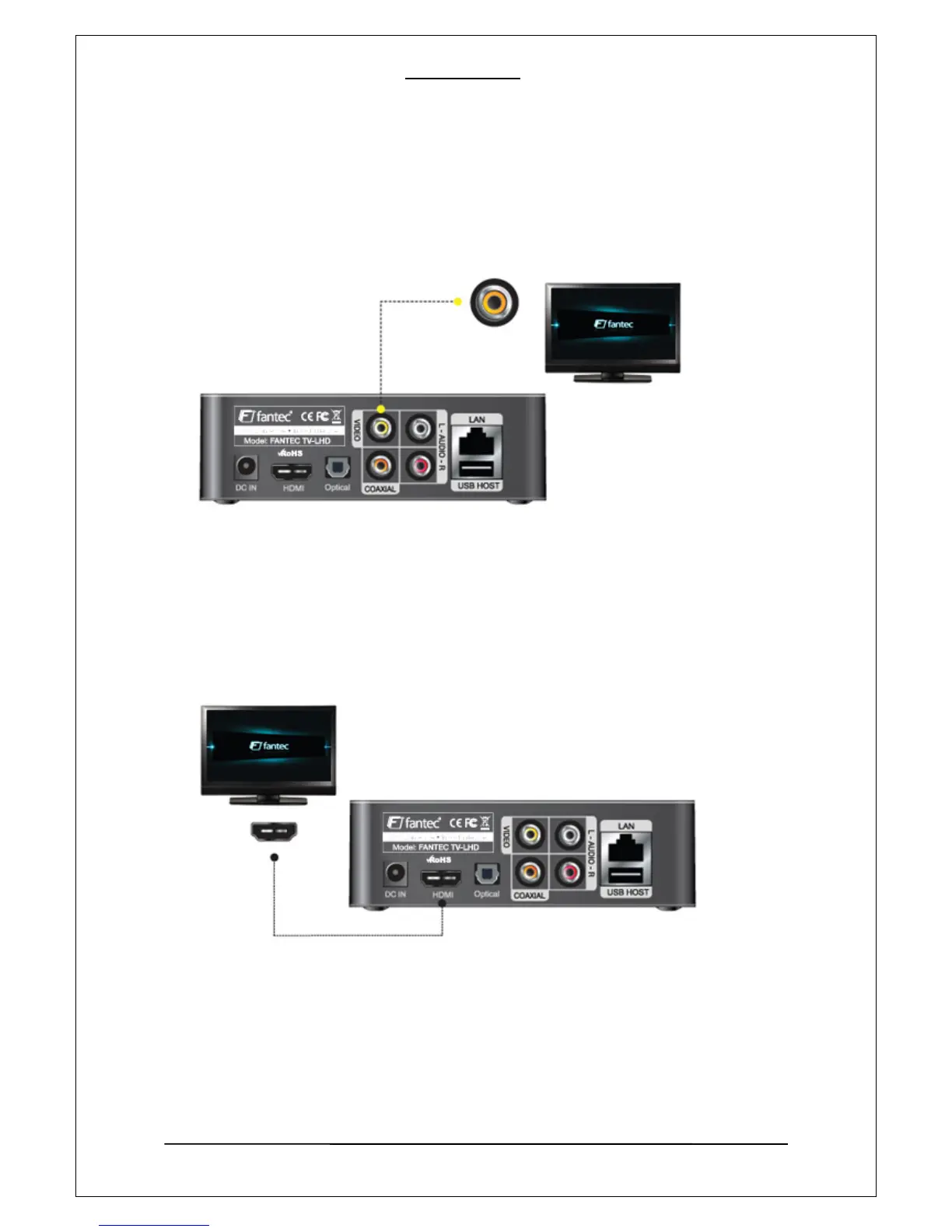
7-1 Connection with A/V (Composite) TV output
7-2. Connection with HDMI output
Connect the PLAYER and your TV with HDMI cable, Turn on the PLAYER and your TV, please
confirm your TV is in HDMI mode, then set the PLAYER to HDMI mode by pressing “TV out”
button on the remote controll until the picture appears.
Connect the Player and your TV using the yellow video (A/V) cable. Turn on the player and
TV. Select appropriate video input mode on your TV until you can get the initial player
screen.



 To Next Page