FANTEC TV-LHD
33
1
1
1
1
.
.
M
M
u
u
s
s
i
i
c
c
P
P
l
l
a
a
y
y
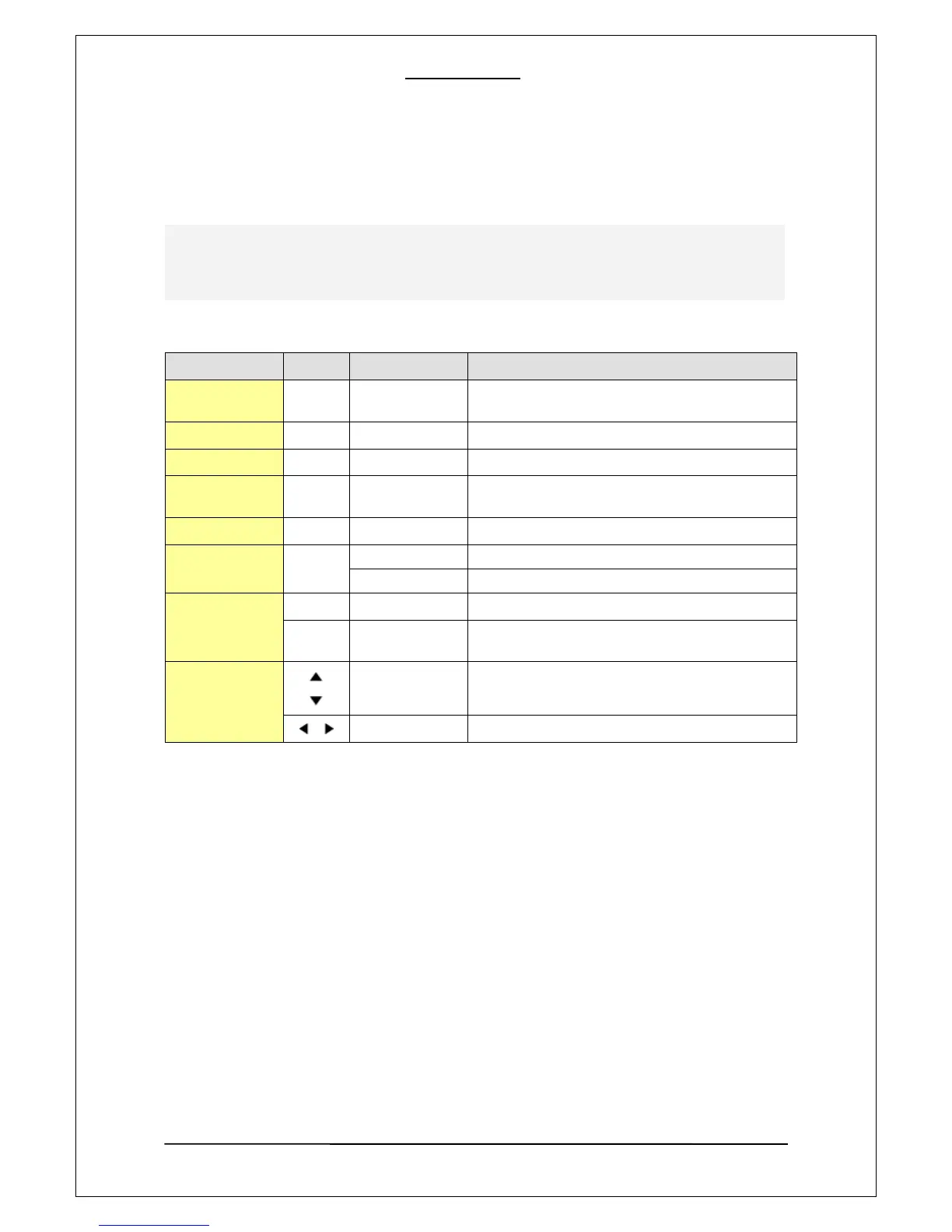
Buttons and Function for music playback
Remote Button Function Description
BOOKMARK
Continuous Play
Support two types: stopped points and
bookmarked points(up to 9 in order).
VOL
Volume Adjust Adjusts volume.
MUTE
Sound mute Enables/ disables sound.
OK
Playing
selected file
Play a selected file.
PLAY
Start/Pause Start or pause the playback.
STOP
Stop Stop the current playback.
Prev. Folder To move to a upper-level folder on a file list.
SKIP
Next/Prev. File Stop the current playback.
Next/Prev. Page
When used on a file list screen, it jumps forward/
backward to different pages.
ARROW
BUTTONS
Up/Down File navigation during playback.
Left/Right Jumping forward/ backward by 15 seconds.
During playing music files, the system is in the music playback mode. During playing music files, you
can search folders and files. After selecting a new file and pressing the “OK” button, the selected file will
be played.



 To Next Page