ENGLISH
22 / 54
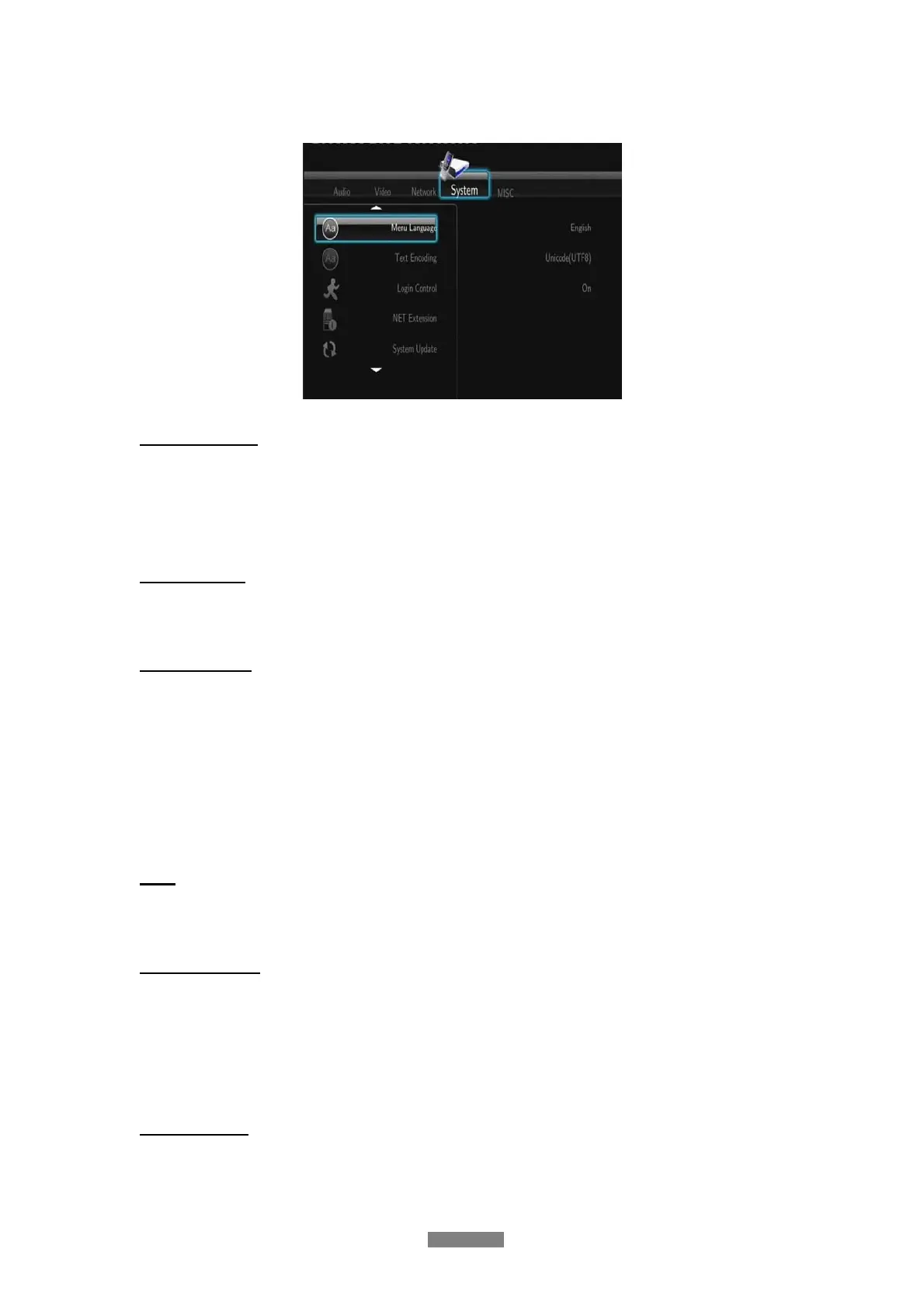
3.4 Changing System Settings
Use this menu to configure system settings.
Menu Language
- Select to choose the OSD (On-Screen Display) language. (English, Espanol, French,
German, Italiano, Dutch, Russky, Polski, Cesky, Slovensky, Romania, Portugees, Hebrew,
Magyar, Slovenscina)
Text Encoding
- Select to set the text encoding option (subtitle display).
System Update
- Select Extension Package Upgrade to update extension files for BT download, NAS, and
Web server.
- Select system upgrade to update the firmware via a USB stick.
1) Copy ‘install.img’ to the root directory of a USB stick, and connect it to the USB HOST
port of the player.
2) Press ENTER to confirm.
Time
- Select to set the system time.
Parental Control
- Select to set the TV parental control options.
A password will be needed for the modification. The password one is ‘0000’. Press the
numerical buttons to input, and the enter button to confirm.
DVD Auto-Play
- Choose ON: start playback automatically after inserting the disc.
- Choose OFF: there are two options (play disc or browse disc) for choice when in browser.



 To Next Page