"▶
"▶
Move Left
Previous
Menu
Move Right
‣
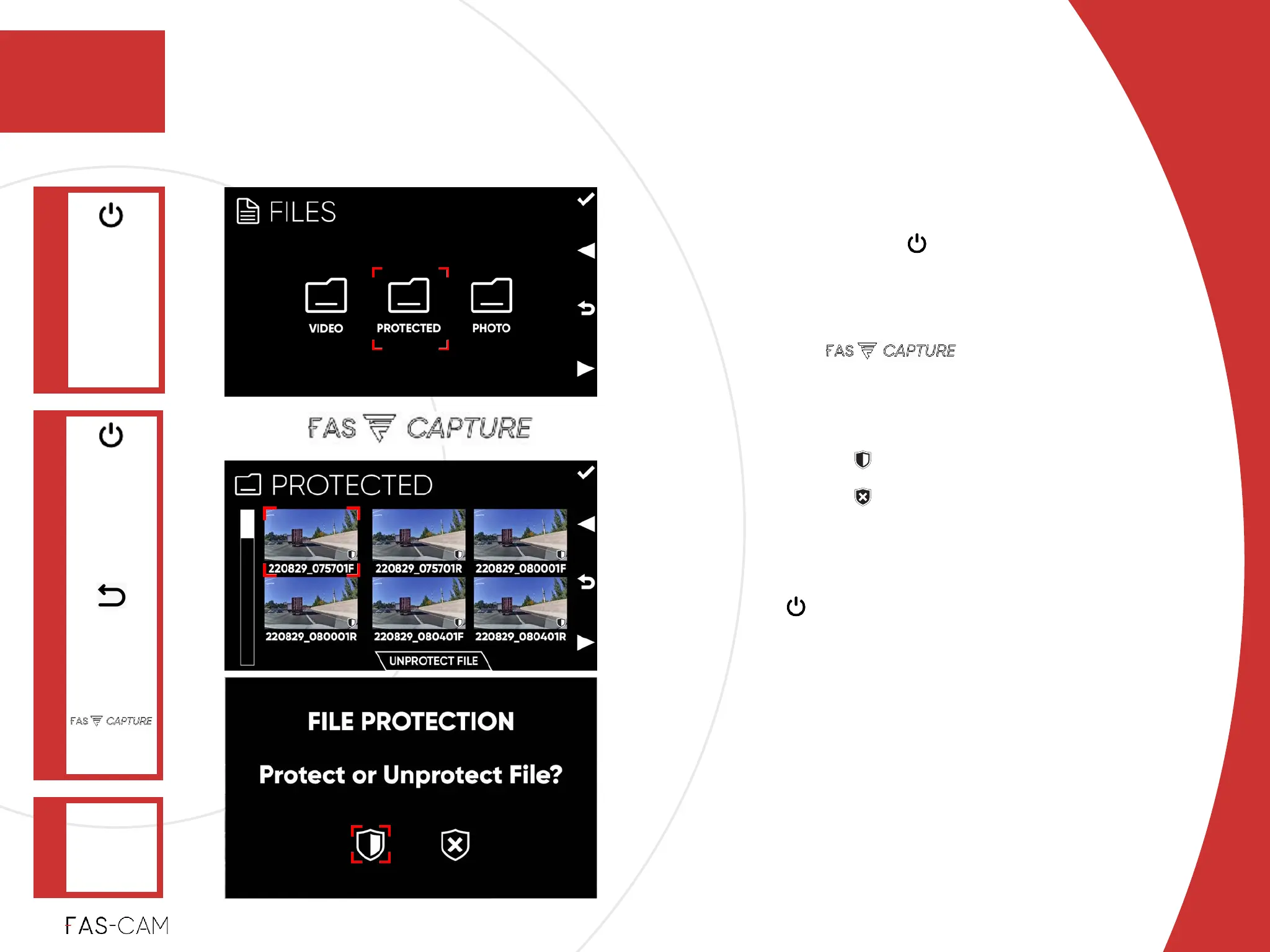
In “FILES” menu, select “PROTECTED”
folder, and press key to confirm the
selection!
‣
Unprotect File
1. Press key!
2. Warning Message: “FILE PROTECTION
Protect or Unprotect File?”!
‣
Select option to “PROTECT FILE
‣
Select option to “UNPROTECT
FILE”!
‣
Play Video!
Press key to enter player (see next page
to continue with this option)
Operation
‣
6.2.4 Protect and Unprotect File
‣
6.2.4.2 Unprotect File
6.2 Playback
6
6. Operation
PROTECTED
"▶
‣
Power: ON
‣
Recording:
OFF
Main Menu
FILES
"▶
UNPROTECT
FILE
Confirm
Selection
(OK)



 To Next Page