‣
Power: ON
‣
Recording:
OFF
Settings
‣
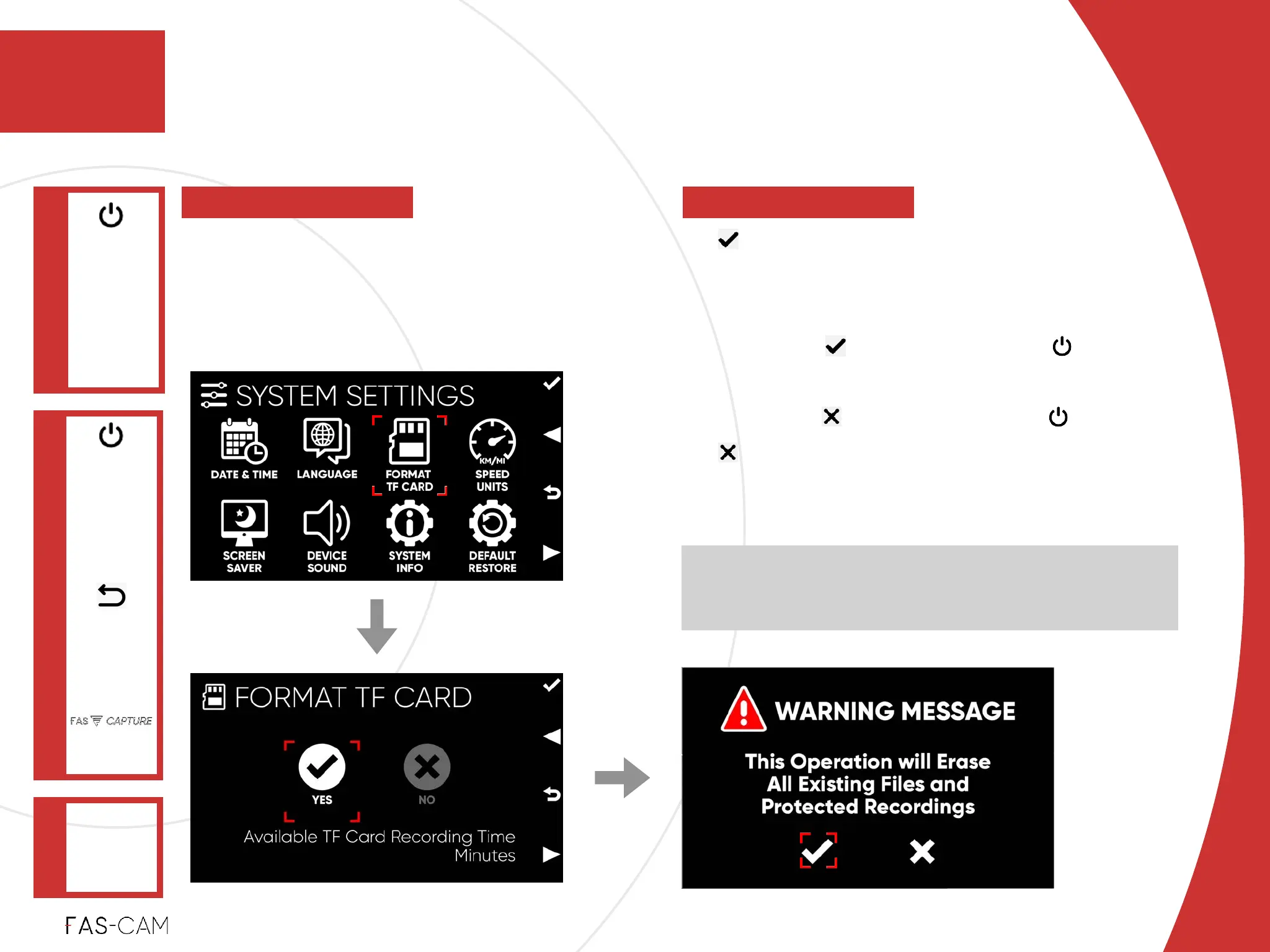
YES!
FORMAT TF Card (SD Card)!
“WARNING MESSAGE” !
‣
Select option, and press key to
confirm!
‣
select option, and press key to exit!
‣
“NO” !
Cancel “FORMAT TF CARD”
NOTE: The estimated “Available TF Card (SD Card)
Recording Time (Minutes)” info will be displayed at the
bottom of the page
‣
7.3.3 Format TF Card (SD Card)
SYSTEM
SETTINGS
Main Menu
"▶
7.3 System Settings
7
FORMAT TF
CARD
"▶
To format or reset TF Card (SD Card). This
process will delete all files on the memory
card.
7. Settings



 To Next Page