‣
Power: ON
‣
Recording:
OFF
‣
!
Retrieve the “DATE & TIME” from GPS data
automatically (recommended)!
‣
Unselect !
Require data to be set manually (see next
page to continue with this option)!
‣
Default Setting!
(ON)
Settings
‣
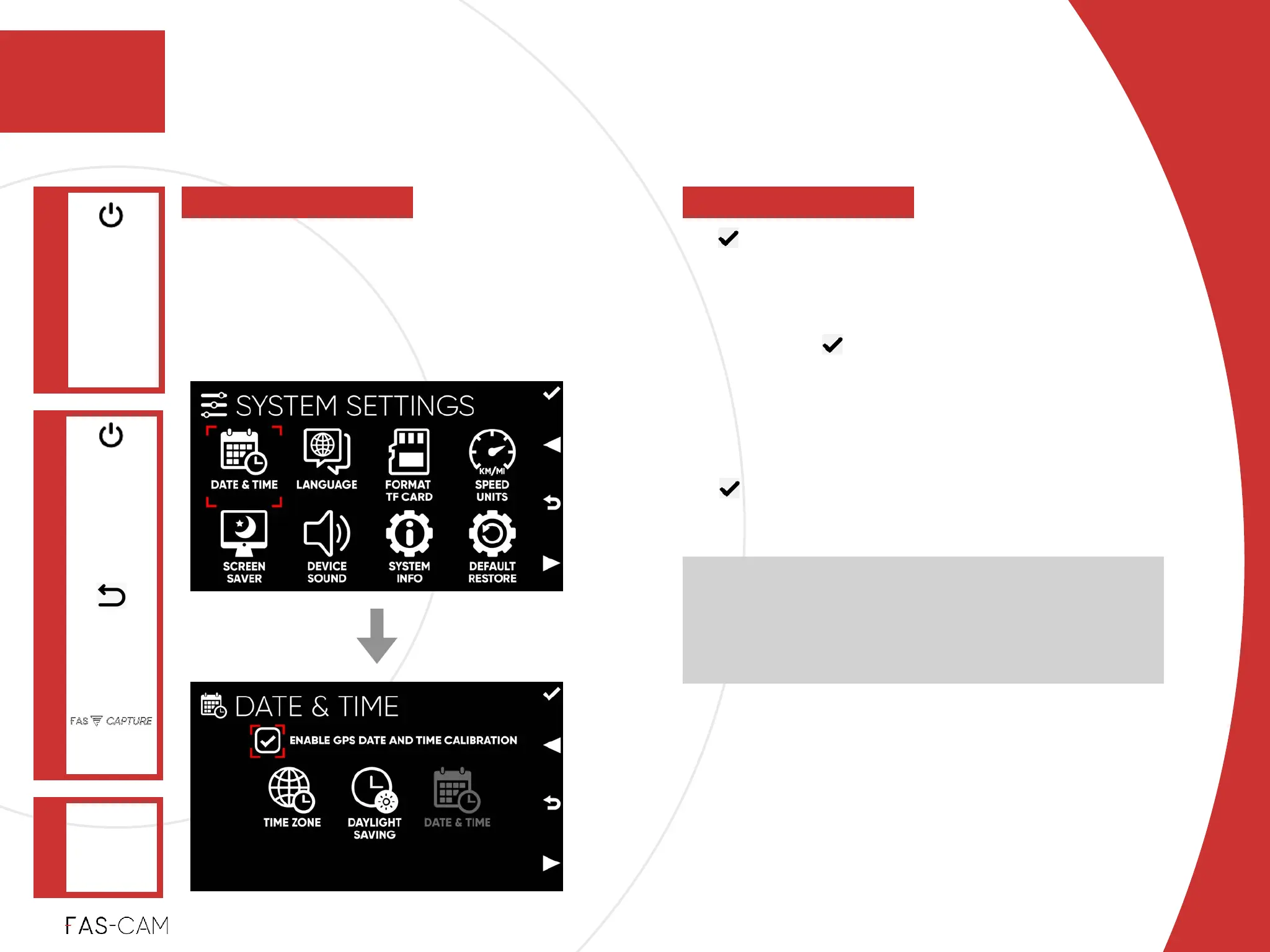
7.3.1 Date & Time
SYSTEM
SETTINGS
Main Menu
"▶
7.3 System Settings
7
7. Settings
DATE & TIME
"▶
To set Date and Time setting for the
camera using the camera’s internal GPS
This feature, Enable GPS Date and Time Calibration,
allows the dash camera to retrieve the GPS time (GMT)
and converts into your local time after you select and
set your time zone and daylight saving. Please note,
GPS signal is required for this feature to work properly.
‣
7.3.1.1 Enable GPS Date and Time Calibration



 To Next Page