‣
Power: ON
‣
Recording:
OFF
‣
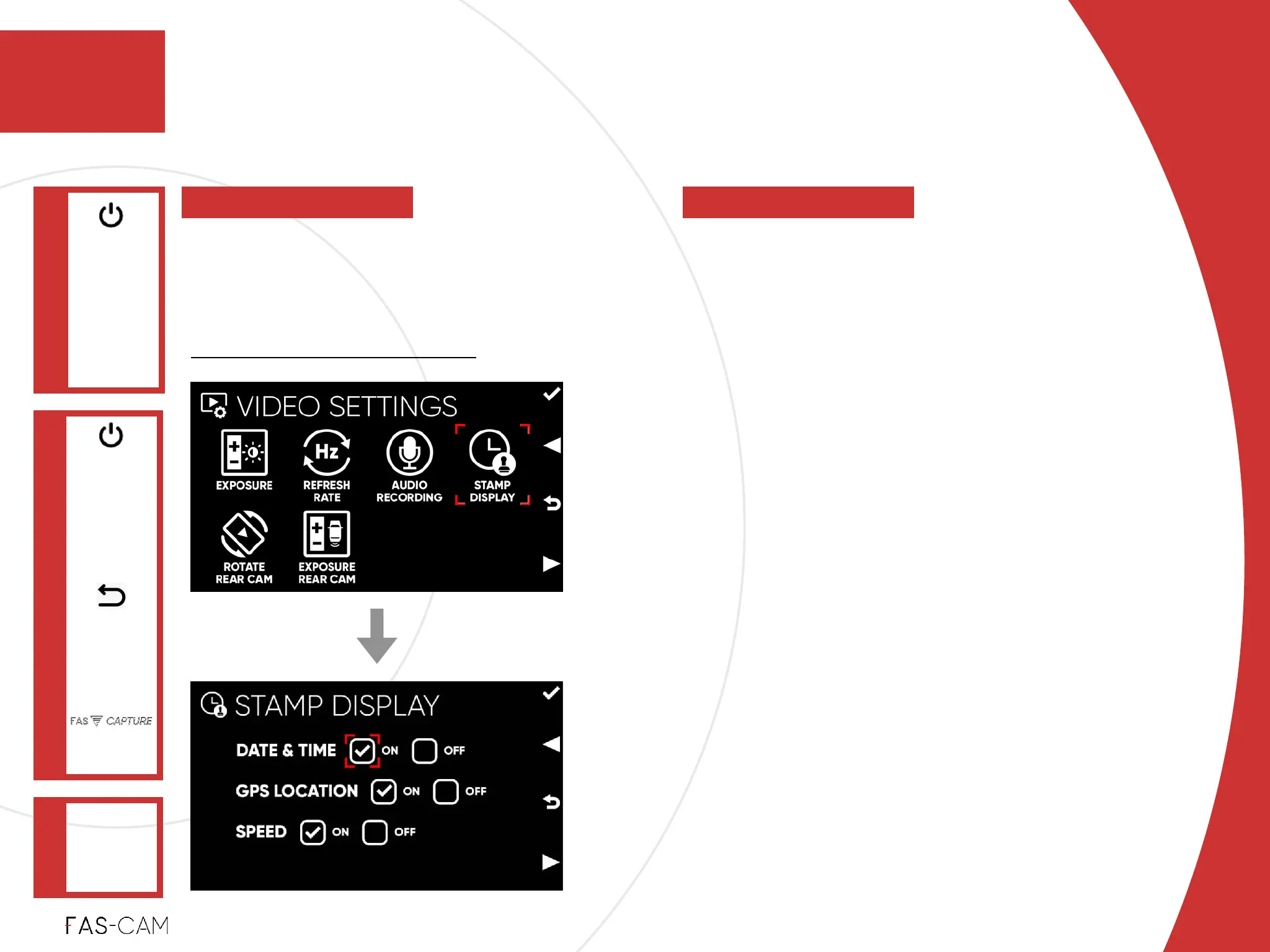
DATE & TIME
Date: Month-Day-Year “MM-DD-YYYY”!
Time: Hour:Minutes:Seconds “HH:MM:SS”!
‣
GPS LOCATION
Latitude and Longitude coordinates
‣
SPEED
Recorded in MPH or KPH depending on
your settings
‣
Default Setting!
All settings are ON
Settings
‣
7.2.4 Stamp Display
VIDEO
SETTINGS
Main Menu
"▶
7.2 Video Settings
7
7. Settings
STAMP
DISPLAY
"▶
To manage all stamp information on the
recorded footage. GPS location can be
tracked using the DVPlayer, see Chapter
“8: Video Playback App”



 To Next Page