‣
Power: ON
‣
Recording:
OFF
Settings
‣
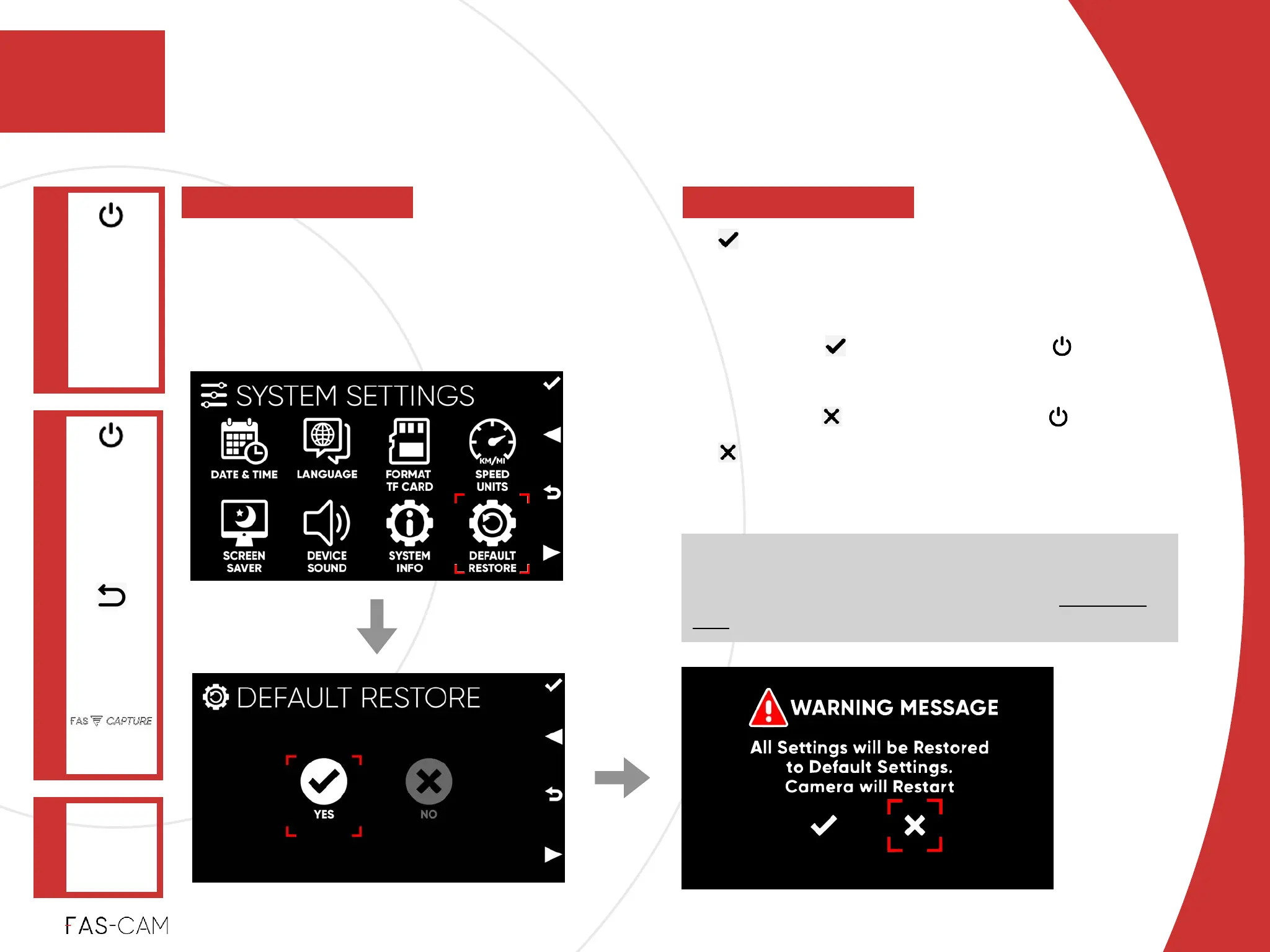
YES!
DEFAULT RESTORE!
“WARNING MESSAGE” !
‣
Select option, and press key to
confirm!
‣
select option, and press key to exit!
‣
“NO” !
Cancel “DEFAULT RESTORE”
NOTE: system will reboot and restore itself back to the
initial stage. After reboot is completed, user will see the
initial startup and setup page (see Chapter “4.1.2 Unit
Test" for details
‣
7.3.8 Default Restore
SYSTEM
SETTINGS
Main Menu
"▶
7.3 System Settings
7
DEFAULT
RESTORE
"▶
To revert the camera’s settings to the
default setting. No settings will be saved
in the process. Camera will restart as a
result.
7. Settings



 To Next Page