‣
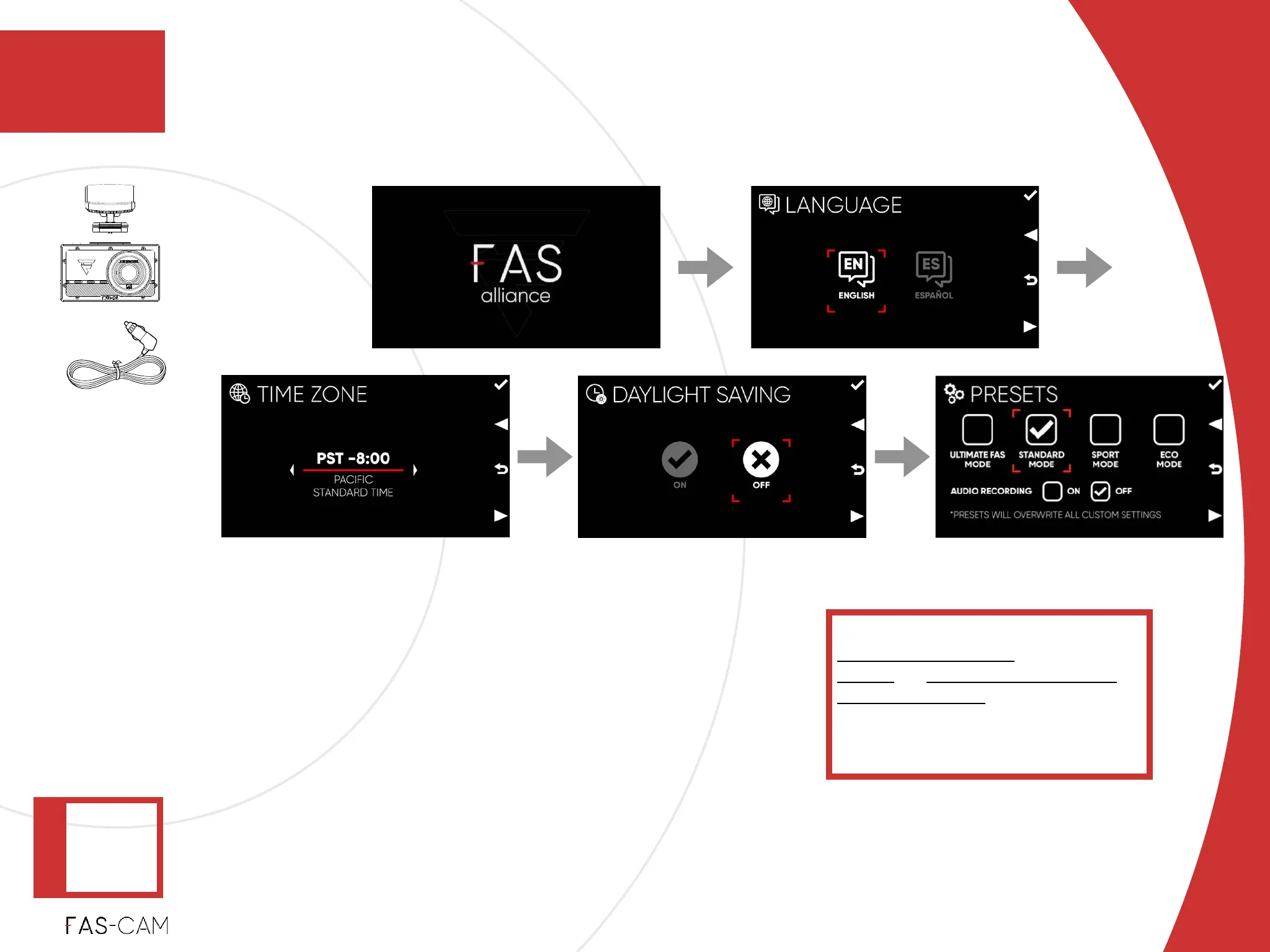
Language: select a preferred system language.!
‣
Time Zone: select your time zone.!
‣
Daylight Saving: select ON or OFF base on your
time zone and local regulation.!
‣
Presets: “Eco Mode”, and Audio Recording “OFF”
will be the default setting. We recommend to select
“Standard Mode” during this setup.
Refer to Chapters:%
7.1.1.2 Presets Mode!
7.1.1.2 & 7.2.3 Audio Recording%
7.3.1 Date & Time settings%
in this User Manual for the
comprehensive feature setup
instruction.
1st
2nd
3rd 4th
Startup
4. Installation
Installation
4.1 F701-DR Front Camera Installation
4
‣
Power: ON
‣
Recording:
WHITE -
OFF
‣
4.1.2 Unit Test



 To Next Page