‣
Power: ON
‣
Recording:
OFF
‣
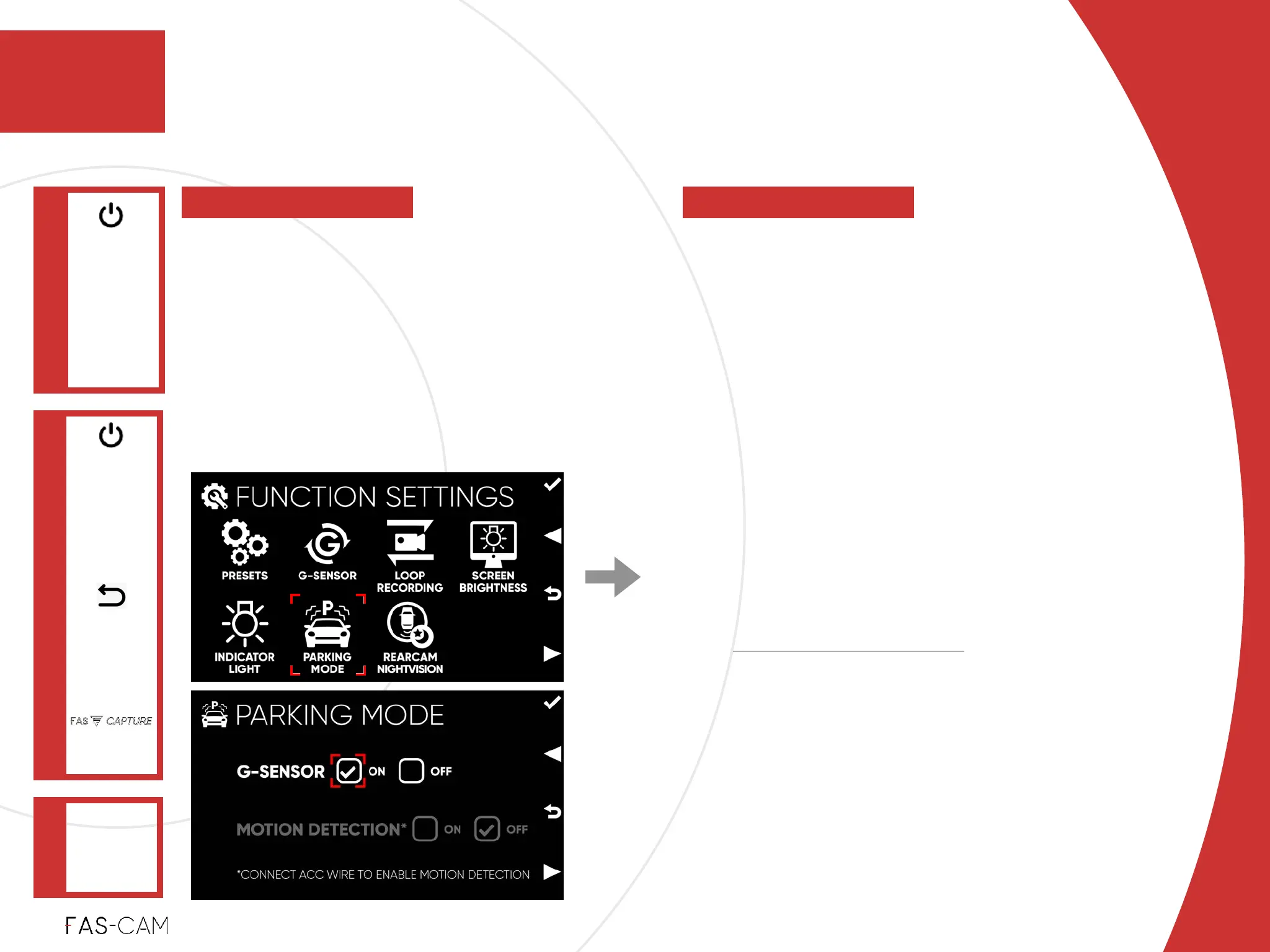
G-SENSOR
ON: to enable parking mode with impact
detection!
OFF: disable parking mode with impact
detection!
‣
MOTION DETECTION*
ON: enable parking mode with motion
detection!
OFF: disable parking mode with motion
detection!
*
It is required to “CONNECT ACC WIRE TO ENABLE
MOTION DETECTION”!
*
ACC Wire is sold separately!
‣
Default Setting!
Depending on Preset Selection
Settings
Parking mode allows you to record from
your vehicle while your car is parked and
your engine is off. The FAS-CAM
automatically switches to parking mode
when necessary, removing the hassle of
manually switching your dash cam’s mode
before leaving your vehicle.
‣
7.1.6 Parking Mode
FUNCTION
SETTINGS
Main Menu
"▶
7
7. Settings
PARKING
MODE
"▶
7.1 Function Settings



 To Next Page