‣
Power: ON
‣
Recording:
OFF
‣
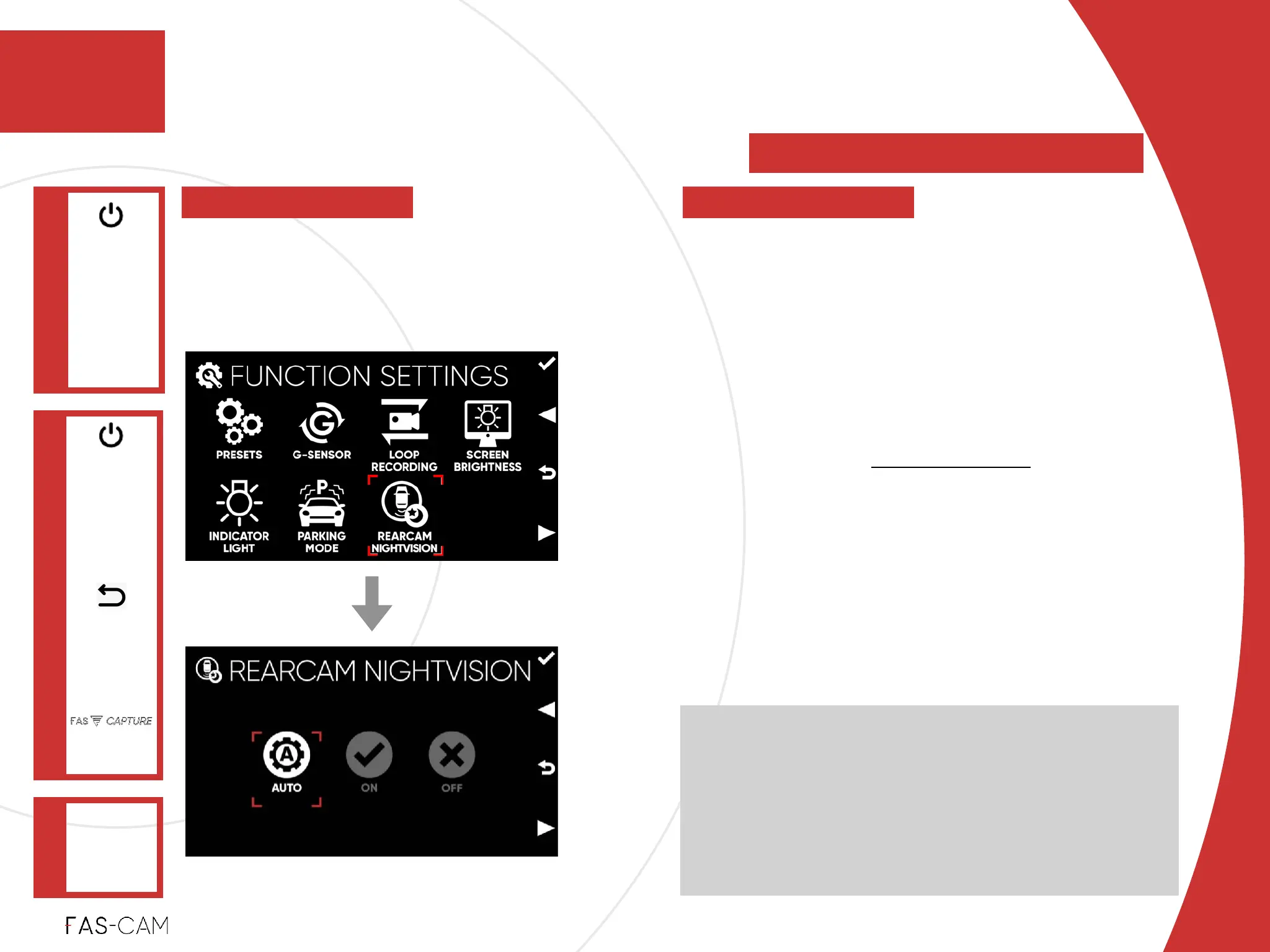
AUTO%
Automatically adjust “REARCAM
NIGHTVISION” base on the surrounding and
environment!
‣
ON%
F201 is being used as a Cabin View Camera.
See Chapter “9: Cabin View” for more
information.!
‣
OFF%
F201 is being used as a Rear View Camera and
camera is placed on the rear windshield!
‣
Default Setting!
AUTO
* Connect RearCam to activate this option
AUTO:!
NightVision is activated when the environment brightness
is lower than 60 illuminance and the exposure is lower
than 400 Light Value for 4 seconds.!
NightVision is deactivated when the environment
brightness is higher than 120 illuminance and the
exposure is higher than 600 Light Value for 30 seconds.
Settings
‣
7.1.7 RearCam NightVision
FUNCTION
SETTINGS
Main Menu
"▶
7.1 Function Settings
7
7. Settings
REARCAM
NIGHTVISION
"▶
To enhance RearCam picture quality in
order to better fit with different types of
scenario.



 To Next Page