37X INSTALLATION & OPERATION MANUAL
372/373 MODELS
30
7.17 BevTrak
TM
Menu
BevTrak
TM
is a reporting system for FBD beverage equipment. It allows the equipment owner to monitor the status and
sales performance of their dispenser via an internet browser. BevTrak
TM
connects to the internet through Wi-Fi connections.
If your dispenser comes with BevTrak
TM
capability the BEVTRAK
TM
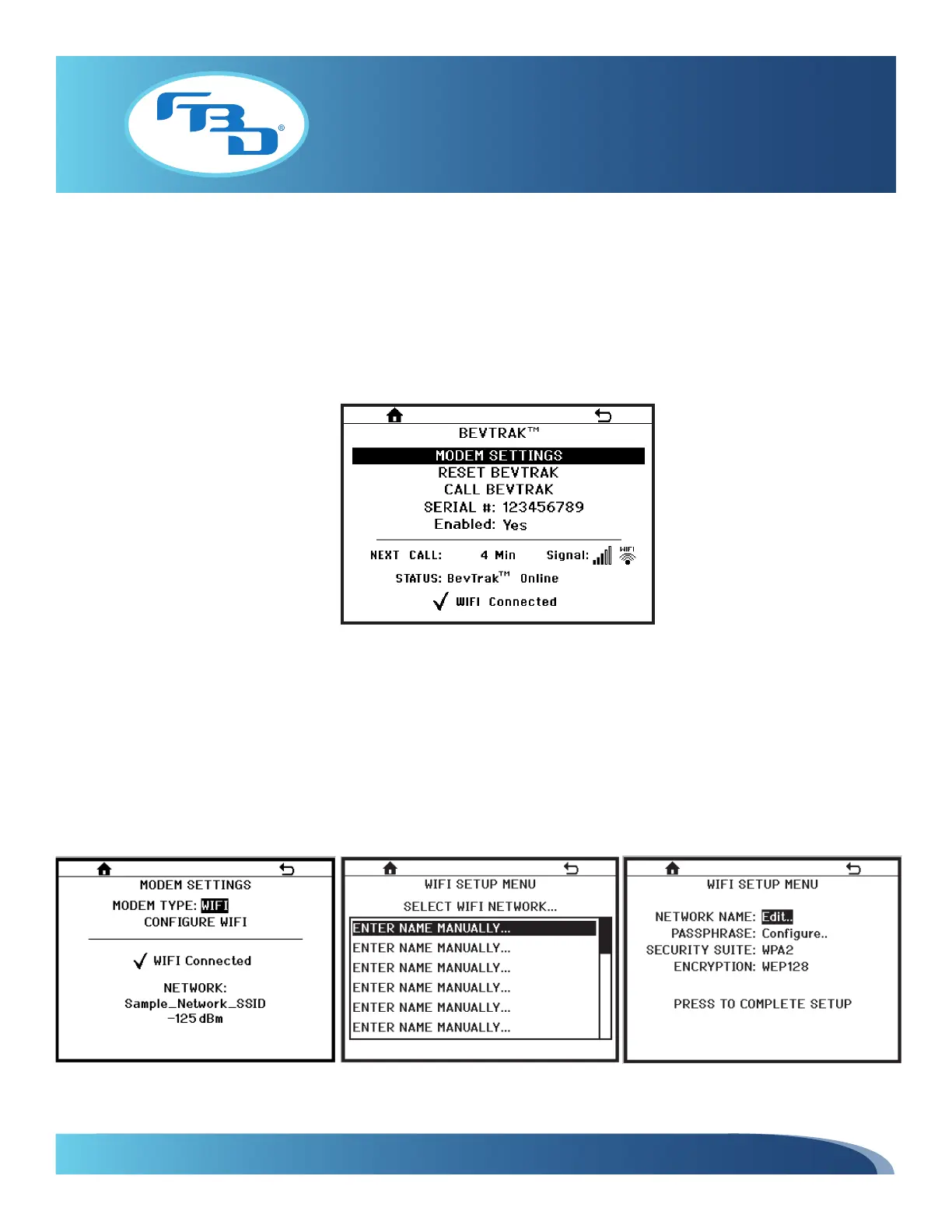
menu (Figure 7.30) will show “Yes” for Enabled. If the
serial number is not already entered in this menu, then it will need to be entered here to utilize this service. Also a Wi-Fi
modem will need to be set up (refer to Section 7.18) and a customer login portal will need to be created on the BevTrak
TM
website (www.bevtrak.com). Contact FBD sales for assistance in setting up an account.
7.18 Modem Settings Menu
In order to use BevTrak
TM
, the modem needs to be configured. To configure the modem, from the MODEM SETTINGS menu
(Figure 7.31), select CONFIGURE WIFI. This will open a WIFI SETUP MENU (Figure 7.32) that will allow you to select from
existing networks in the area or allow you to manually enter the needed network. Once the network is selected, a second
WIFI SETUP MENU window will open (Figure 7.33) that will allow you to enter the password to the selected network. To
finalize setup, select PRESS TO COMPLETE SETUP.
Figure 7.30
Figure 7.31 Figure 7.33
Figure 7.32



 To Next Page