DIGITAL MERCHANDISER
56X/77X MODELS
11
6.7 Changing Flavor Images on 561 Merchandiser
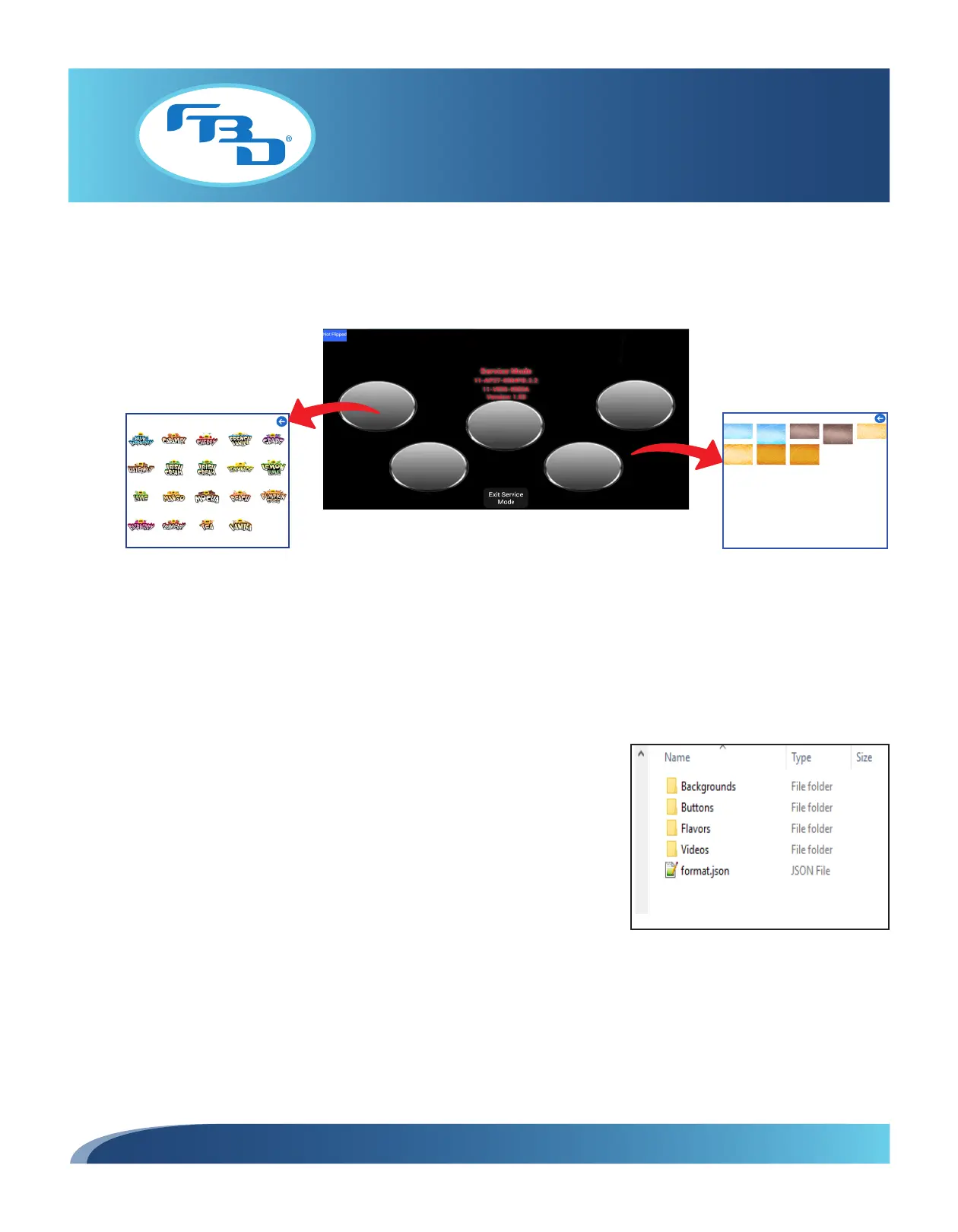
To change the image on a flavor button, tap a flavor image to open the images menu. Select the desired image.
To change the background behind the flavor button, tap any part of the screen where the background is visible to open the
background menu. Select the desired image (Figure 6.9). To exit the image or background menus, press the blue arrow.
6.8 Updating Content on an SD Card
All merchandisers come preloaded with video, flavor, and background content. However, content can be updated, added,
or removed as needed. The process below describes the procedure for doing this. However, before adding content to
an existing or new large-sized SD card, ensure all folders are named as shown in Figure 6.10. If any folder names are
different than illustrated in the figure, content will not load or be updated on the screen properly. Also, all images should
be formatted as PNG files and all video files as MP4 files unless otherwise noted.
Figure 6.9
1. Locate the 4 main folders on the SD card. These 4 folders should
be named Backgrounds, Buttons, Flavors, and Videos. Ensure each
folder name begins with an uppercase letter.
2. The Backgrounds folder holds the background images for the lower
selection flavor portion of the video door. The background images
should be formatted to the standard resolution of 1080 x 640 px.
3. The Buttons folder holds the button images for the base flavor image
that is the center/middle button on the screen and that corresponds
to the base flavor connected to the dispenser. These button images
should be formatted to the standard resolution of 600 x 500 px.
4. The Flavors folder holds the flavor shot images for the four different
flavor shots that can be dispensed. These flavor images should also
be formatted to 516 x 600 px.
5. The Videos folder holds the video files to display on the upper portion
of the video door. These videos should be formatted to 1080 x 1280
px, in portrait orientation.
Figure 6.10



 To Next Page