DIGITAL MERCHANDISER
56X/77X MODELS
14
7.2 Menu Layout for Two- or Three-Barrel Merchandisers
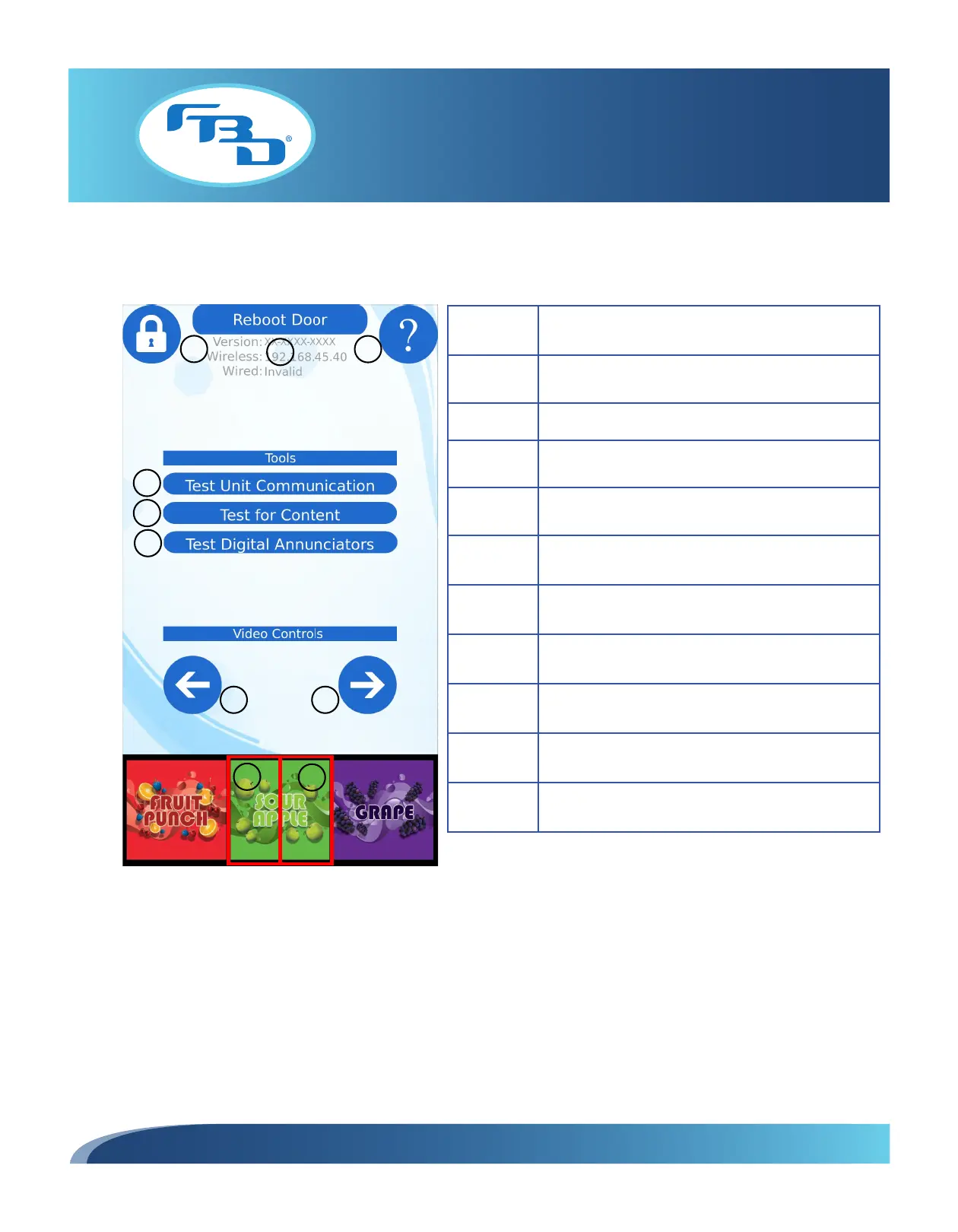
Figure 7.3 illustrates the menu displayed after a successful “unlock” as well as the menu options.
4
5
6
1
2
3
7 8
10
9
Item Description
1
Locks screen, removes controls, saves settings, and
starts the video.
2 Reboots the screen.
3
Provides access to additional information through a
quick reference guide.
4
Tests connection between the merchandiser and the
dispenser.
5 Tests for content available to the merchandiser.
6 Tests for flavor card functionality and content.
7 Changes to previous video.
8 Changes to next video.
9
Left half of each flavor card changes to the previous
flavor.
10
Right half of each flavor card changes to the next
flavor
Figure 7.3



 To Next Page